5
ENGLISH
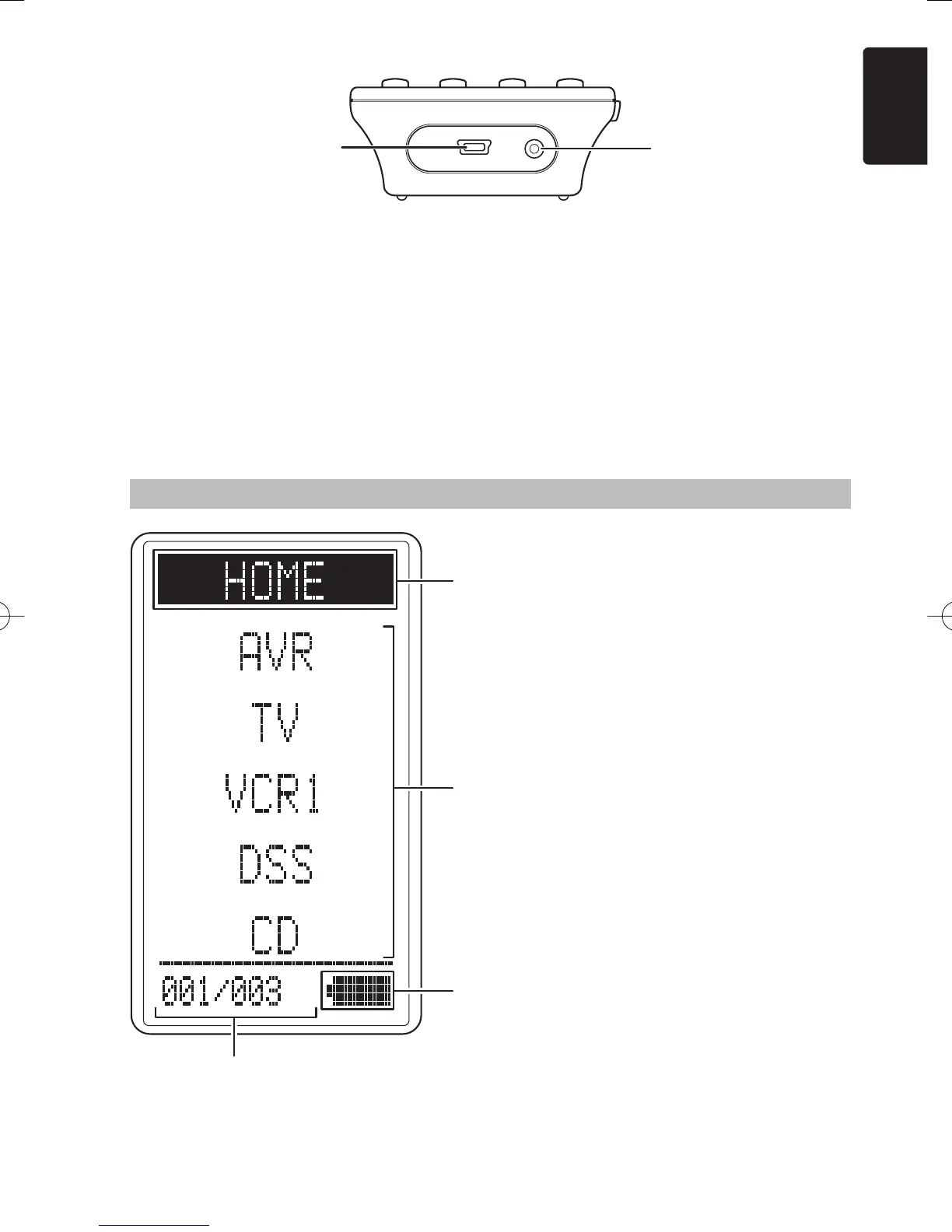
!0 USB port
This port is used to connect the remote controller
and a PC with the supplied USB cable to enable
editing with the Wizz.it 3 editor software.
!1 Charging terminal
This terminal is used to connect the supplied AC
adapter used to charge the remote controller.
A Mode display area
Home:
This is displayed during Home mode.
Device Name:
This displays the device mode name that is
currently active.
This area is always highlighted.
B Command display area
This displays the information that has been set
for the display items in the device modes.
C Battery indicator
This displays the remaining battery power.
D Sub info. Area
Normal operation:
The page number that has been set for the
respective mode is displayed.
When sending IR command:
The command name that has been set for the
respective button is highlighted.
Operation when not sending an IR command
(such as jump operation):
The operation name that has been set for the
button is displayed normally (not highlighted).
REMOTE CONTROLLER LCD
A
B
C
D
!1!0
RC3001E01ENG.indd5RC3001E01ENG.indd5 07.8.311:04:39PM07.8.311:04:39PM



 To Next Page