24
ENGLISH
MEM CLEAR (INITIALIZATION SETTING)
This returns the settings made in the RC3001 to
their initial settings.
1.
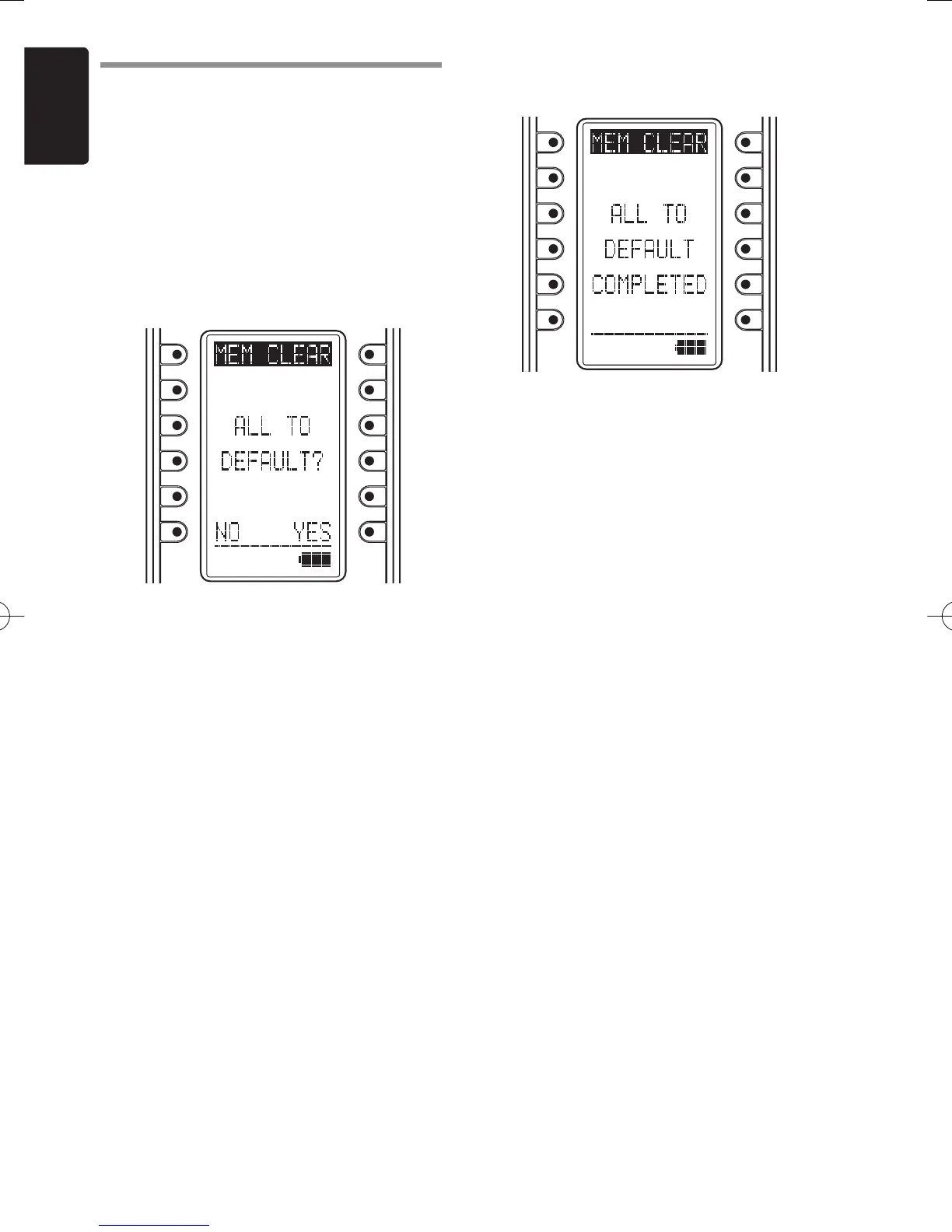
Press the button next to the “MEM CLEAR”
indicator in the SYS.SETUP menu screen
in the LCD to display the initialization
setting screen.
2.
Press the button next to the “NO” (Disable)
or “YES” (Enable) indicators on the LCD to
either enable or disable initialization.
3.
Pressing the NO button automatically
returns the LCD to the SYS.SETUP menu.
Pressing the YES button displays
“COMPLETED” on the LCD and completes
initialization.
The setting items that are initialized are
shown below.
• TIMER SETUP
• BACK LIGHT TIMER
• LCD
• BEEP
Note:
The LEARNING and CLOCK settings are not
initialized.
• Either press the ENTER button or
wait three seconds for the LCD to
automatically return to the SYS.SETUP
menu.
• Pressing the Home button returns the
LCD to the MAIN MENU.
RC3001E01ENG.indd24RC3001E01ENG.indd24 07.8.311:04:45PM07.8.311:04:45PM



 To Next Page