3.1. Input selection mode (without setting to system setup menu)
This mode is available to select the input without setting to system setup menu by the following steps.
1. When FLD shows "AUTO CD"( Refer to "3. Input and output test mode"), the input can be shifted by pressing [ MODE ] button
for the remote commander only each time as shown in Fig 2. ( [ MODE ] button is in page4 of AMP function for RC-18SR
*
)
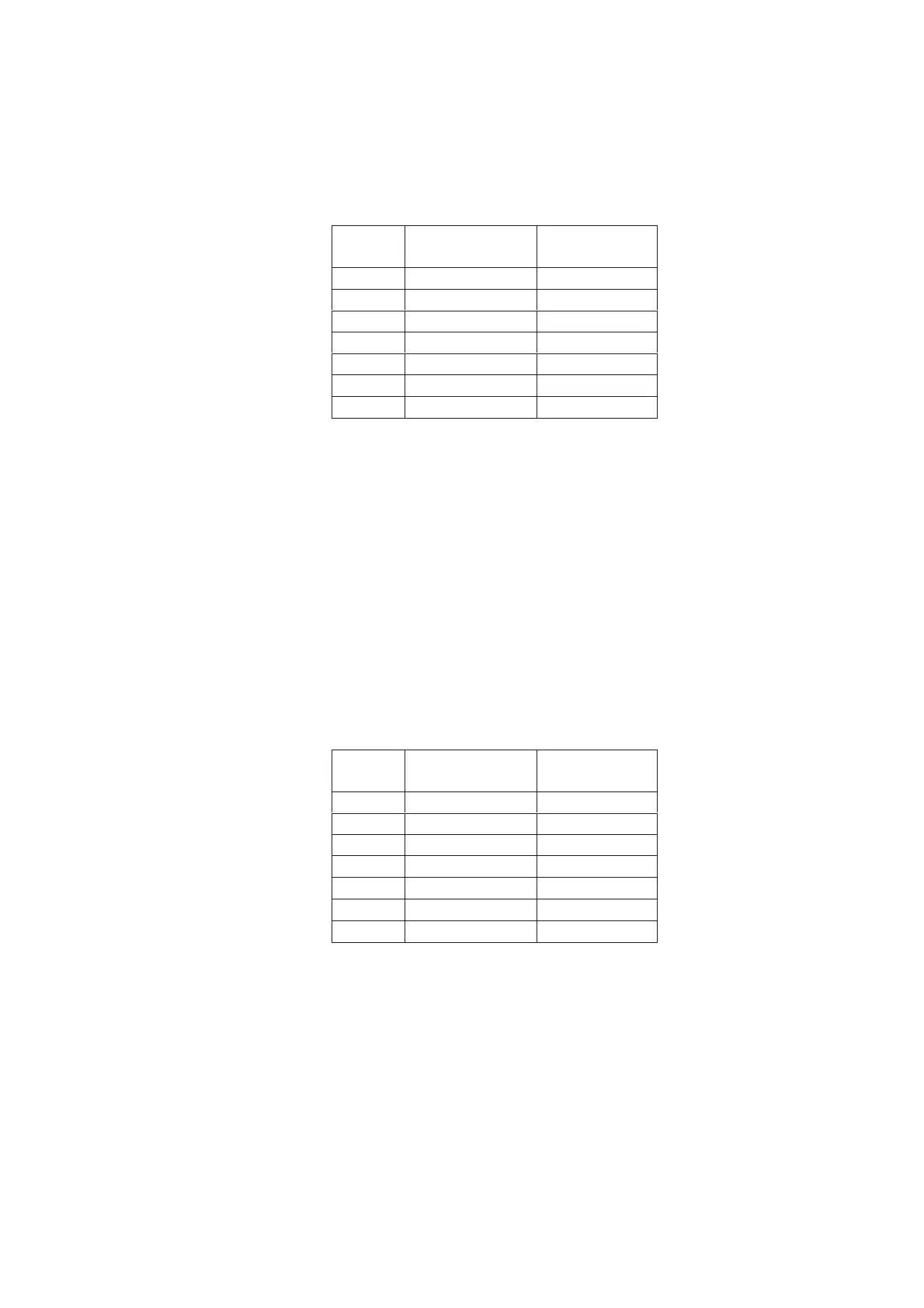
Fig 2. Input selection order by pressing [ MODE] button each time
ORDER INDICATION for
FLD
INPUT STATUS
1 AUTO D1 DIG. 1 IN
2 AUTO D2 DIG. 2 IN
3 AUTO D3 DIG. 3 IN
4 AUTO D4 DIG. 4 IN
5 AUTO D5 DIG. 5 IN
7 AUTO CD CD IN (Analog)
6 AUTO D6 DIG. 6 IN
Note: Surround mode is fixed “AUTO” mode automatically.
3.2. 5.1 channels output mode
This mode is available to output the same signal from 5 channels, even though 2 channels audio signal comes in.
As the result, all channels output can be confirmed by using analog stereo signal or PCM audio signal.
AC-3 or DTS source is not necessary to output from any channel in this mode.
1. When FLD shows "ALL CH CD" (Refer to "3. Input and output test mode"), the input can be shifted by pressing [ MODE ]
button for the remote commander only each time as shown in Fig 3.
( [ MODE ] button is in page4 of AMP function for RC-18SR
*
)
2. Supply to 2 channels PCM signal for digital input or 2 channels analog signal for analog input. But, Left channel and Right
channel of input signal should be equal.
3. Then each output from the product is the same as the input signal. (Subwoofer channel is respond to lower than 80Hz signal)
Fig 3. Input selection order by pressing [ MODE] button each time
DIG. 5 IN
DIG. 6 IN
ORDER INDICATION for
FLD
INPUT STATUS
1 ALL CH D1 DIG. 1 IN
2 ALL CH D2 DIG. 2 IN
3 ALL CH D3 DIG. 3 IN
4 ALL CH D4 DIG. 4 IN
5 ALL CH D5
7 ALL CH CD CD IN (Analog)
6 ALL CH D6
4. Transistor MUTE mode
In mute situation on the product, output signal is muted by Volume control IC and muting transistor.
But, this mode is available to work the muting transistor only by the following steps.
1. When the product is FACTORY mode ( Refer to "1. FACTORY mode"), press [ MUTE ] button for remote commander only.
2. FLD shows "TrMUTE ON", then muting transistor circuit is active only.
5. How to reset the product
When the product is POWER ON, press both [ CL ] and [ DISPLAY OFF ] buttons simultaneously.
FLD shows "DEFAULT" for 3 seconds, then all memories are cleared.
Note
*
: The remote controller RC2000mkII is available instead of RC-18SR for [ MODE] button.


 To Next Page