EasyManua.ls Logo

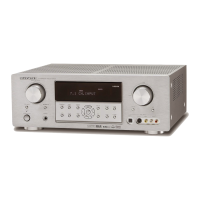
Marantz SR4003 - User Manual

Marantz SR4003
48 pages
Print Icon
To Next Page IconTo Next Page
Loading...
AV Surround Receiver
SR4003
ENGLISHFRANÇAISESPAÑOL
SR4003U00cover.indd3SR4003U00cover.indd3 08.6.205:05:13PM08.6.205:05:13PM

Other manuals for Marantz SR4003

Questions and Answers

  • C
    Chad StevensAug 15, 2025
    Why is there no audio output from the center channel speaker on my Marantz SR4003 Stereo Receiver?
    • G
      Geoffrey BoothAug 15, 2025
      If you're not getting any sound from the center channel speaker of your Marantz Stereo Receiver, check these: * Ensure the center speaker cable is correctly connected. * If STEREO is selected for Surround mode, no sound will come from the center speaker. Choose a different Surround mode. * Verify that Center is not set to NONE in SETUP mode; adjust the setting if needed.
  • E
    Evelyn TurnerAug 18, 2025
    How to fix no audio output from surround speakers on Marantz Stereo Receiver?
    • J
      John MccoyAug 18, 2025
      If there's no audio from the surround speakers on your Marantz Stereo Receiver, try these solutions: * Make sure the surround speaker cables are properly connected. * If STEREO is selected for Surround mode, the surround speakers won't produce sound. Select another Surround mode. * Check if Surround is set to NONE in SETUP mode and adjust the setting accordingly.
  • B
    Brandy MorrisAug 21, 2025
    Why no audio output from surround back speakers on Marantz SR4003 Stereo Receiver?
    • J
      Jeffrey KramerAug 21, 2025
      If you're not hearing audio from the surround back speakers on your Marantz Stereo Receiver: * Ensure the surround back speaker cable is correctly connected. * The surround mode might not be EX/ES mode. Set the surround mode to EX/ES. * Check if Surround back is set to NONE in SPEAKERS SIZE SETUP and adjust the setting.
  • C
    Catherine ThomasAug 25, 2025
    What to do if the Marantz SR4003 Stereo Receiver remote controller fails?
    • I
      Isaiah HendersonAug 25, 2025
      If your Marantz Stereo Receiver remote controller isn't working, here are a few things to try: * Replace all the batteries with new ones. * Ensure you're using the remote from a suitable position for controlling the equipment. * Move closer to the unit. * Make sure nothing is blocking the path between the remote and the unit.
  • A
    Amber GibbsAug 30, 2025
    What to do if audio is not played back over an HDMI connection on Marantz SR4003 Stereo Receiver?
    • L
      Lynn HuynhAug 30, 2025
      If you're experiencing no audio playback over an HDMI connection with your Marantz Stereo Receiver, consider the following: * The HDMI audio output of your DVD player or Set-Top Box might be off. Check its manual to enable it. * The signal format from your DVD player or Set-Top Box might not be supported. Refer to its manual to set the HDMI audio output correctly for the unit. * The unit might be set to HDMI audio “THROUGH” mode. Change it to “ENABLE” to produce sound from the unit.
  • B
    Bryan DonovanSep 2, 2025
    What to do if DVD-Audio is not played back over an HDMI connection on Marantz Stereo Receiver?
    • J
      Joseph HughesSep 2, 2025
      If DVD-Audio isn't playing back over HDMI on your Marantz Stereo Receiver: * Your DVD player might not support CPPM, preventing HDMI audio output. Use a DVD-Audio player that supports CPPM. * Turn on PCM downsampling on the DVD player. * Try using an analog connection instead.
  • D
    Dr. George MurraySep 5, 2025
    Why is noise produced during DTS-encoded CD or laser disc play on Marantz SR4003?
    • M
      Matthew HarrellSep 5, 2025
      If you're hearing noise while playing a DTS-encoded CD or laser disc on your Marantz Stereo Receiver, it might be because analog has been selected for input. Ensure you're using a digital connection, select digital input, and then try playing again.
  • E
    Edward TaylorSep 8, 2025
    What to do if I cannot get programmed station when the PRESET button is pressed on Marantz SR4003?
    • K
      katelynmolinaSep 8, 2025
      If you cannot get a programmed station when you press the PRESET button on your Marantz Stereo Receiver, it's possible that the preset data has been erased. Disconnecting the power plug for extended periods can cause this. If this happens, you'll need to input the preset data again.
  • C
    Christopher ColemanSep 12, 2025
    Why can't I select CSII mode on my Marantz Stereo Receiver?
    • D
      denise17Sep 12, 2025
      If you're unable to select CSII mode on your Marantz Stereo Receiver, it's likely due to an incompatible input signal. Use a 2 channel Dolby Digital input signal, PCM input signal, or analog input signal.
  • K
    Kimberly CarterNov 26, 2025
    Why display does not appear over an HDMI connection on Marantz SR4003 Stereo Receiver?
    • A
      Ashley HarmonNov 26, 2025
      If the display doesn't appear over an HDMI connection on your Marantz Stereo Receiver, consider the following: * The connected monitor or projector might not support HDCP. Try connecting to equipment that does support HDCP or change the connection method. * The HDMI input on your TV might not be activated. Check your TV's instruction manual to turn it on. * The HDMI output on your DVD player or Set-Top Box might be off. Refer to its manual to enable it. * The HDMI mode on the unit might be incorrectly set. * The HDMI output video resolution of the DVD, Set Top Box, etc. might not match the TV specifications. Set the resolution so that it matches, as explained in the instruction manuals of both components. * A non-standard HDMI cable might be in use. Use a 5 m or shorter cable...

Summary

Safety and Compliance

Safety Warnings and Precautions

General cautions regarding electric shock, warnings, and usage.

Important Safety Instructions

Operating and Additional Safety Information

Guidelines for safe installation, operation, and placement of equipment.

Introduction and Product Overview

Before Use and Safety Precautions

Important placement, operating, and safety precautions for long-term use.

Names and Functions

Basic Connections

Speaker and Subwoofer Connections

Guides on connecting speakers and subwoofer terminals.

Basic Operation

Amp and Tuner Operation

Covers turning on the unit, selecting sources, adjusting volume, tone, and muting.

Remote Controller Operation

Advanced Remote Functions

Using learn mode, programming, checking, resetting, and erasing remote codes.

Advanced Connections

Setup

On-Screen Display Menu System

Overview of the OSD menu for system configuration and adjustments.

Input and Speaker Configuration

Setting up input assignments and speaker parameters.

MRAC Room Acoustic Calibration

Using the microphone for automatic room acoustic calibration.

Advanced Operation

Signal Handling and Special Modes

Adjusting signal attenuation, 7.1 input, AUX2, HT-EQ, and TV auto functions.

Troubleshooting

Troubleshooting Guide

Lists common symptoms, causes, and remedies for operational issues.

Specific Issue Resolution

Addresses HDMI connection problems, button lock, general malfunctions, and unit reset.

Technical Specifications and Maintenance

Equipment Specifications

Detailed technical data for tuners, audio, video, and general specifications.

Marantz SR4003 Specifications

General IconGeneral
Total Harmonic Distortion (THD)0.08%
Input Sensitivity200 mV
Dimensions440 x 151 x 380 mm
Weight10.5 kg
HDMI Inputs3
HDMI Outputs1
Component Video Inputs3
Component Video Outputs1
Composite Inputs4
Composite Outputs1
Digital Audio Inputs (Optical)2
Digital Audio Inputs (Coaxial)2
Analog Audio Inputs6
Analog Audio Outputs1
Speaker Outputs7
TunerAM/FM
Damping Factor100
Input Impedance47 kOhms
Dimensions (mm)440 x 151 x 380
Weight (kg)10.5
Preamp OutputsYes
Speaker Impedance4 - 8 ohms

Related product manuals