EasyManua.ls Logo

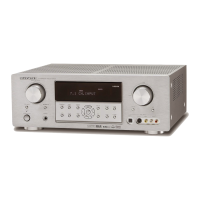
Marantz SR4500 - Service Manual

Marantz SR4500
84 pages
Print Icon
To Next Page IconTo Next Page
Loading...
AV Surround Receiver
SR4500
/
PS4500
Part no. 90M07BW855010
First Issue 2004.06
ecm
Service
Manual
SR4500 /A1B/N1B/U1B
K1G/L1G/N1G
A1S/N1S/U1S
Please use this service manual with referring to the user guide (D.F.U) without fail.
SR4500
TABLE OF CONTENTS
SECTION PAGE
1. TECHNICAL SPECIFICATIONS ............................................................................................ 1
2. TECHNICAL DESCRIPTION ................................................................................................. 4
3. WIRING DIAGRAM ................................................................................................................7
4. BLOCK DIAGRAM .................................................................................................................9
5. SCHEMATIC DIAGRAM ........................................................................................................11
6. PARTS LOCATION .............................................................................................................. 27
7. IC DATA ................................................................................................................................ 38
8. EXPLODED VIEW AND PARTS LIST .................................................................................. 45
9. POWER AMPLIFIER ADJUSTMENT ................................................................................... 52
10. SERVICE MODE .................................................................................................................. 53
11. SYSTEM ERROR ................................................................................................................ 55
12. UPDATE FIRMWARE .......................................................................................................... 56
13. ELECTRICAL PARTS LIST .................................................................................................. 58
SURROUND
AV SURROUND RECEIVER SR4500
DOWN
UP
VOLUME
INPUT SELECTOR
POWER ON/OFF PHONES
STANDBY
MUTE
7.1CH INPUT
S. SPEAKER B
ATT
PURE
SETUP
DIRECT
SIMPLE
AUTO
HT-EQ
MENU
ENTER
DISPLAY
MEMORY
CLEAR
T-MODE
EXIT
BAND
MODE
DISP MULTI AUTO TUNED ST V
OFF NIGHT PEAK ANALOG
DIGITAL
ATT
SLEEP
SURR
AUTO
DIRECT DISC 6.1 MTX 6.1 EQ
DIGITAL
SURROUND
PCM
L
C
R
SL S SR
LFE
PS4500 /F1N
AV Surround Amplifier
PS4500


Other manuals for Marantz SR4500

Questions and Answers

  • M
    Matthew ChenSep 14, 2025
    What to do if I cannot get programmed station on my Marantz Stereo Receiver?
    • T
      tbennettSep 14, 2025
      If you cannot get a programmed station when pressing the PRESET button on your Marantz Stereo Receiver, it is possible that the preset data has been erased. This can happen if the power plug is disconnected for long periods. If this occurs, input the preset data again.
  • H
    hwhiteAug 25, 2025
    What to do if no sound and picture are output even when power is on Marantz Stereo Receiver?
    • T
      Theresa HillAug 25, 2025
      If you're not getting any sound or picture from your Marantz Stereo Receiver SR4500 even when it's powered on: * Ensure that mute is off by using the remote control. * Check the input cable connections using the connection diagram. * Adjust the master volume to an audible level. * Select the correct function selector position.
  • S
    Susan GeorgeAug 25, 2025
    What to do if no output to Sub Woofer Out on Marantz Stereo Receiver?
    • D
      Dustin HernandezAug 26, 2025
      If you're not getting any output from your subwoofer on your Marantz Stereo Receiver, check your settings. If 'Sub-woofer = NONE' has been selected in SETUP mode, change it to 'Sub-woofer = YES'.
  • A
    Ana FinleyAug 26, 2025
    Why is there no Audio output from the center channel speaker on Marantz SR4500 Stereo Receiver?
    • N
      njenningsAug 26, 2025
      If you're not getting audio from the center channel speaker on your Marantz Stereo Receiver, try the following: * Ensure the center speaker cable is correctly connected. * If 'STEREO' is selected for Surround mode, choose another Surround mode. * Check that 'Center = NONE' is not selected in SETUP mode; correct the setting if needed.
  • J
    Joshua PetersonSep 15, 2025
    Why noise is produced during DTS-encoded CD play on Marantz Stereo Receiver?
    • S
      Stacey MonroeSep 15, 2025
      If noise occurs during DTS-encoded CD or laser disc playback on your Marantz Stereo Receiver, and analog is selected for input, ensure you perform a digital connection, select digital input, and then play.
  • A
    andersonalexandraSep 23, 2025
    What to do if my Marantz Stereo Receiver has a general malfunction?
    • C
      Cassandra BurkeSep 23, 2025
      In case of a general malfunction of your device: 1. Disconnect the plug from the AC line supply. 2. After waiting at least three minutes, reconnect the plug to the AC line supply. 3. Re-attempt to operate the equipment.
  • J
    Jennifer GomezSep 7, 2025
    Why is there no speaker output from my Marantz Stereo Receiver?
    • S
      Sharon DunlapSep 7, 2025
      If there is no speaker output from your Marantz Stereo Receiver, disconnect the headphones from the headphone jack. Speakers will not output sound when headphones are connected.
  • M
    Michelle RiceSep 8, 2025
    Why is noise produced during DTS- encoded CD or laser disc play on Marantz Stereo Receiver?
    • B
      Brenda TaylorSep 8, 2025
      If you are experiencing noise during DTS-encoded CD or laser disc play on your Marantz Stereo Receiver, ensure you're using a digital connection. Select digital input, and then play the source.
  • L
    Lisa CarlsonSep 2, 2025
    What to do if there is no output to Sub Woofer Out on Marantz Stereo Receiver?
    • C
      Crystal AndersonSep 2, 2025
      If there is no output to the subwoofer on your Marantz Stereo Receiver, check if "Sub-woofer = NONE" has been selected in the SETUP mode. If so, select "Sub-woofer = YES".
  • J
    Jessica LewisAug 31, 2025
    What to do if my Marantz Stereo Receiver has no sound and picture?
    • J
      Jasmine ConwayAug 31, 2025
      If your Marantz Stereo Receiver has no sound and picture output even when powered on, it could be due to several reasons: * The mute function might be activated. Deactivate mute using the remote control. * Incorrectly connected input cables. Refer to the connection diagram to ensure correct cable connections. * The master volume might be set too low. Adjust the master volume to an audible level. * The function selector might be set to the wrong position. Ensure the correct function is selected.

Summary

1. Technical Specifications

FM Tuner Section

Technical parameters for the FM tuner.

AM Tuner Section

Technical parameters for the AM tuner.

Audio Section

Audio output and input specifications.

Video Section

Video input and output specifications.

2. Technical Description

DTS Audio Technologies

Explanation of DTS, DTS-ES, and DTS 96/24 audio technologies.

Dolby and SRS Audio Technologies

Explanation of Dolby Digital EX, Pro Logic IIx, and SRS Circle Surround II.

3. Wiring Diagram

4. Block Diagram

5. Schematic Diagram

6. Parts Location

7. IC Data

NJW1157 IC Data

Pinout and function details for the NJW1157 IC.

CS49400 IC Data

Pinout and function details for the CS49400 IC.

H8 S2398 IC Data

Pinout and function details for the H8S2398 microcontroller.

NJU3430 FG1 IC Data

Pinout and function details for the NJU3430FG1 IC.

8. Exploded View and Parts List

9. Power Amplifier Adjustment

Idling Current Alignment

Procedure to set idling current for power amplifier channels.

11. System Error

DSP Communication Error

Error display for DSP communication issues.

DSP Code Error

Error display for DSP code issues.

EEPROM Communication Error

Error display for EEPROM communication issues.

12. Update Firmware

Firmware Update Modes

Details on updating CPU and DSP firmware.

Firmware Version Check

How to check installed firmware versions.

13. Electrical Parts List

Resistors

List of resistor parts and specifications.

Capacitors

List of capacitor parts and specifications.

Safety Notes for Parts

Important safety information regarding replacement parts.

Marantz SR4500 Specifications

General IconGeneral
Frequency Response10Hz-100kHz (+1, -3 dB)
Total Harmonic Distortion0.08%
Input Sensitivity200mV (line)
Tuning rangeFM, AM
Damping Factor100
Input Impedance47k ohms
Power Output90W per channel (8 ohms, 20Hz-20kHz, THD 0.08%)
Signal-to-Noise Ratio105dB (line)
Video ConnectionsComposite, S-Video
Digital inputsOptical, Coaxial
Speaker Impedance6-8 ohms

Related product manuals