56
12. UPDATE FIRMWARE
Software for CPU and DSP can be updated.
Have 90M-SR4500CDR update disc.
The following items are required for updating.
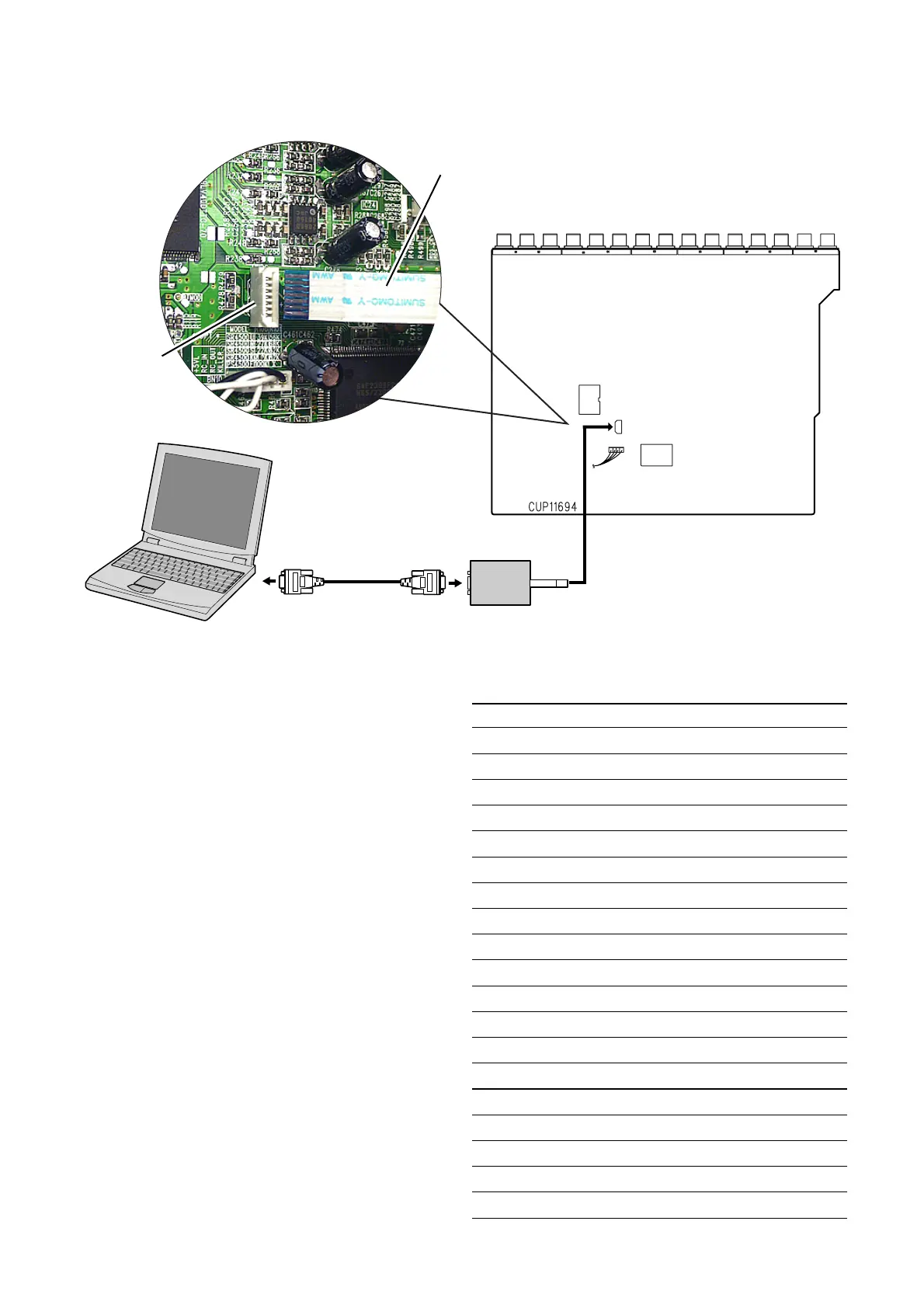
• RS232C Dsub-9 pin cable (female to female/Straight cable)
• PC (Windows 98, NT, ME, 2000) with RS-232C port
• DATA UPDATE KIT (part no. 90M-SR4500JIG)
• Upgrade software to CPU
• Upgrade software to DSP
1. Use RS232C Dsub-9 pin cable (female to female/Straight
type) to connect PC and the unit.
2. COM port on PC needs to be set by dialog box for each
program. COM port can be set from COM1 to COM5.
There are two mode of download, regarding to the target of
software as bellow.
Mode 1:
Download DSP’s software to 4M Flash-ROM.
This mode is to update the software for DSP.
The target devise is 4M Flash-ROM (IC20) on CUP11694
(DSP PCB).
SR4500 need to be set download condition, by three front keys.
• SR4500/A /K /L /N /U : ENTER, MUTE, T-MODE
• SR4500/F : ENTER, MUTE, V-OFF
Mode 2:
Download CPU’s software to internal Flash-ROM.
This mode is to update the software for DSP.
The target devise is internal flash ROM of CPU (IC41) on
CUP11694 (DSP PCB).
RS232C Dsub-9 pin cable
(female to female/Straight cable)
DATA UPDATE KIT
CN26
INPUT&DSP PCB
PC (Windows 98, NT, ME, 2000)
with RS-232C port
DATA UPDATE KIT
cable
CN26



 To Next Page