EasyManua.ls Logo

Marantz SR5023 - User Manual

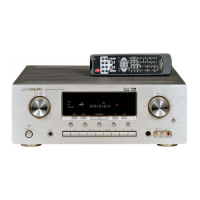
Marantz SR5023
23 pages
Print Icon
To Next Page IconTo Next Page
Loading...
Receiver
SR5023
ESPAÑOL NEDERLANDS DEUTSCH FRANÇAIS ENGLISHITALIANOSVENSKA

Other manuals for Marantz SR5023

Questions and Answers

  • Y
    ychristianAug 14, 2025
    Why is there no sound coming from my Marantz Receiver even though it's on?
    • M
      Mary CookAug 14, 2025
      There are several possible reasons: 1. The mute function might be activated. Deactivate mute using the remote control. 2. The input cable might not be correctly connected. Refer to the connection diagram and ensure all cables are properly connected. 3. The master volume control might be set too low. Increase the master volume. 4. The function selector might be in the wrong position. Make sure the correct input is selected.
  • S
    Sarah NolanAug 17, 2025
    How to fix a Marantz Receiver remote control that is not working?
    • R
      Roy RussoAug 17, 2025
      If your remote control is not working, consider the following possible causes: 1. The batteries may be dead. Try replacing all batteries with new ones. 2. The remote controller’s function-key setting might be incorrect. Select the correct function-key setting for the equipment you're trying to control. 3. You may be too far from the unit. Move closer to the receiver. 4. Something might be blocking the signal. Remove any obstructions between the remote and the receiver. 5. The main unit and remote controller might be using different remote control codes. Set the main unit and remote controller to use the same code.
  • E
    Elizabeth HernandezAug 21, 2025
    How to improve FM/AM reception on my Marantz Receiver?
    • S
      Stephen SheaAug 21, 2025
      If you're experiencing poor FM or AM reception, the antenna connection may be incomplete. Ensure that the indoor FM and AM antennas are correctly connected to the FM and AM antenna outlets.
  • E
    Emily RileyAug 25, 2025
    What to do if the audio is incorrect for the selected source on my Marantz Receiver?
    • J
      Jody DavisAug 25, 2025
      If the audio is incorrect for the selected source, the input cable might be connected incorrectly. Connect the cable correctly by referring to the connection diagram.
  • R
    Robert MartinezAug 27, 2025
    Why is there noise during AM reception on my Marantz Receiver?
    • L
      Lisa HobbsAug 27, 2025
      If you hear noise during AM reception, it could be due to interference from other electrical fields. Try changing the location where the AM indoor antenna is set up.
  • B
    Brenda AshleyAug 30, 2025
    How to eliminate noise during FM reception on my Marantz Receiver?
    • K
      Katherine RichAug 30, 2025
      If you are experiencing noise during FM reception, the radio waves from the broadcasting station may be weak. Try installing an FM outdoor antenna.
  • L
    Lauren JonesSep 3, 2025
    Why is there no speaker output from my Marantz Receiver?
    • K
      Karen JohnsonSep 3, 2025
      If there is no speaker output, check if headphones are connected to the headphone jack. Disconnect the headphones, as speakers will not output sound when headphones are connected.
  • M
    melissa60Sep 6, 2025
    Why can't I get programmed station when pressing the PRESET button on my Marantz Receiver?
    • J
      jessicazhangSep 6, 2025
      If you cannot get a programmed station when pressing the PRESET button, it's possible that the preset data has been erased. Disconnecting the power plug for extended periods can cause this. If this happens, you will need to input the preset data again.
  • J
    Julie WilliamsSep 10, 2025
    How to fix a Marantz SR5023 Receiver that will not turn on?
    • T
      tammy13Sep 10, 2025
      If the SR5023 receiver cannot be turned on, the power plug may not be connected. Connect the power plug to the outlet.

Summary

Marantz Receiver Warranty Information

Retain Your Purchase Receipt

Keep your purchase receipt as proof of a valuable purchase for insurance or correspondence.

Important Warranty Information

Consumer responsibility to establish proof and date of purchase for warranty service.

UK Specific Warranty Note

Undertaking is in addition to consumer statutory rights and does not affect them.

CE Compliance Marking

Essential Safety Warnings

Introduction to Marantz SR5023

Accessories Check

Verify that all included accessories are present in the package before use.

Product Features Overview

Before Using the Receiver

Names and Functions

Front Panel Controls and Indicators

Detailed explanation of the controls and indicators located on the front of the unit.

FL Display Information

Explanation of the indicators and information displayed on the unit's front display.

Rear Panel Connections

Identification of all input/output terminals and connectors on the back of the unit.

Remote Controller Operation Guide

Loading Batteries in Remote

Guide on how to insert batteries into the remote control unit correctly.

Remote Control Battery Cautions

Important safety and usage guidelines for batteries in the remote controller.

Remote Controller Functions Table

Basic Connections Guide

Connecting Audio Components

Instructions for connecting various audio sources like turntables, CD players, and recorders.

Connecting Speakers

Guidance on properly connecting speaker systems to the unit's terminals.

Connecting Antenna Terminals

Instructions for connecting FM and AM antennas, including supplied and external types.

Connecting Supplied Antennas

Details on connecting the provided FM and AM loop antennas for optimal reception.

Assembling AM Loop Antenna

Step-by-step guide on how to assemble the AM loop antenna for use.

Connecting FM Outdoor Antenna

Recommendations for connecting an FM outdoor antenna for improved signal quality.

Connecting AM Outdoor Antenna

Advice on connecting an AM outdoor antenna for more effective reception.

Marantz SR5023 Specifications

General IconGeneral
Frequency range10 - 50000 Hz
Input sensitivity200 mV
Audio output channels2.0 channels
Signal-to-Noise Ratio (SNR)95 dB
Total Harmonic Distortion (THD)0.08 %
Power output per channel (1KHz@6 Ohm)100 W
Power output per channel (20-20KHz@8 Ohm)80 W
Audio (L/R) in6
Audio (L/R) out1
Speakers connectivity type-
Ethernet LANNo
RDS featuresPS, PTY, RT
Supported radio bandsAM, FM
Radio Data System (RDS)Yes
Preset stations quantity50
DisplayLCD
Product colorGold, Silver
Volume controlRotary
Apple docking compatibilityiPod
Power consumption (standby)0.4 W
Power consumption (typical)150 W
Cables includedAC
Remote control typeRC002SR
Weight and Dimensions IconWeight and Dimensions
Depth367 mm
Width440 mm
Height105 mm
Weight7800 g

Related product manuals