7
BASIC
CONNECTIONS
BASIC
OPERATION
ADVANCED
CONNECTION
ADVANCED
OPERATION
TROUBLESHOOTING
OTHERS
NAMES AND
FUNCTIONS
NAMES AND
FUNCTIONS
ENGLISH
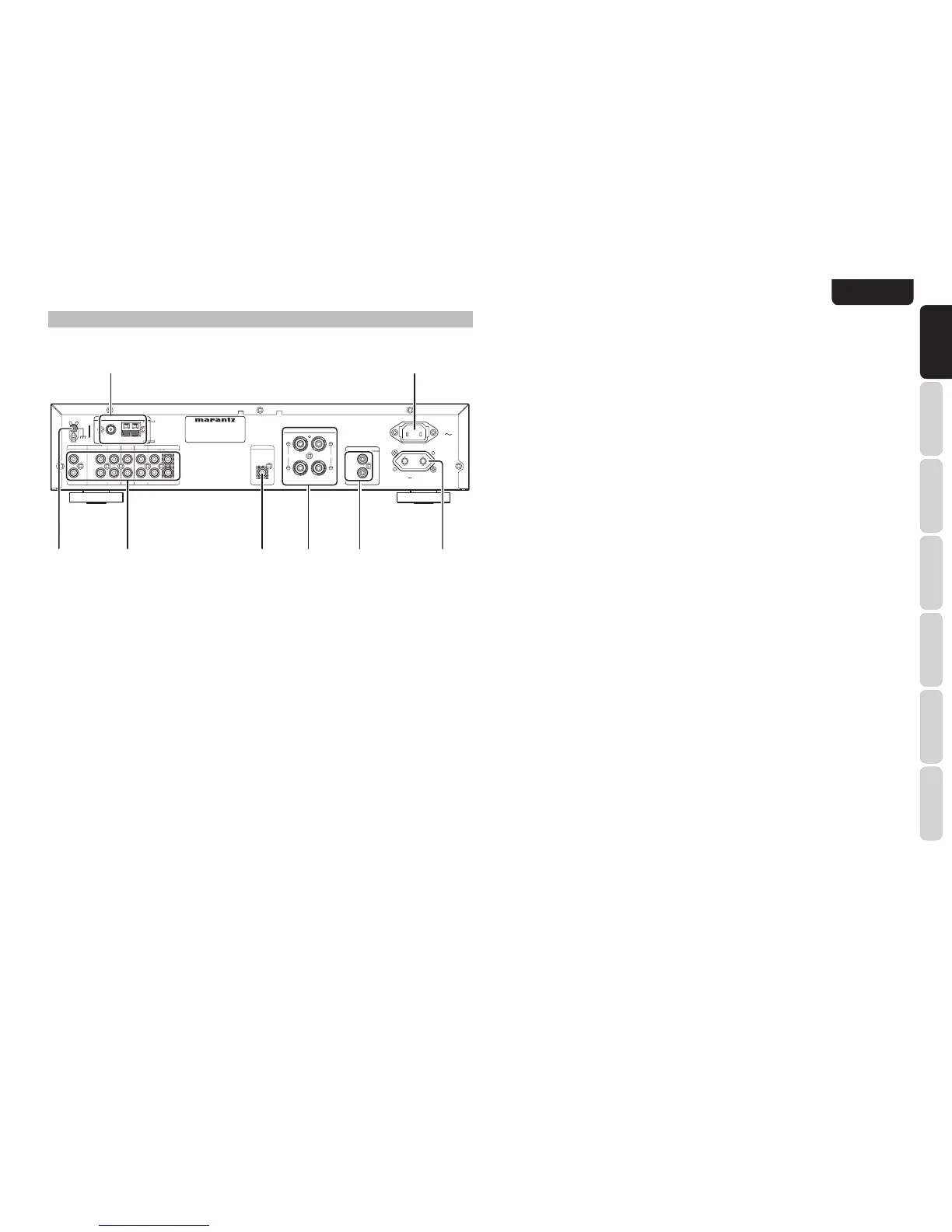
t Speaker terminals
Connect your speaker system to these terminals.
There is one set of terminals.
y Subwoofer Output
Connect this jack to the line level input of a powered
subwoofer.
u AUDIO IN/OUT
(PHONO, CD, DVD, DSS, AUX,
RECORDER 1)
These are the analog audio inputs and outputs.
There are 6 audio inputs and 1 audio output. The
audio jacks are nominally labeled for recorder1 (CD
recorder), compact disc players, DVD players and
etc.... The audio inputs and outputs require RCA-
type connectors.
i GND (ground) terminal
Connect the grounding wire from the analog turntable
to this terminal.
REAR PANEL
e AC OUTLETS
Connect the AC power cable of component such as
a DVD or CD player to this outlet.
This outlet provides power only when this unit is
turned on.
Caution:
• In order to avoid potential turn-off thumps, anything
plugged into this outlet should be powered up before
this unit is turned on.
• The capacity of this AC outlet is 150W. Do not
connect devices that consume electricity more
than the capacity of this outlet. If the total power
consumption of the connected devices exceeds the
capacity, the protection circuit shuts down the power
supply.
r REMOTE CONTROL IN/OUT
terminals
Connect to a Marantz component equipped with
remote control (RC-5) terminals.
q Antenna terminals
FM antenna terminal
For connecting the supplied FM antenna or for
connecting an external FM antenna with a coaxial
cable, or for connecting a cable network.
AM antenna and ground terminal
For connecting the supplied AM loop antenna. Use
the terminals marked “AM” and “GND”.
The supplied AM loop antenna will provide good AM
reception in most areas. Position the loop antenna to
the best reception.
w AC IN
Connect to supplied an AC power cable, and connect
to an AC power outlet.
This unit requires a power voltage of 230V AC only.
N














 To Next Page