15
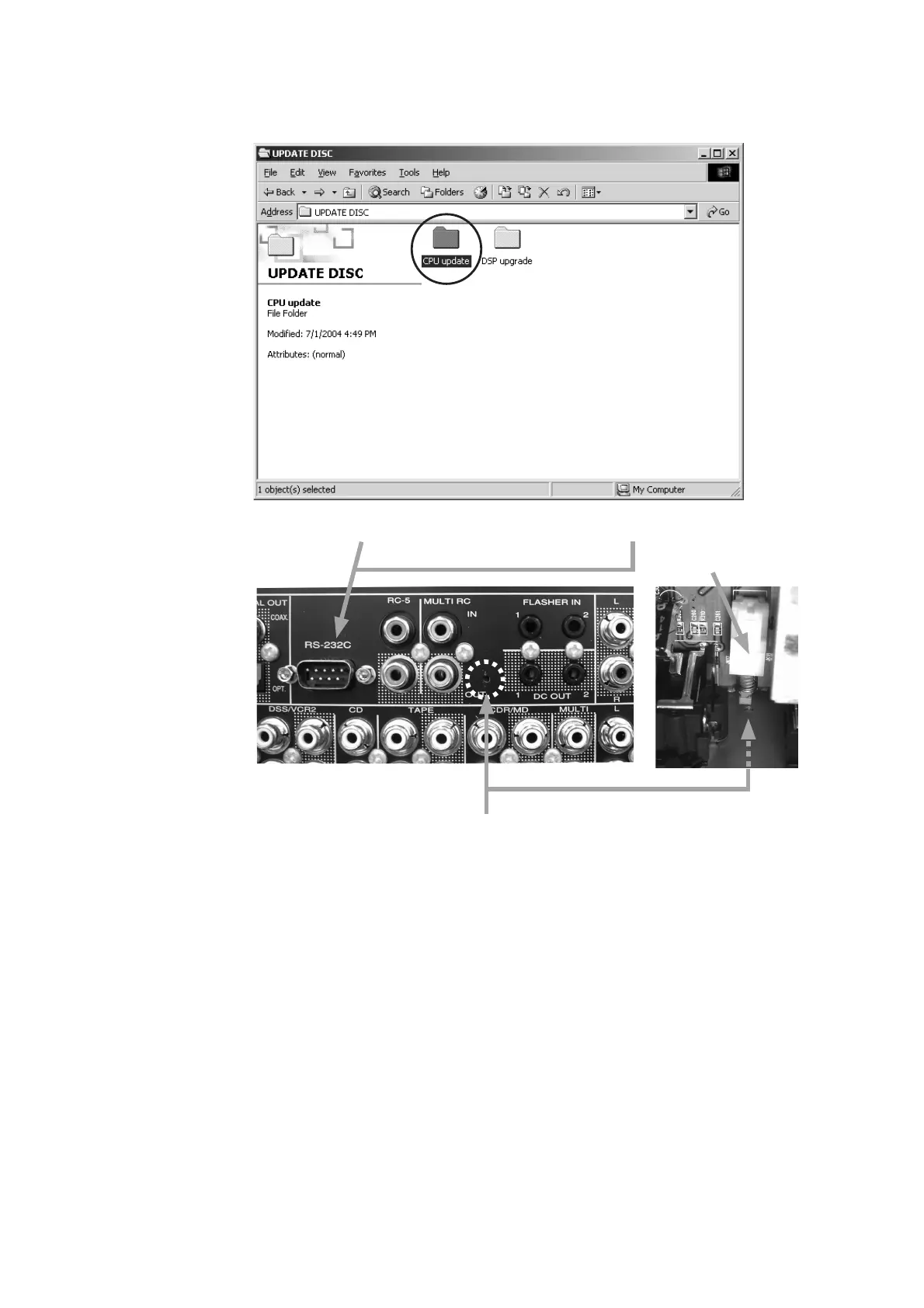
Download Firmware for CPU (Mode 2)
1. Put the “CPU update” folder into anywhere on your PC’s
hard disc.
2. Connect PC and the unit with the RS-232C cable.
3. Insert a thin rot to the hole and push the switch (SW10)
inside to turn on the switch.
4. Turn on the power of the unit.
Note: When the unit is into boot mode, stand-by LED is
not lights up.
Hole of rear panel
SW10
CPU
ƷǢȃȗȇȸȈ૾ඥ (Mode 2)
1. "CPU update" ȕǩȫȀǛ PC ƷȏȸȉȇǣǹǯƴdzȔȸƠ
LJƢŵ
2. ஜೞƱ PC Ǜ RS-232C ưዓƠLJƢŵ
3. ኬƍొǛƍஜೞƷȪǢȑȍȫƴƋǔᆭƔǒǹǤȃȁ
(SW10) ǛƠLJƢŵ
4. ஜೞƷᩓเǛλǕLJƢŵ
දᚡ : ஜೞƸȖȸȈȢȸȉƴƳǓŴStand-by LED Ƹໜ໊Ơ
LJƤǜŵ
ȪǢȑȍȫƴƋǔᆭ



 To Next Page