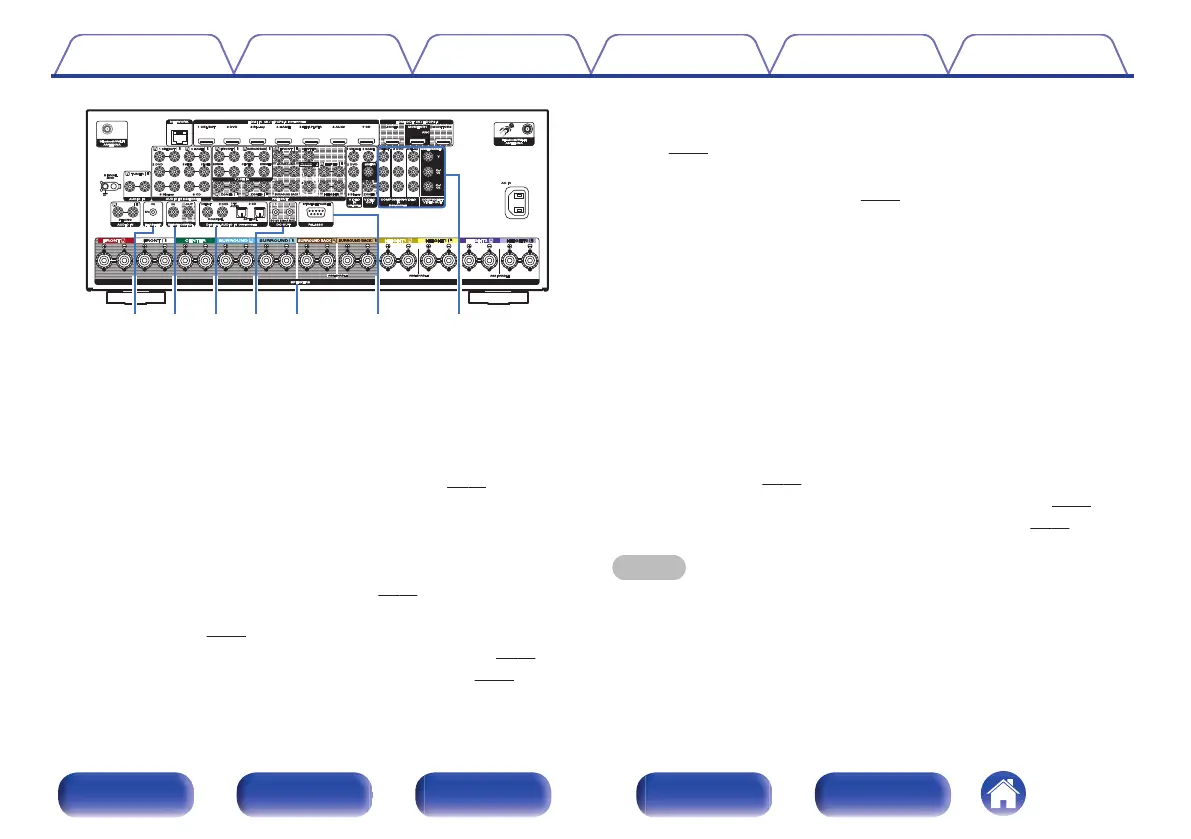
.
J
FLASHER IN jack
Used when using a control BOX or other such control devices to control
this unit.
K
REMOTE CONTROL jacks
Used to connect infrared receivers/transmitters in order to operate this
unit and external devices from a different room. (v
p. 90)
L
Digital audio connectors (DIGITAL AUDIO)
Used to connect devices equipped with digital audio connectors.
0
“Connection 2 : TV equipped with an HDMI connector and
incompatible with the ARC (Audio Return Channel) / eARC
(Enhanced Audio Return Channel)” (v
p. 79)
0
“Connection 3 : TV equipped without an HDMI
connector” (v
p. 80)
0
“Connecting a set-top box (Satellite tuner/cable TV)” (v p. 82)
0
“Connecting a DVD player or Blu-ray Disc player” (v
p. 83)
M
DC OUT jacks
Used to connect devices equipped with the trigger function.
(v p. 91)
N
Speaker terminals (SPEAKERS)
Used to connect speakers. (v
p. 43)
O
RS-232C connector
Used to connect home automation controller devices fitted with
RS-232C connectors. Consult the owner’s manual of the home
automation controller for more information about serial control of this
unit.
Perform the operation below beforehand.
A
Turn on the power of this unit.
B
Turn off the power of this unit from the external controller.
C
Check that the unit is in the standby mode.
P
Component video connectors (COMPONENT VIDEO)
Used to connect devices equipped with component video connectors.
0
“Connection 3 : TV equipped without an HDMI
connector” (v
p. 80)
0
“Connecting a set-top box (Satellite tuner/cable TV)” (v p. 82)
0
“Connecting a DVD player or Blu-ray Disc player” (v
p. 83)
NOTE
0
Do not touch the inner pins of the connectors on the rear panel. Electrostatic
discharge may cause permanent damage to the unit.
Contents Connections Playback Settings Tips Appendix
29
Front panel Display Rear panel Remote Index



 To Next Page