3
3. WRITING MICROPROCESSOR PROCEDURE
NECESSARY EQUIPMENT
• Windows PC (OS : Windows2000 or WindowsXP) with
Serial Port
• RS-232C Cable straight type (9 Pin female - 9 Pin female)
• Writing software and several files
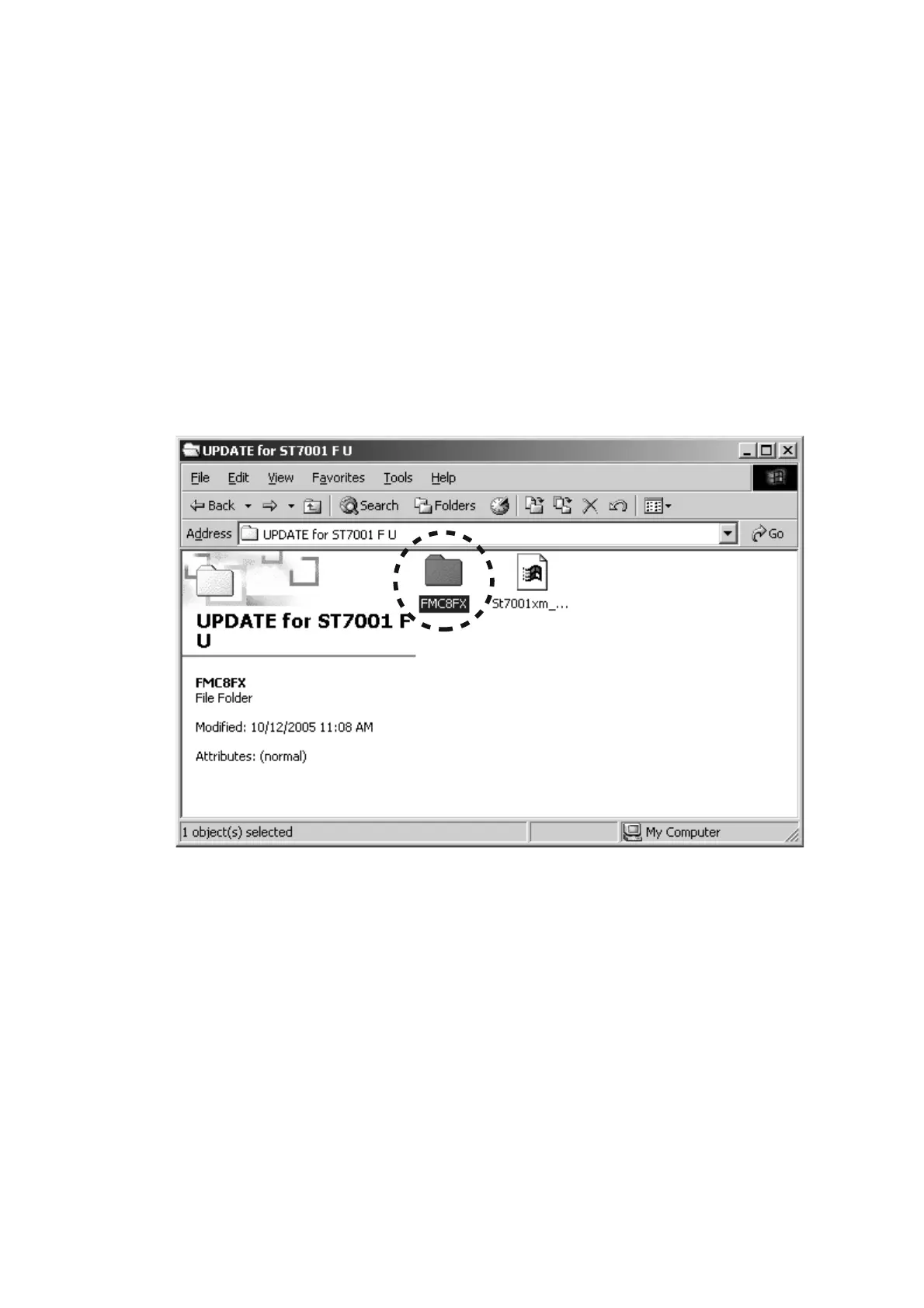
(FMC8FX folder: include a flash.exe, etc...)
• Writing data (St7001xm_wxxx.mhx)
NOTE: wxxx is a revision number.
The updating of software takes about 1 minute.
WRITING PROCEDURE
1. Put the "FMC8FX" folder and the writing data into
anywhere on your PC's hard disc.
2. Double click the "FMC8FX" folder.
必要機器
•
Windows PC (Windows 2000 or Windows XP) Serial port
付き
•
RS-232C ストレートケーブル (9 Pin メス - 9 Pin メス )
•
書き込み用ソフトウェア一式
(FMC8FX フォルダ内:flash.exe 、他 )
•
書き込み用データ (St7001xm_wxxx.mhx)
注記:wxxx は改版番号です。
ソフトウェアの書き込みには約
1 分かかります。
書き込み手順
1. "FMC8FX" フォルダと書き込み用データをPC のハードディ
スク上にコピーします。
2. "FMC8FX" フォルダをダブルクリックします。


 To Next Page