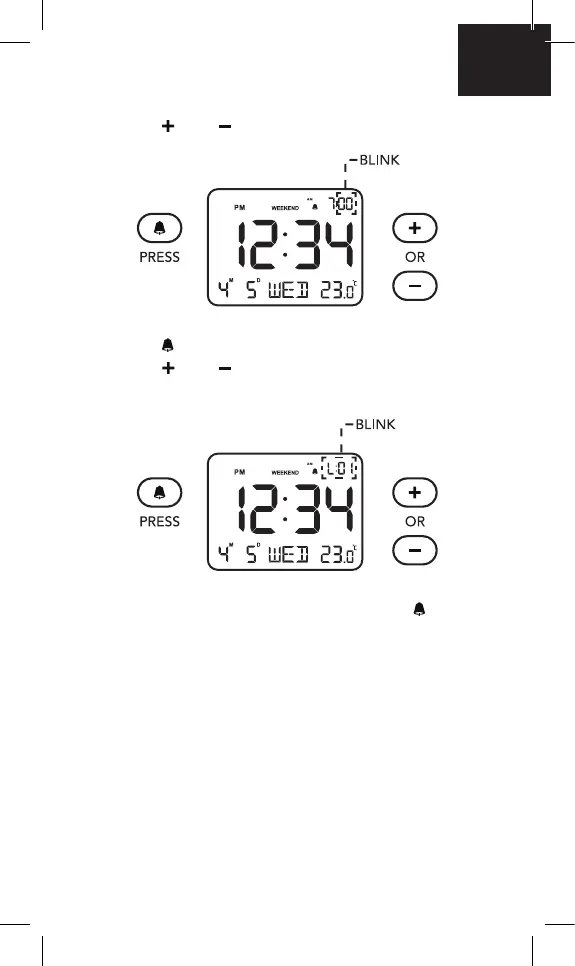
2. Press “ ” or “ ” to change the minute setting.
3. Press “
” button, “L01” will blink on the screen,
press “
” or “ ” to select “L01” (low volume),
or “L02” (high volume) to adjust the alarm volume.
4. After nishing the alarm setup, press “
” button
to save.
EN




 To Next Page