8
be saved and the clock will automatically return to time
display mode.
ALARM MODE
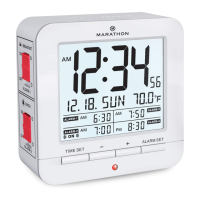
1. To activate an alarm, slide the corresponding side switch to
the “ON” position. The alarm icon will be shown on the
display next to the alarm time.
2. When the alarm sounds, softly touch the SNOOZE/LIGHT
button to pause it and activate the snooze function; pressing
any other button will stop the alarm function. Alarm volume
automatically increases after 10 seconds until turned off.
3. When the snooze function is activated,
Z
Z
will ash on the
display. The snooze duration is ve minutes. The snooze
function can be used consecutively a maximum of 7 times.
4. To turn off the snooze function and stop the alarm, do either
of the following:
•
Press any button except the SNOOZE/LIGHT button.
•
Slide the corresponding alarm side switch to
the “OFF” position.
Once the snooze function is off, the snooze icon
Z
Z
will no
longer be visible on the display.


 To Next Page