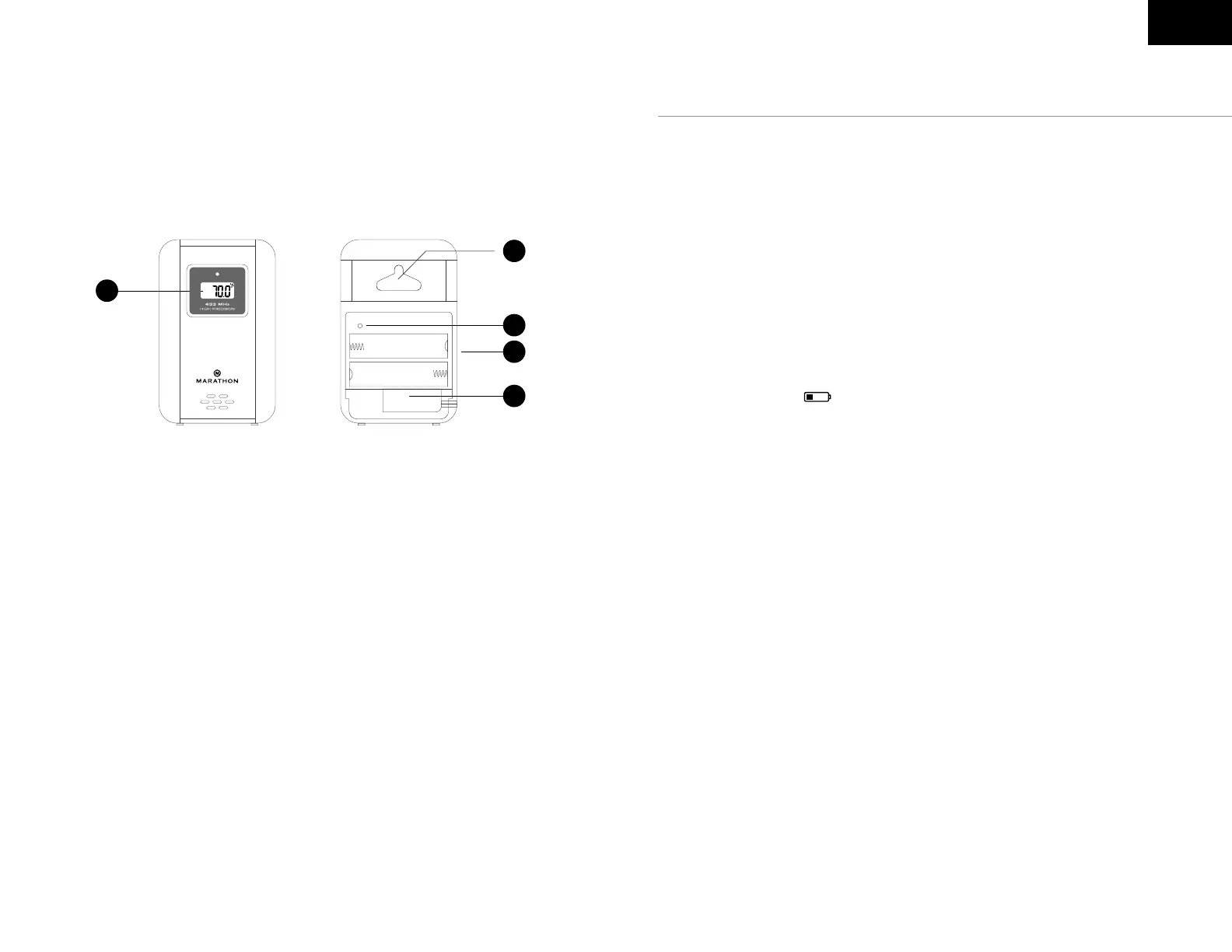
Outdoor Remote Sensor
D1:
Temperature display
D2: Wall mount hole
D3: RESET button
D4: Battery compartment
D5: Temperature probe connection
D1
D5
D4
D3
D2
EN
Open the battery cover on the unit and insert 4x new AA batteries,
observing the correct “+” and “-“ polarity.
The unit can be placed onto any at surface by using the built-in stand,
or placed onto any wall using the wall mount at the back of the unit. It is
recommended you place the clock near a window or in a location with good
reception as the automatic time setting requires a strong radio-wave signal.
Low Battery Indication
The low battery icon will appear on the display when the batteries are
low, to indicate the batteries should be replaced.
Battery installation



 To Next Page