15
© 2016
Ma
k
a
T
e
c
hnologie
s
G
roup
. A
ll Righ
ts
Re
s
er
v
ed
.
Getting
Started
Overview of your
VR4 FHD
Digital
Roadcorder
TM
Device
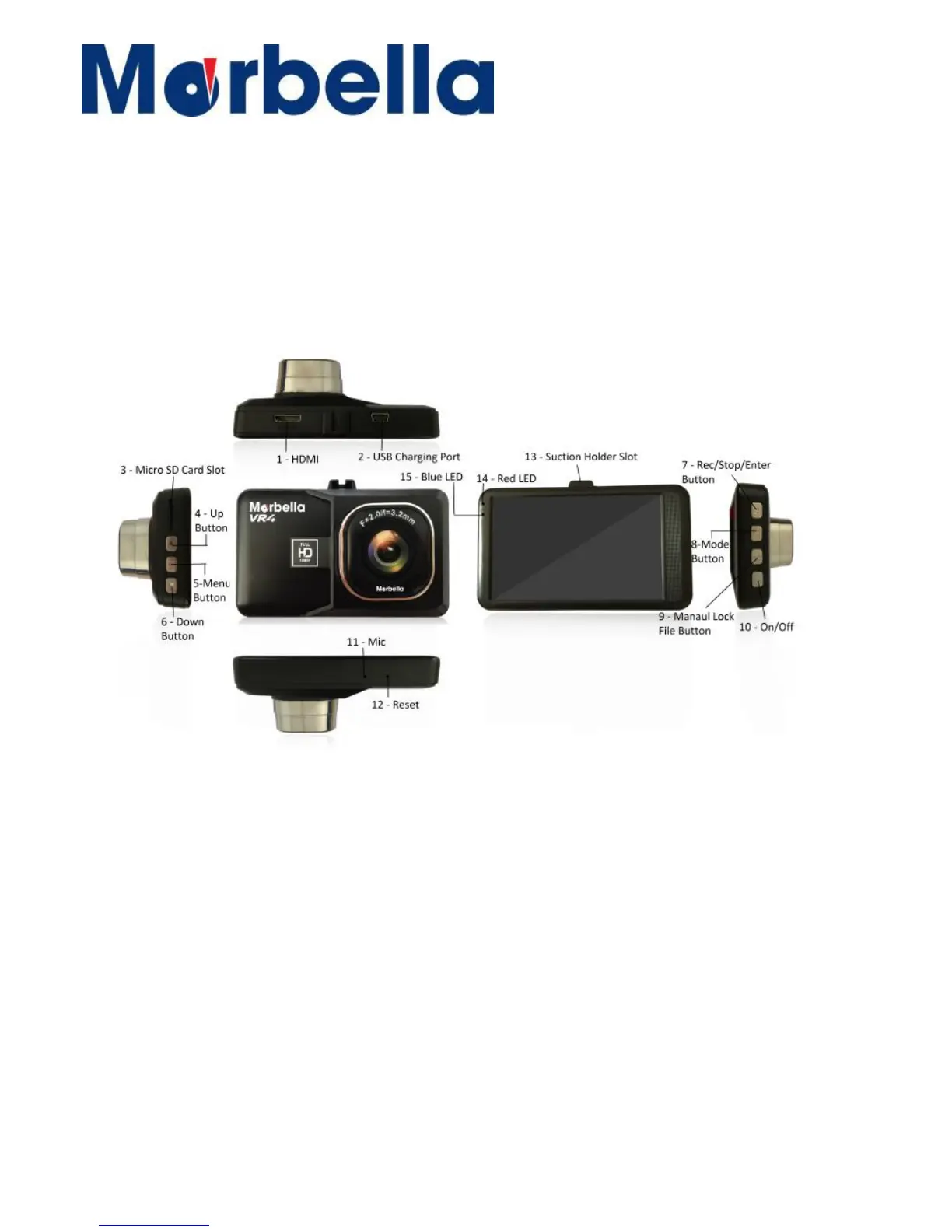
Layout
1. HDMI 09. Manual Lock File Button
2. USB Charging Port 10. On/Off Button
3. Micro Sd Card Slot 11. Mic
4. Up Button 12. Reset
5. Menu Button 13. Suction Holder Slot
6. Down Button 14. Red LED (when charging)
7. Rec/Stop/Enter Button 15. Blue LED (Device on)
8. Mode Button


 To Next Page