Need help?
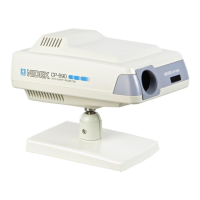
Do you have a question about the Marco CP-670 and is the answer not in the manual?
Hand-held unit for total projector operation within 25 feet.
Discusses available mounting options and optimal height.
Guidelines for projector placement based on refracting distance.
Steps to adjust focus and letter size using knobs after removing the top cover.
Explains how to operate the projector using the wireless remote control.
Allows pre-programming of up to three separate examination sequences.
Step-by-step guide to replacing the halogen bulb, with warnings.
 General
| Brightness | 3000 ANSI lumens |
|---|---|
| Contrast Ratio | 2000:1 |
| Display Type | LCD |
| Projection Technology | 3LCD |
| Native Resolution | XGA (1024x768) |
| Projection Size | 30" - 300" |
| Input Ports | VGA, S-Video, Composite Video, Audio |

 To Next Page