Need help?
Do you have a question about the Marco CP-690E and is the answer not in the manual?
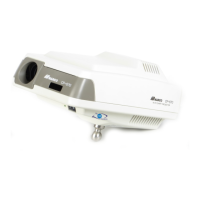
Overview of the CP-690E projector, remote control, projection screen, test scale, and dust cover.
Guidance on mounting the CP-690E unit using wall, unit, or table mounts at optimal height.
Instructions for positioning the projector based on refracting distance and projection guidelines.
How to hang or hold a mirror on the screen to correctly direct the projected light.
Adjusting the projector for proper letter size and focus using specific chart projections.
Steps to adjust the projected image brightness using a rheostat switch.
Explanation of the wireless remote control functions and selections for operating the projector.
Details on the eight Snellen charts available, ranging from 20/400 to 20/10.
Information on the four illiterate E charts, with selections from 20/100 to 20/15.
Description of the five number charts, offering selections from 20/200 to 20/10.
Overview of the three child charts with selections from 20/100 to 20/20.
Information on specialty charts, including the Minute Stereo test chart for 3D viewing.
Explanation of single character and movable vertical/horizontal masking buttons for precise control.
How to filter red/green over charts, excluding specific ones, for enhanced capabilities.
Details on pre-programming three separate examination sequences for charts.
Step-by-step guide for safely replacing the projector's halogen bulb.
Instructions for replacing the fuse, noting its dual function as a voltage selector.
Procedure for replacing batteries in the wireless remote control unit.
Guide to changing the remote control code to avoid interference when using multiple projectors.
 General
| Brightness | 3000 ANSI lumens |
|---|---|
| Contrast Ratio | 2000:1 |
| Display Type | LCD |
| Projection Technology | 3LCD |
| Output Ports | VGA, Audio |
| Resolution | 1024x768 (XGA) |
| Native Resolution | 1024x768 (XGA) |
| Projection Size | 30 - 300 inches |
| Input Ports | VGA, S-Video, Composite Video, Audio |

 To Next Page