50
EN
Surface Mode - Free
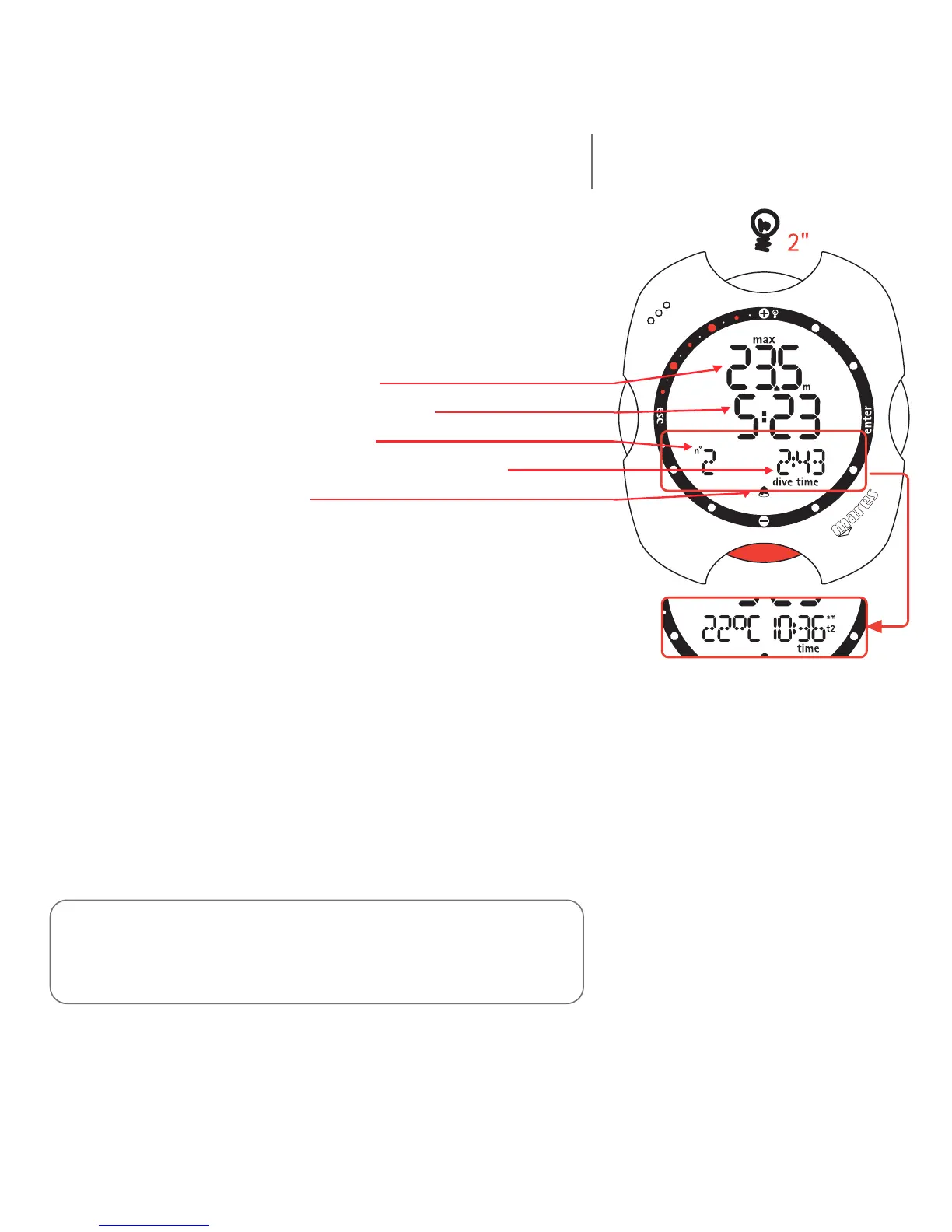
When the diver ascends to the surface, Nemo switches
to Surface mode.
In this mode, the details shown on the display are:
• maximum depth (in "m" or "ft);
• surface time in minutes and seconds;
• sequential number of the dive;
• duration of the dive in minutes and seconds;
• alarm icons (if enabled).
Pressing the <-> button additionally displays:
• temperature (in °C or in °F);
• the primary time.
Press the <esc> button to exit Dive Mode and then
change the alarm settings.
Pressing <enter> botton:
• temporarily displays (for 5 seconds) the dive
parameter settings, just as they appear in Predive
Mode.
Note:
Carefully read the Log Book chapter of this manual.
in freediving mode, Nemo only stores the profile of the most recent
diving session.



 To Next Page