9
performing deep stops anyway. See section 3.3
for more information on deep stops.
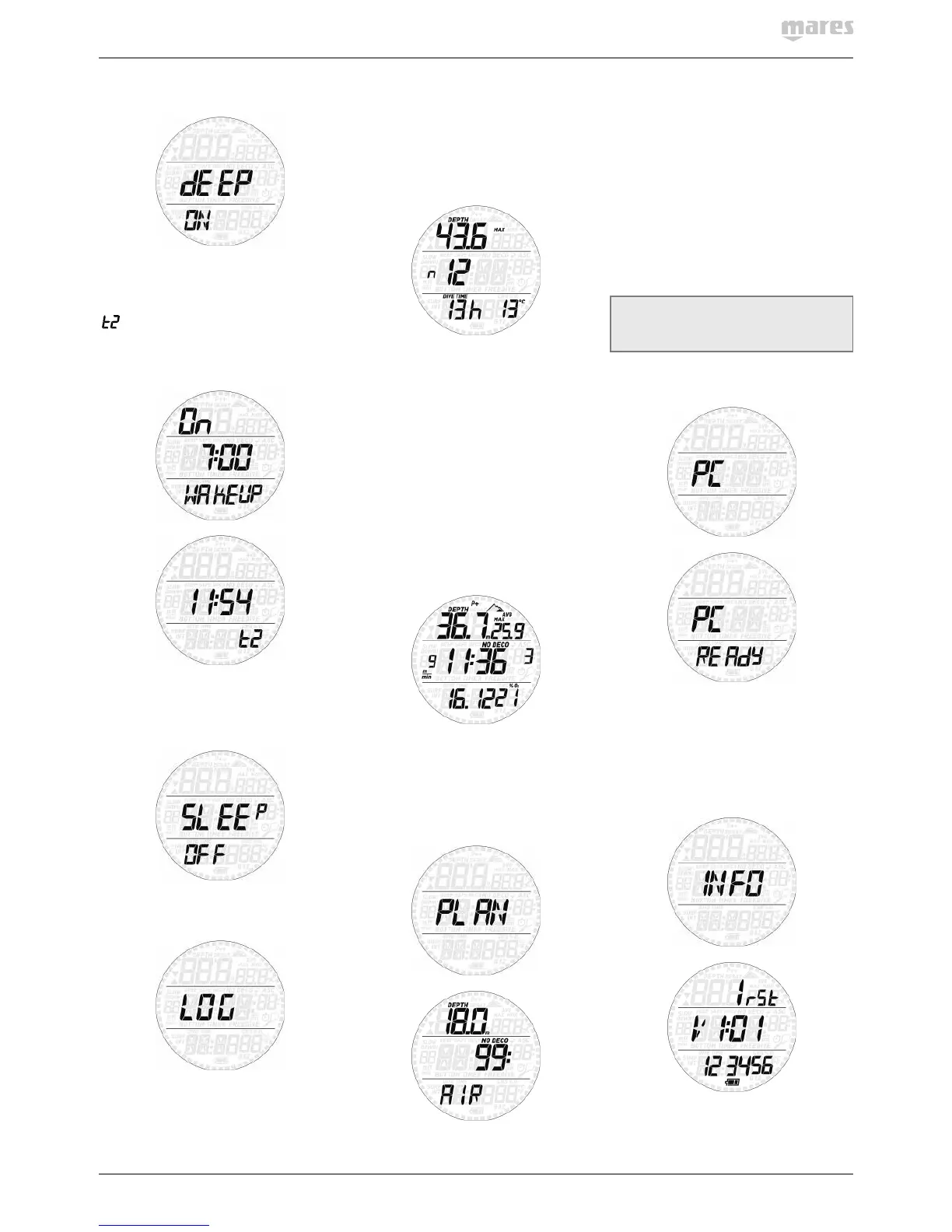
2.4.2. SEt tIME
This menu allows you to set the time format,
time, date, wake-up alarm and second time
(
). Scroll through the options by pressing
either button. Press and hold the upper button
to edit an option, then press the upper or lower
button to modify the blinking value, then press
and hold the upper to confirm the new setting.
Smart features a “sleep” mode: in case you
don’t wear it other than on a dive trip, you can
put Smart in sleep mode to reduce battery
consumption. To wake up from sleep mode,
press either button.
2.5. LOGBOOK
Smart can record the profiles of approximately
35hours of diving, at a sampling rate of 5
seconds. The information can be transferred
using the optional USB clip to PC via the Dive
Organizer software or to a Mac via the Divers’
Diary software. In addition, Smart can show
most of the information directly on the display.
When you first enter the logbook menu, you
will see a summary of all dives performed to
date. In particular, the maximum depth ever
reached, the total number of dives, the total
number of hours spent underwater and the
coldest water temperature recorded.
From here, press either button to scroll
through all dives in the memory of the
computer. The number to the right of the
middle row while scrolling through dives is the
sequential counter of the logbook (1 being the
most recent dive). Press and hold the upper
button to view the details of a particular dive.
Each dive has three pages of data. Each page
has maximum and average depth at the top,
while the middle row has max ascent rate
and time the dive started on pages 1 and 2,
and max ascent rate and time the dive ended
on page 3. The bottom row contains date of
dive and O
2
% on the first page, dive time and
minimum water temperature on the second
page, and surface interval to previous dive and
CNS at end of dive on the third page.
Press either button to scroll between the
pages of information, press and hold the lower
button to return to the list of the main logbook
menu.
2.6. DIVE PLANNER
This function allows you to scroll through the
no decompression limits, automatically taking
into account the current residual saturation
of the tissue compartments from a preceding
dive. The times shown when scrolling the
no decompression limits take into account
the information entered under the set dive
submenu: water type, altitude, personal
safety factor, Air, or in the case of Nitrox,
the values for the oxygen percentage and its
maximum partial pressure. For each depth,
the display shows the corresponding no deco
time expressed in minutes. If Nitrox mode is
selected, the maximum depth shown in the
planner is limited by the MOD.
NOTE
The dive planner is enabled only if either
air or nitrox mode is set
2.7. PC
This submenu allows you to download your
dive data to a PC or Mac. Press and hold the
upper button and the display will show PC
ready, symbolizing that Smart is ready to
communicate.
2.8. INFO
This submenu provides information about
the hardware and software of your Smart and
about the status of the battery (two segments



 To Next Page
 Loading...