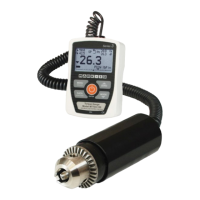
Series TT03 Digital Torque Gauges User’s Guide
9.2 Data Output
Communication with Series TT03 torque gauges is achieved through the micro USB port located along
the left side of the housing, as shown in the illustration in the Power section. Communication is possible
only when the gauge is in the main operating screen (i.e. not in a menu or configuration area).
The current reading is transmitted from the gauge when the DATA key is pressed. Series TT03 gauges
may also be controlled by an external device through the USB channel by sending ASCII command ‘?’
(no quotes). The command must be terminated by a CR (Carriage Return) character, 0x0D, or a CR-LF
(Carriage Return – Line Feed) pair, where the Line Feed, 0x0A, is ignored.
9.3 Command Responses
In response to the reading request command ‘?’ the gauge will return a string with the load data, followed
by a space, then the load unit (if enabled under the USB Settings Data format sub-menu). It will be
terminated by a CR-LF pair.
Example return strings:
-18.78 lbFin<CR><LF> 18.78 lbFin of counter-clockwise torque
4.285 Nm<CR><LF> 4.285 Nm of clockwise torque
The number of digits after the decimal point is dependent of the gauge’s capacity and resolution.
Polarity may be inverted or omitted, as shown in the table above.
Any detected errors are reported back by means of error code *10 (illegal command).
Series TT03 gauges can send individual data points or continuous data to MESUR
TM
gauge and
MESUR
TM
Lite software.


 To Next Page
 Loading...