17
EN
TOUCH SCREEN CONTROLLER INSTRUCTIONS
Operation Instructions
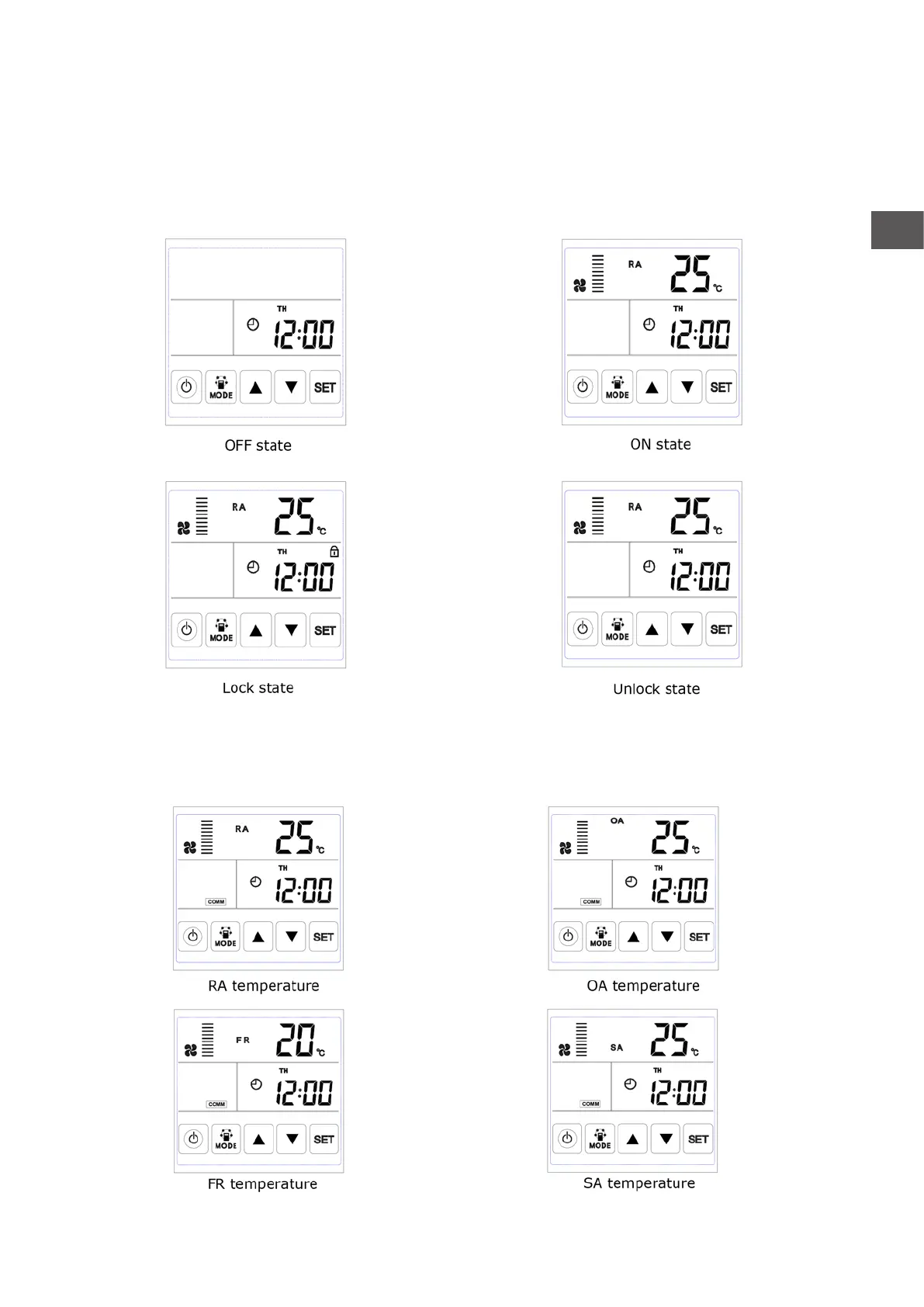
1. ON/OFF: press ON/OFF button once for starting; twice for closing. In ON status, backlit LCD display
lights up, in OFF status, backlit LCD display off, without operation for 6 seconds, backlit LCD display off too.
By pressing ON/OFF button for around 6 seconds can lock and unlock the controller.
2. Mode switch: press MODE button to choose display the RA-OA-FR(EA)- SA Setting-CO2 status or
Humidity control status.



 To Next Page