29
EN
Electrical connection
• The electrical connection must comply with national and local regulations and may only be carried out
by an authorized person.
• The connection values are stated on the type plate of the heater.
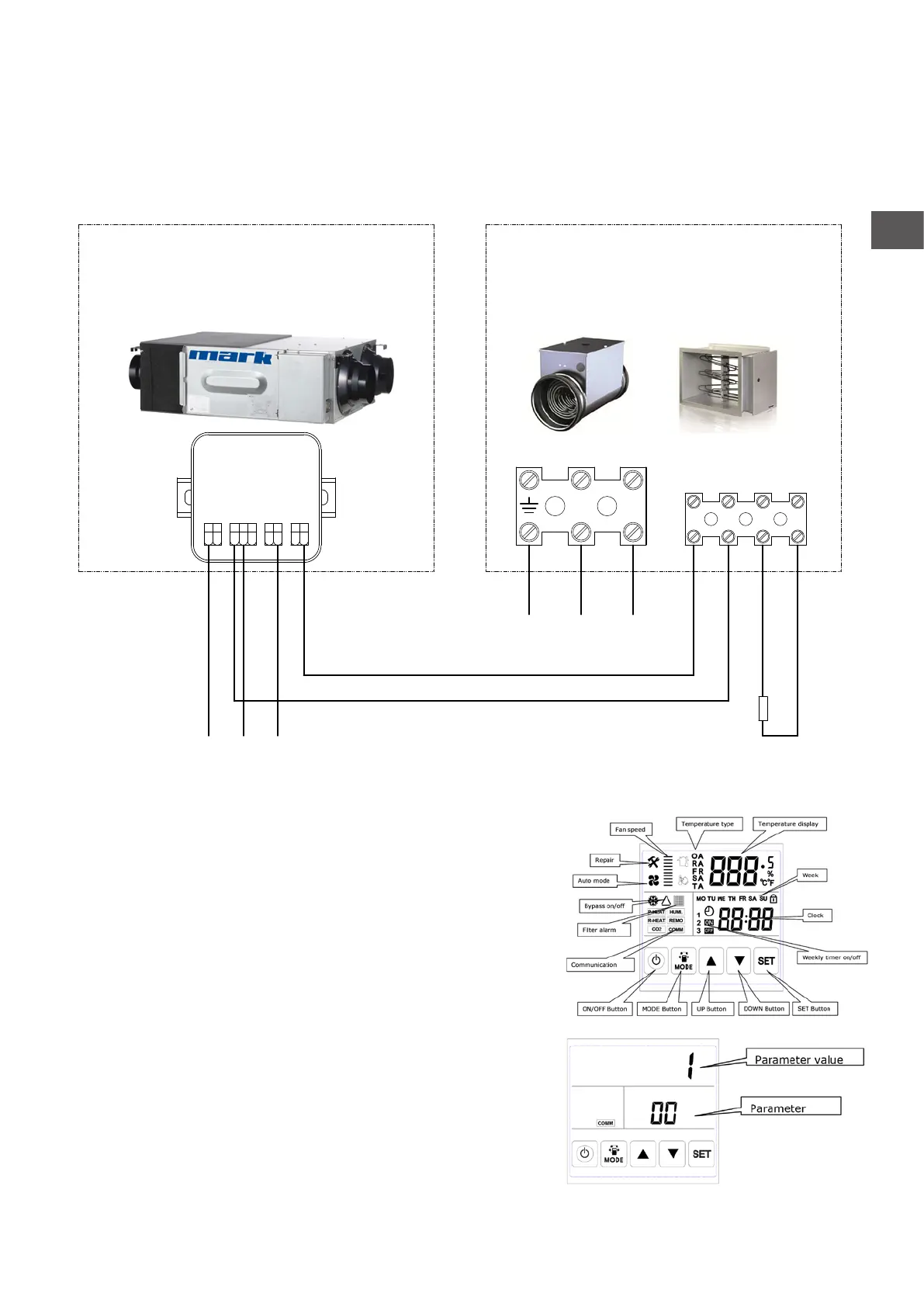
• Connect the supplied discharge temperature sensor to terminals 7 and 8, according to the electrical
diagram.
• Connect the ERV and heater according to the diagram below.
Operation
The heater must be activated in the menu of the ERV.
Settings via touch screen
0: Turn on touch screen by operating the on / off button
1: Press the mode button for 6 seconds.
2: Operate SET until you see the parameter as 01.
3: Now press MODE once and use the arrows to adjust the
parameter value until it displays 1.
4: You have nished adding the reheater, return to the main menu
by pressing the ON / OFF button.



 To Next Page