Página nº 10 de 25
5.3.- Basic settings.
5.3.1.- Grinding fineness setting.
The grinder is adjusted in the factory to be used with espresso coffee. It
simply needs a bit of fine tuning to adapt it to the characteristics of the
coffee used in your establishment. Grind enough coffee to fill your filter-
holder with a normal dose and brew a cup of coffee with your coffee
machine. If the result is unsatisfactory, modify the grinding level as
follows:
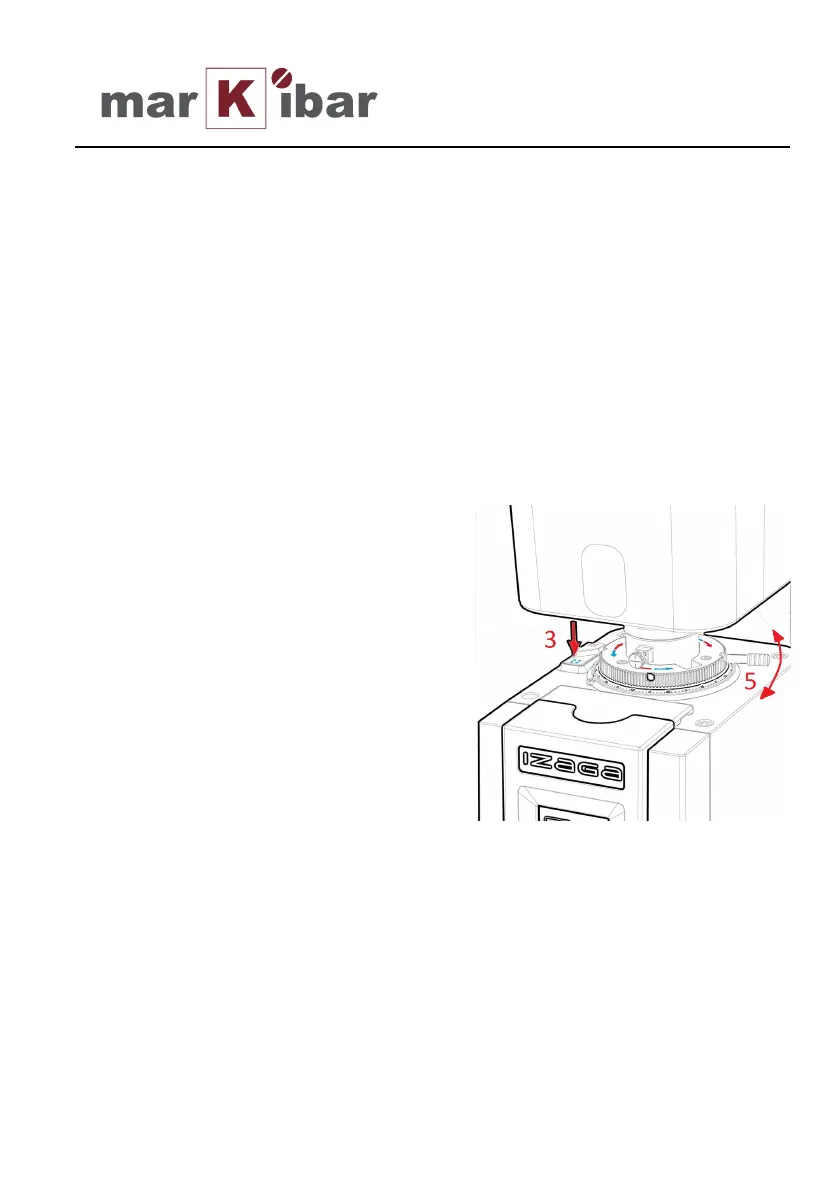
If coffee flows too slowly, press the
blue button (Pos. 3) and turn the
grinding adjustment handle in the
blue arrows direction, pushing the
lever (Pos. 5)
If coffee flows too fast, press the
red button (Pos. 3) and turn the
handle in the opposite direction,
signalled by the red arrows.
Fine adjustments can be achieved moving the handle just one click.
Take notice of the functions allowed by those buttons (Pos. 3)
Blue button pressed coarser grinding.
Red button pressed finer grinding.
No buttons pressed grinding adjustment blocked.


 To Next Page