16
Pairing the Sender Unit
The Solar iBoost+ and Sender are supplied uniquely paired and should not require the
following operation.
However, if the signal becomes lost or a new pairing is required the following procedure
should be performed with the sender positioned 1m or more from the Solar iBoost+.
1. Press any button on the Solar iBoost+ to switch on the backlight.
2. Press and hold button B for 5 seconds then release.
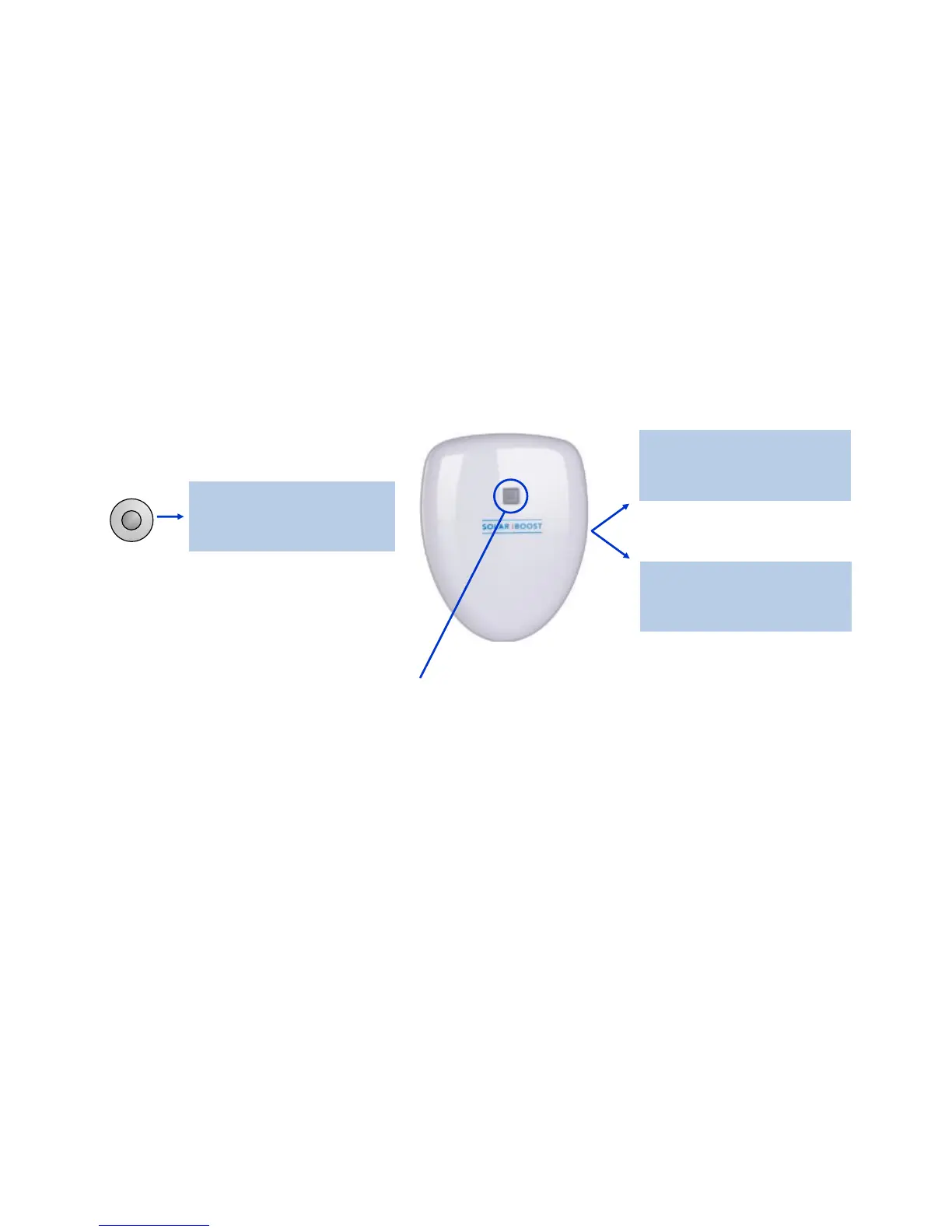
3. When Pairing with Sender is displayed, press and hold the green button on the
Sender for up to 10 seconds to pair the devices.
Repeat the procedure if necessary until pairing is achieved.
The result of pairing is shown on the screen as follows:
Pairing with
Sender...
Pairing
Successful
Pairing failed
Try Again
IMPORTANT! Do not press the sender button except when performing the pairing
process. If it is pressed for more than one second the pairing may be lost and the display
shows a ‘Lost Signal’ message (see Trouble Shooting). To correct, either reset the sender
by removing and refitting the batteries or use the above procedure to reset the pairing.
B
or
Press for 10 seconds



 To Next Page