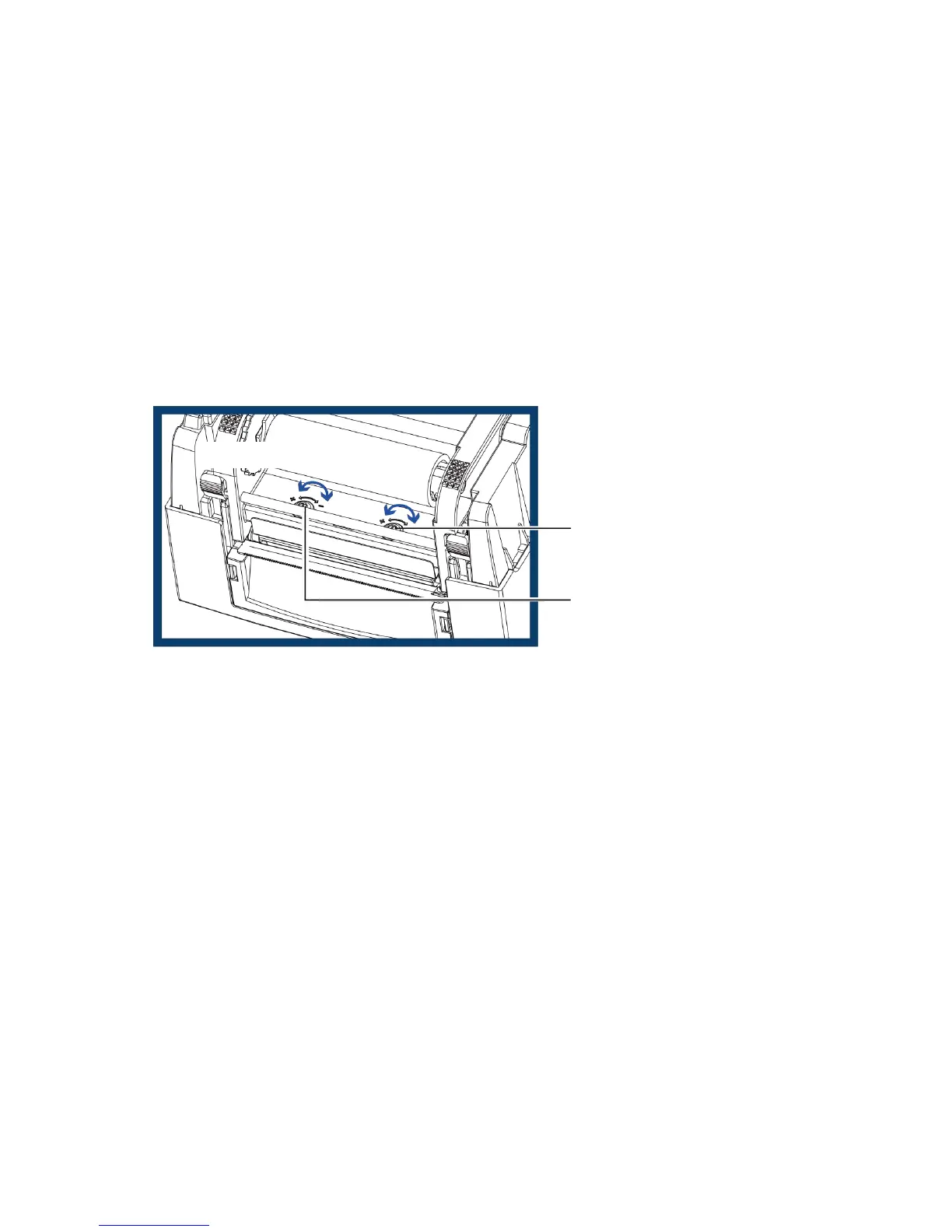
4.2 Adjusting The Print Head Pressure
When printing on special media (with varying material thickness), the print quality may suffer. You will then need to
adjust the print head pressure.
Adjustment Steps
1. Open the printer cover.
2. Remove the ribbon.
3. Use a screw driver and slowly turn the adjustment screws for the print head to increase or reduce the print
head pressure. Do not screw it hard, otherwise the machine will be broken.
4. Turn the adjustment screws according to actual position which is unsuccessful printed. Turn towards +(Plus)
indicates : The pressure is increased;Turn towards –(Minus) indicates : The pressure is reduced.


 To Next Page