Operation
Turning Scale On/Off
To turn the scale on, press the ON/OFFbutton. Scale will display and will then
enter active weighing mode.
To turn the scale off, press the ON/OFF button.
Zero Operation& Setting
With the scale switched on and nothing on the scale, the display should show zero.
If there is nothing on the pan and the display is not zero, press TARE/BACKLIGHT button to
set zero.
Checkweighing Mode
This mode sets low and high weight limits for portion control processes.
Press and hold HOLD/TARGET button to enter checkweighing mode.
Setting target weight values
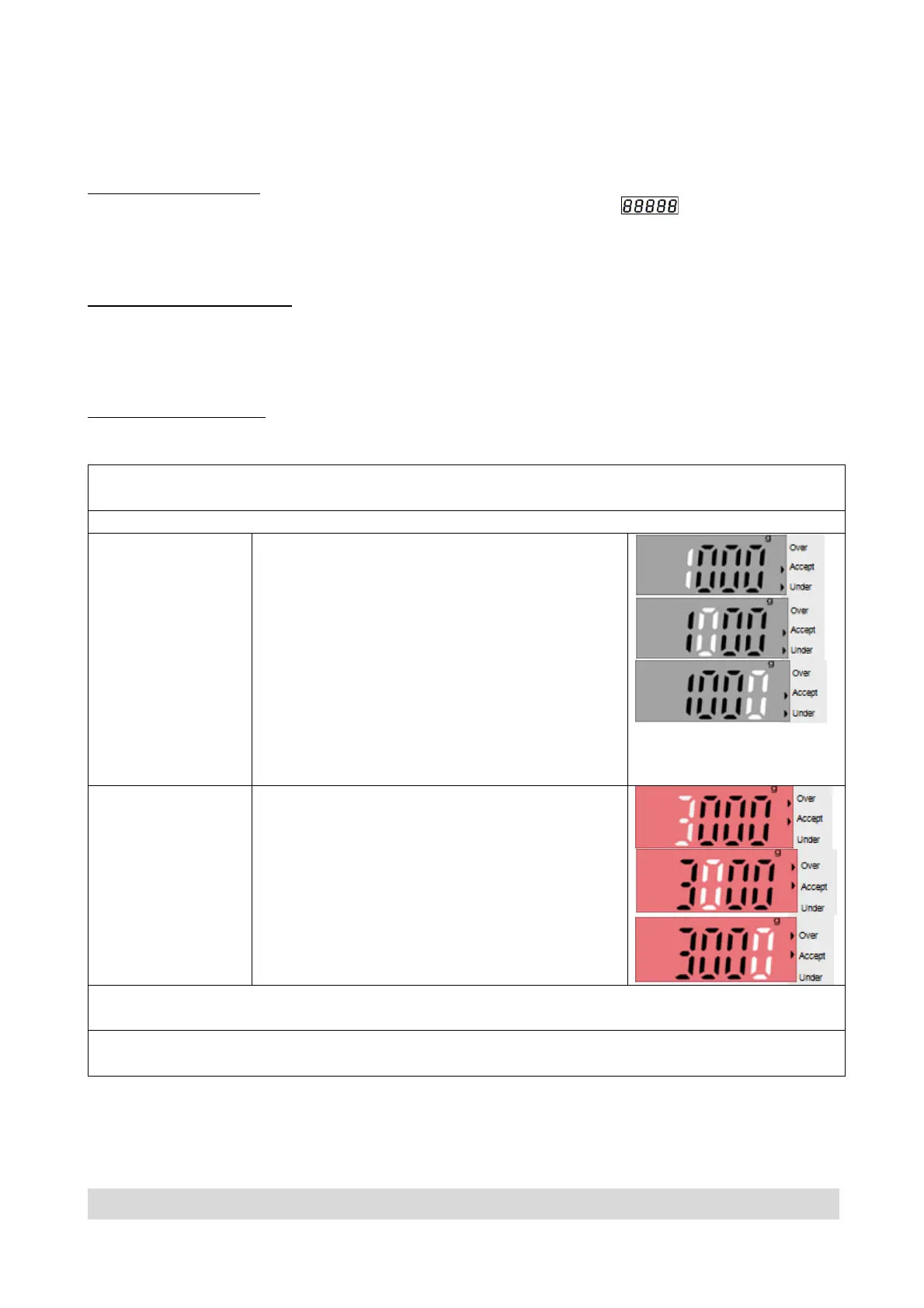
SETTING
The first digit is displayed flashing.
A triangle appears next toUnder.
The LCD has no backlight.
Repeatedly press TARE/BACKLIGHT until
the desired number appears.
Press UNIT to accept and move to the next
digit.
Repeat until all the digits are correct.
And press HOLD/TARGET to confirm the
setting of lower limit and enter high limit
setting.
SETTING
The first digit is displayed flashing.
A triangle indicator will appears next to
Over and the LCD light up in red.
Repeatedly press TARE/BACKLIGHT until
the desired number appears. Press UNIT to
accept and move to the next digit.
Repeat until all the digits are correct.
Press HOLD/TARGET to confirm setting.
If required, place an empty container on the pan and press TARE/BACKLIGHT.
Press and hold HOLD/TARGET button to return weighing mode.
Page 7


 To Next Page