EasyManua.ls Logo

Marshall Amplification CODE50 - 8. MASTER Control; 9. PRESET Selector; 10. EDIT Button; 11. F;S Jack

Marshall Amplification CODE50
13 pages
Print Icon
To Next Page IconTo Next Page
To Previous Page IconTo Previous Page
Loading...
FRONT PANEL FUNCTIONS (CONT.) FRONT PANEL FUNCTIONS (CONT.)
8. MASTER
      

MASTER Volume control settings are not
stored as part of a Preset.
9. PRESET


     

      


      

     

To discover how to edit a Preset, go to
‘EDITING A PRESET’ in this manual
10. EDIT

      



To discover how to edit a Preset, go to
‘EDITING A PRESET’ in this manual.
11. F/S
      
   

12. MP3 PLAYER INPUT
     


13. HEADPHONE OUTPUT
     
     

14. ON/OFF

SECTION SWITCHES (15 - 21)
 


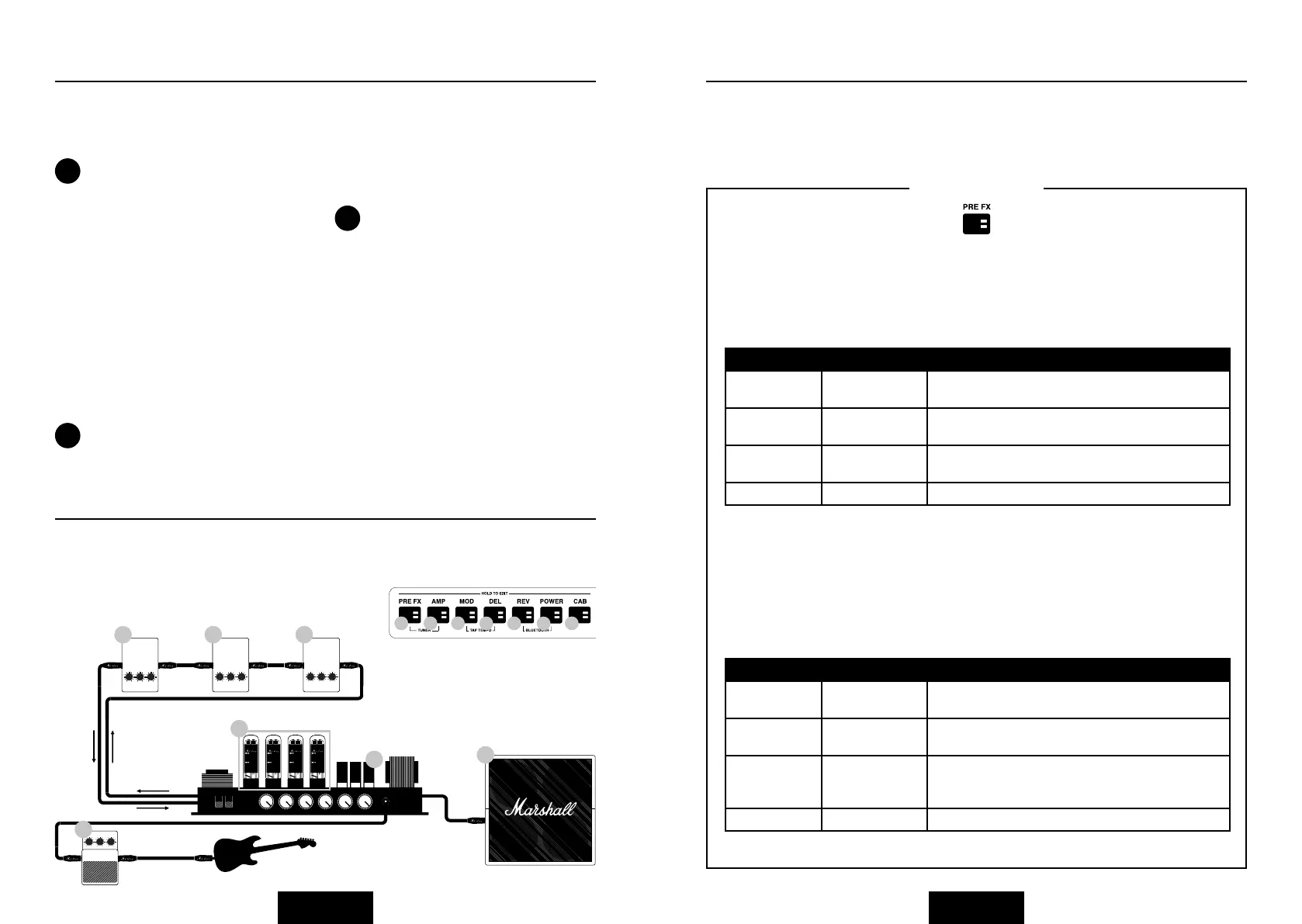
15. PRE FX
              


Compressor


            


‘STOMPBOX’ FX
POWER AMP
CABINET
PREAMP
ENGLISH ENGLISH
PARAMETER VALUE RANGE DESCRIPTION
  

  

Compression   

  
Distortion
        
            
           
         
           

PARAMETER VALUE RANGE DESCRIPTION
  

  

  


  
!
!
!
STOMPBOX
MOD
DELAY
REVERB
16
1718
19
20
21
15
15
16 17
18
19
20
21
Pressing the Section Switches (#15 – #21 in this manual)
will activate (Red LED on) and bypass (LED off) that Section.

Related product manuals