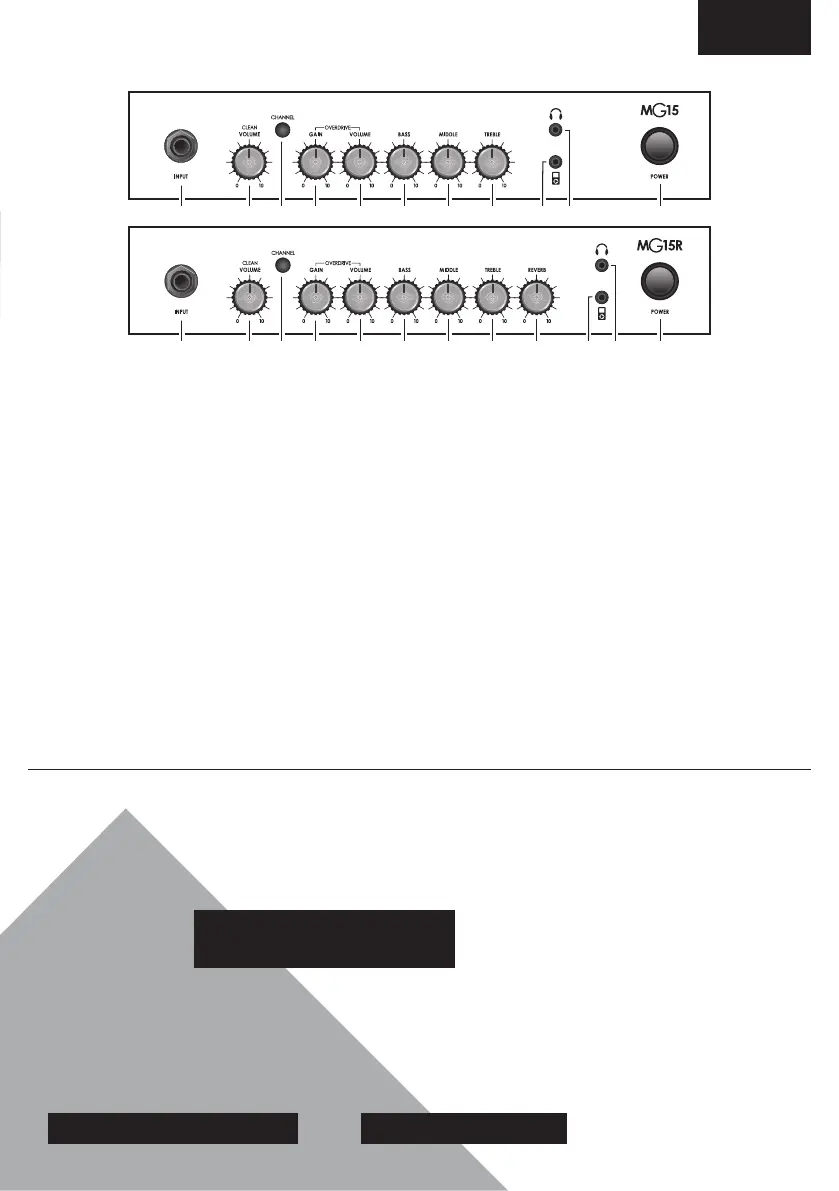
1. INPUT JACK SOCKET
Jack input for your guitar. Use a good
quality guitar cable (i.e. one that’s
screened/shielded) to help prevent
noise, interference and unwanted
feedback.
2. VOLUME CONTROL - CLEAN
CHANNEL
This control adjusts the volume of
the Clean Channel.
3. CHANNEL SWITCH
This switch allows you to change
between the amp’s two channels,
Clean and Overdrive, via the front
panel. When the LED is green, the
Clean channel is engaged. When the
LED is red, the Overdrive channel
is engaged.
4. GAIN CONTROL - OVERDRIVE
CHANNEL
This control sets the operang
level of the pre-amp. Simply turn up
the Gain control unl the required
amount of distoron is achieved.
5. VOLUME CONTROL - OVERDRIVE
CHANNEL
This control adjusts the volume of
the Overdrive channel. The louder
this channel is set, the ‘looser’ the
amplier will sound and feel.
6. BASS CONTROL
Turning the Bass control will eect
the amount of low frequencies or
boom end in your guitar tone.
Rotang this clockwise will increase
the amount of lower tones creang
deeper and thicker sounds. Turning
this control an-clockwise will
decrease the bass frequencies in
your tone reducing any boom
end thud.
7. MIDDLE CONTROL
Adjusng the middle frequencies
will vary the amount of body to your
sound. Aenuang (decreasing)
the middle by turning this control
anclockwise will yield a more
hollow sound with the bass and
treble frequencies appearing to
be more accentuated. Conversely,
increasing the middle will add body
to the sound.
8. TREBLE CONTROL
By adjusng the Treble control you
can add or take away the higher
frequencies in your guitar tone. By
increasing the amount of treble you
will make your tone brighter, ideal
for more percussive playing styles.
9. REVERB CONTROL (MG15R ONLY)
This control lets you add a lush
reverb to the selected channel, from
a subtle hint to cavernous and all
points in-between.
10. MP3 LINE IN SOCKET
If you want to jam to your favourite
MP3, CD or tape track, connect the
line out or headphone output of
your player here, adjust the volume
of your player to match that of your
guitar and you’ve got the perfect
‘play-along’ pracce system.
11. HEADPHONE SOCKET
For use when silent pracce is the
order of the day. Connecon of
headphones will automacally mute
the internal speaker.
12. POWER SWITCH
The power switch turns your
amplier on and o. The Channel
switch will light up when your
amplier is turned on and will not be
lit when the amplier is switched o.
ENGLISH
FRONT PANEL FUNCTIONS
LIVE FOR MUSIC
Looking to take the plunge into the music industry?
Marshall Live For Music has lots of advice from industry
specialists and professional musicians to get your
career moving. From geng your rst band together to
securing slots at fesvals around the world, you can nd
everything you need to make your mark in music.
MARSHALL.COM/LIVE-FOR-MUSIC
MARSHALL WORKSHOP
We’ve taken it back to basics and created the Marshall
Workshop videos to help you nail your sound. From
understanding your equipment to perfecng your
playing, the Marshall Workshop features all the tools
you need to cra that killer sound.
MARSHALL.COM/WORKSHOP
EXPLORE MARSHALL.COM
PANL-90093 - v.01
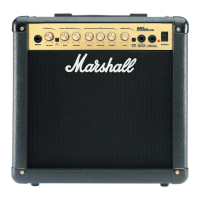
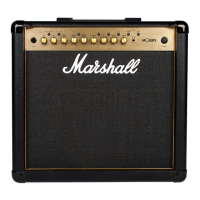
1 2 4 5
6 7 8 10 11
12
3
NL-90092 - v.01
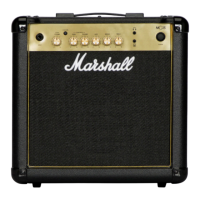
1 2 4 5
6 7 8 9 10 11
123



 To Next Page