28
Specifications
■
PANEL
Screen Size 10.1” Diagonal
Display Area (h x v) 217.44 x 135.9 mm
Pixels 1920 x 1200
Viewing Angle(h x v) 170° x 170°
Brightness 800 cd/m2
Contrast Ratio 800:1
■
VIDEO INPUT/OUTPUT
HDMI Input / Output
■
CONNECTORS
HDMI Video Input
1 x HDMI Female Receptacle
HDMI Video Output (Active Loop-Through)
1 x HDMI Female Receptacle
Stereo Headphone Jack
1/8” (3.5mm) Female Jack
Power Input
4-Pin XLR
Pin 1 – “-“
Pin 4 – “+”
Optional Module Slot MD-3GE
1X BNC input
1x loop through
■
ELECTRICAL
Power Consumption 1.25A @ 12VDC (15 W)
Voltage Requirement 12 VDC
■
MECHANICAL
Weight (with rack ears): 2.10 lbs
Operating Temperature 32°F to 104°F (0°C to 40°C)
Storage Temperature -4°F to120°F (-20°C to
50°C)
See Dimensions for exact specifications.
.
5
Installation and Initial Setup
■
Unpacking
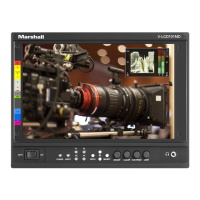
Carefully unpack the V-LCD101MD monitor and verify that the following items are included:
• V-LCD101MD Monitor
• V-PS12V-5V-XLR Power Supply
• Operating Instructions
Inspect the unit for any physical damage that may have occurred during shipping. Should there be any damage, immediately
contact Marshall Electronics at (800) 800-6608. If you are not located within the continental United States, call +1 (310) 333-
0606.
■
Connections, Power-On and Initial Setup
Plug the power supply into an AC power source (100-240 V @ 50/60 Hz). Attach the Power connector to the back of the monitor.
Connect the required cables for video signal input and output. (Power must be applied to the V-LCD101MD for the active loop-
though output to be activated.) The monitor defaults to ‘ON’ when power is supplied. Video will automatically be detected and
displayed on the screen.


 To Next Page