Stand-alone operation
11
not strike, disconnect the fixture from power for several minutes to reduce strain on
the starter while the lamp cools.
MASTER / SLAVE OPERATION
Up to 32 MX-4s can be connected together and operated in master/slave mode in
which slave fixtures follow instructions sent from the master.
Important! Set only 1 fixture as master: damage can occur if 2 masters, or
a master and a controller, are linked together.
To set up MX-4s for master/slave operation
1Disconnect all fixtures from power.
2 Plug a data cable into the OUT socket of the first
fixture and the IN socket of the next one. Continue
connecting up to 32 MX-4s output-to-input.
3Insert a female termination plug (P/N 91613018) in the
IN socket of the first fixture. Insert a male termination
plug (see page 13) in the OUT socket of the last
fixture.
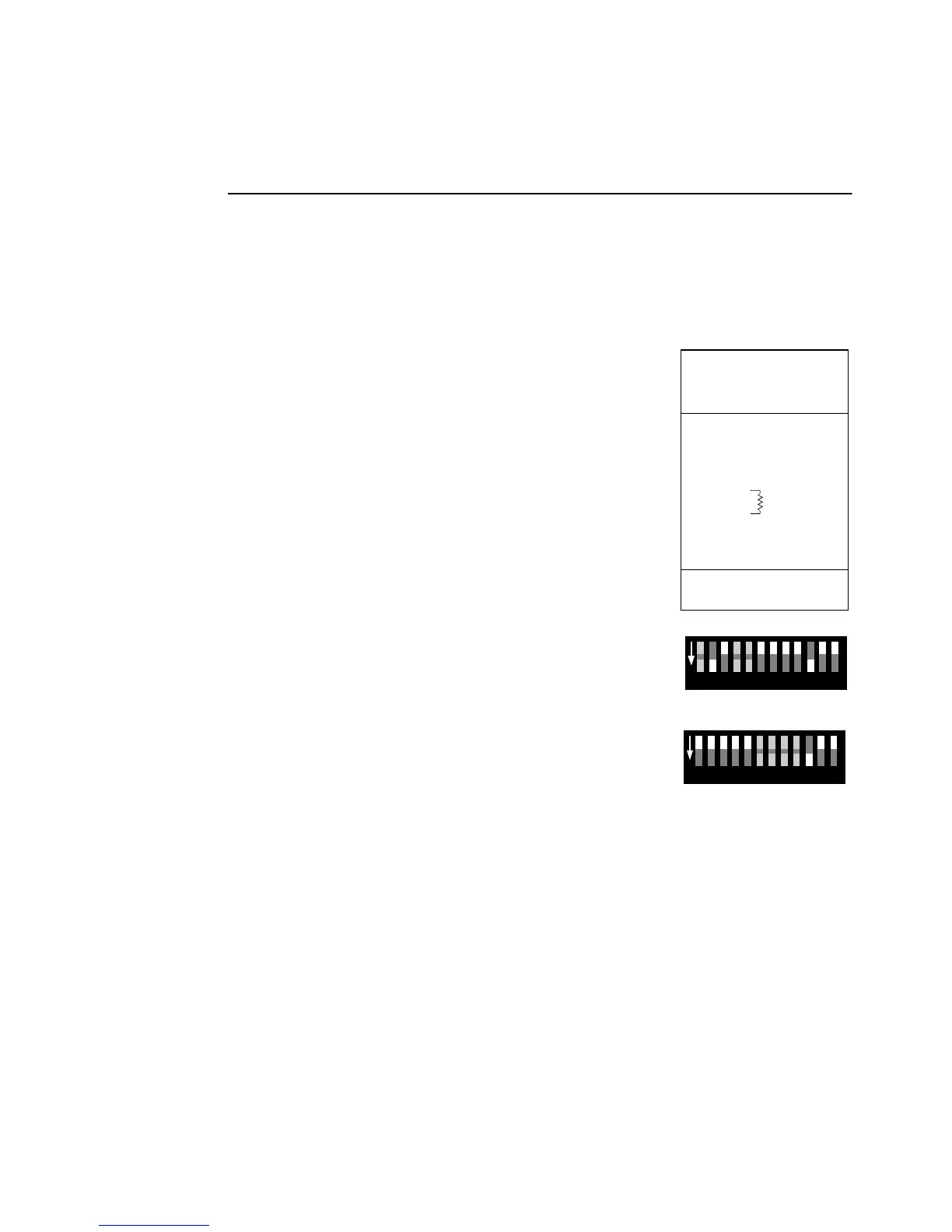
4 Select any one fixture to be the master. On this
fixture, set DIP-switch pins 2 and 10 to ON. Set
custom master options with pins 1, 4, and 5. Set pins
3, 6, 7, 8, 9, 11, and 12 to the OFF position.
5 On all other fixtures (slaves), set DIP-switch 10 to ON.
Set custom slave options with pins 6, 7, 8, and 9. Set
pins 1, 2, 3, 4, 5, 11, and 12 to the OFF position.
6Apply power to the master fixture before the slaves.
Female XLR
1
2
3
Female
120
Termination Plug
P/N 91613018
102 3 4 51 86 7 9
ON
1211
Master setting
102 3 4 51 86 7 9
ON
1211
Slave setting



 To Next Page