EasyManua.ls Logo

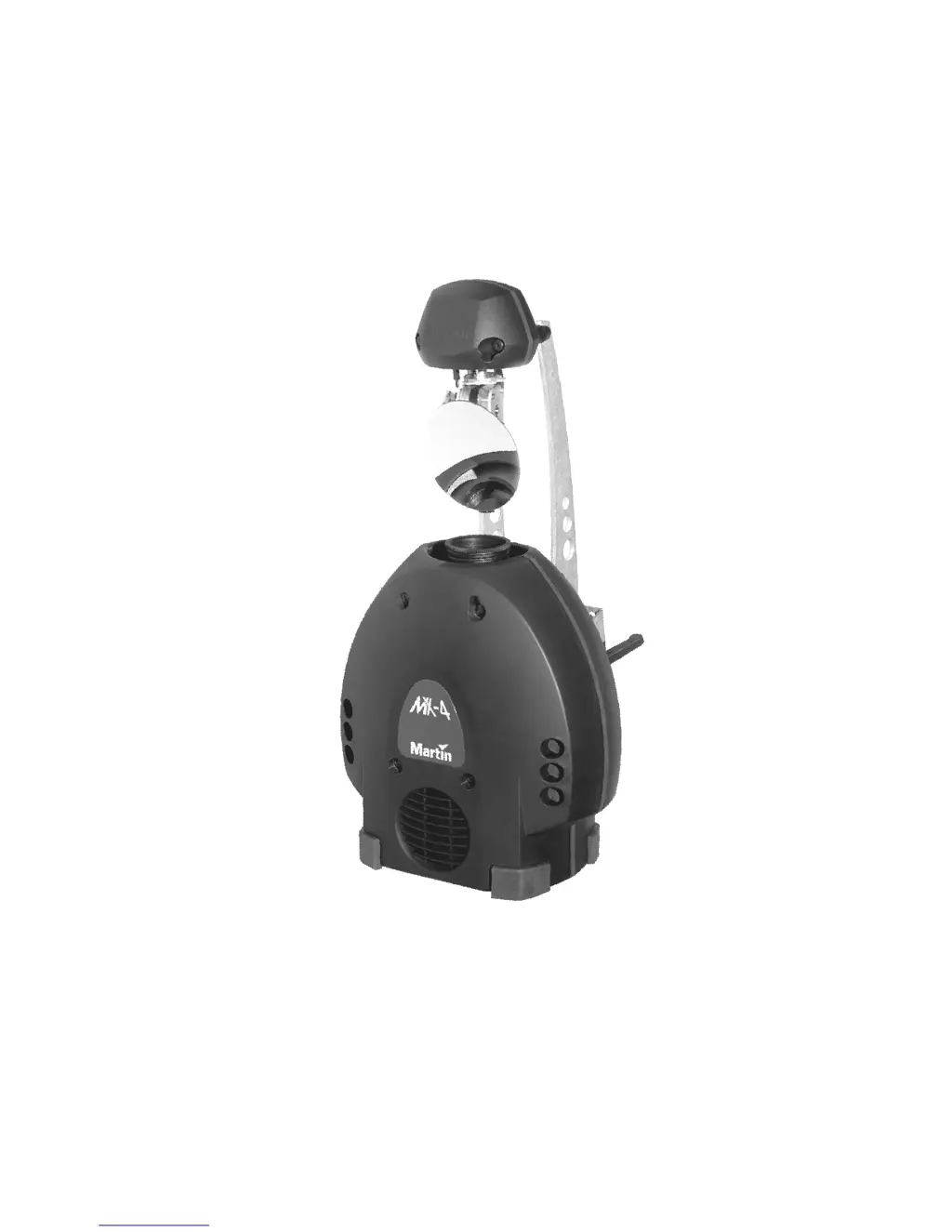
Martin MX-4 - User Manual

Martin MX-4
28 pages
Print Icon
To Next Page IconTo Next Page
Loading...
MX-4
user manual

Questions and Answers

  • G
    gainesryanAug 3, 2025
    How to troubleshoot a completely dead Martin MX-4?
    • M
      michaelolsonAug 3, 2025
      If one or more of your Martin Spotlight fixtures are completely dead, there could be several reasons. First, ensure the fixture is receiving power by checking that the power switch is on and all cables are securely plugged in. If the fixture still doesn't power on, inspect the primary and secondary fuses. If either fuse is blown, replace it with a new one.
  • B
    Bonnie RobertsAug 8, 2025
    Why does the lamp in my Martin Spotlight cut out or burn out quickly?
    • M
      Monica BaileyAug 9, 2025
      If the lamp in your Martin Spotlight cuts out intermittently or burns out too quickly, it could be due to a couple of reasons. First, the fixture might be overheating, so allow it to cool down. Another possible cause is that the transformer setting does not match your local AC voltage. Check the AC setting to ensure it is correct for your location.
  • T
    tiffanymitchellAug 15, 2025
    What to do if some Martin MX-4 Spotlight fixtures respond erratically?
    • K
      kaitlin06Aug 16, 2025
      If some of your Martin Spotlight fixtures respond erratically or not at all to the controller after resetting, there are several potential causes. You should: 1. Inspect the connections and cables for the data link, correcting any poor connections and replacing damaged cables. 2. Ensure the data link is terminated with a 120? termination plug in the output jack of the last fixture on the link. 3. Check the DIP-switch settings to ensure the fixtures are addressed correctly. 4. Bypass each fixture one at a time to identify if one is transmitting as a master or is defective. To bypass, unplug both connectors and connect them directly together. If normal operation is regained after bypassing a fixture, have the defective fixture serviced by a qualified technician.
  • J
    Joseph GomezAug 21, 2025
    Why is there no light coming from my Martin MX-4?
    • D
      Darin HopkinsAug 21, 2025
      If your Martin Spotlight is producing no light, the most likely cause is a missing or blown lamp. To resolve this, disconnect the fixture and replace the lamp.
  • G
    garciatanyaAug 27, 2025
    Why all my Martin Spotlight fixtures respond erratically to the controller?
    • C
      Christopher MiddletonAug 27, 2025
      If all your Martin Spotlight fixtures reset correctly but respond erratically or not at all to the controller, first, ensure that the controller is properly connected. If the controller is connected, the issue might be with the XLR pin-out. If the XLR pin-out of the controller does not match the pin-out of the first fixture on the link, install a phase-reversing cable between the controller and the first fixture.

Summary

INTRODUCTION

SAFETY INFORMATION

Essential safety precautions for operating the Martin MX-4 fixture.

AC POWER

INSTALLATION

To rig the MX-4

Steps for rigging the fixture using clamps or direct fastening, including safety.

MASTER; SLAVE OPERATION

DMX OPERATION

DATA CONNECTION

Guidelines for establishing a reliable DMX data link.

CONNECTIONS

Details on DMX XLR data socket wiring and adaptors.

1-CHANNEL DMX OPERATION

To connect the data link

Step-by-step guide for connecting DMX data cables between fixtures.

DMX ADDRESS

To set the DMX address

Steps for configuring the DIP-switch to set the DMX address.

LAMP

BASIC SERVICE

REPLACING FUSES

TROUBLESHOOTING

DMX PROTOCOL

SPECIFICATIONS

Martin MX-4 Specifications

General IconGeneral
BrandMartin
ModelMX-4
CategorySpotlight
LanguageEnglish

Related product manuals