EasyManua.ls Logo

MASINGO Burletta C10 - User Manual

MASINGO Burletta C10
13 pages
Print Icon
To Next Page IconTo Next Page
Loading...
5
Congratulations!
You’ve just taken your party
game up a notch.
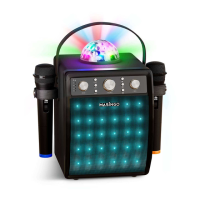
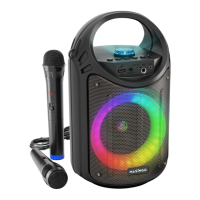
Meet your compact, karaoke buddy - the Burletta C10 from Masingo.
The C10 is on hand for convenient karaoke whenever and wherever you
desire. Its 10-watt speaker, 6 playback modes, 2 microphones, and co-
lorful LEDs turn your casual fun into seriously good times. Plus, it does
double duty for party announcements.
Choose from Bluetooth, AUX, USB, MicroSD, or FM to fill the room with
melody. Sing out some show tunes with Grandma, blast out some big
hits with your pals, or serenade your sweetheart. Need to take your show
on the road? No problem! This portable party can be carried easily by
all ages via shoulder strap or handle.
Whatever your musical mood, you’ll find the C10 is pitch perfect for any
musical occasion!
Sing on!
[Welcome]

Other manuals for MASINGO Burletta C10

Questions and Answers

  • C
    Carrie JimenezSep 10, 2025
    How to make MASINGO Karaoke System play next song in AUX mode?
    • A
      Amanda GarciaSep 12, 2025
      If the next song isn't playing in AUX mode on your MASINGO Karaoke System, ensure your device’s media player is set to “play next song” instead of “repeat” or “play one song”.
  • S
    Susan BellSep 12, 2025
    How do I find FM stations on my MASINGO Karaoke System?
    • S
      Susan CaseySep 12, 2025
      If you can't find any audible stations in FM mode on your MASINGO Karaoke System, FM mode needs to program in available stations the first time you use it in a new location. To do this, activate FM mode and hold down the Play button (4) for 3 seconds. Please wait for the scanning process to complete before you begin searching for stations with the Next (5) and Back (3) buttons.
  • M
    Mr. Billy ThomasSep 14, 2025
    Why isn't the next song playing in AUX mode on my MASINGO Karaoke System?
    • S
      sarahburgessSep 14, 2025
      If the next song isn't playing in AUX mode on your MASINGO Karaoke System, make sure your device's media player is set to 'play next song' rather than 'repeat' or 'play one song'.
  • L
    Larry SimonSep 16, 2025
    Why don't the Play, Next, and Back buttons work in AUX mode on my MASINGO Karaoke System?
    • J
      Jacob SmithSep 16, 2025
      The Play (4), Next (5), and Back (3) buttons on your MASINGO Karaoke System will not function in AUX mode. Please use the controls on your connected device to control playback.

MASINGO Burletta C10 Specifications

General IconGeneral
BrandMASINGO
ModelBurletta C10
CategoryKaraoke System
Power Output10W
Frequency Response100Hz-18KHz
USB PortYes
BluetoothYes
Input Voltage5V
Microphone InputYes, 2 x 6.35mm

Related product manuals