www.massfidelity.com
16
CHANGE DISPLAY NAME
The default Bluetooth device name for each Core unit is
Core-xxxxx (where xxxxxx are six alphanumeric characters),
IPXFWFSUIBUOBNFDBOCFPWFSXSJUUFOCZPOFPGQSFTFUT
stored in internal memory, simplifying the identification of the
different Core speakers in a multi-room system.
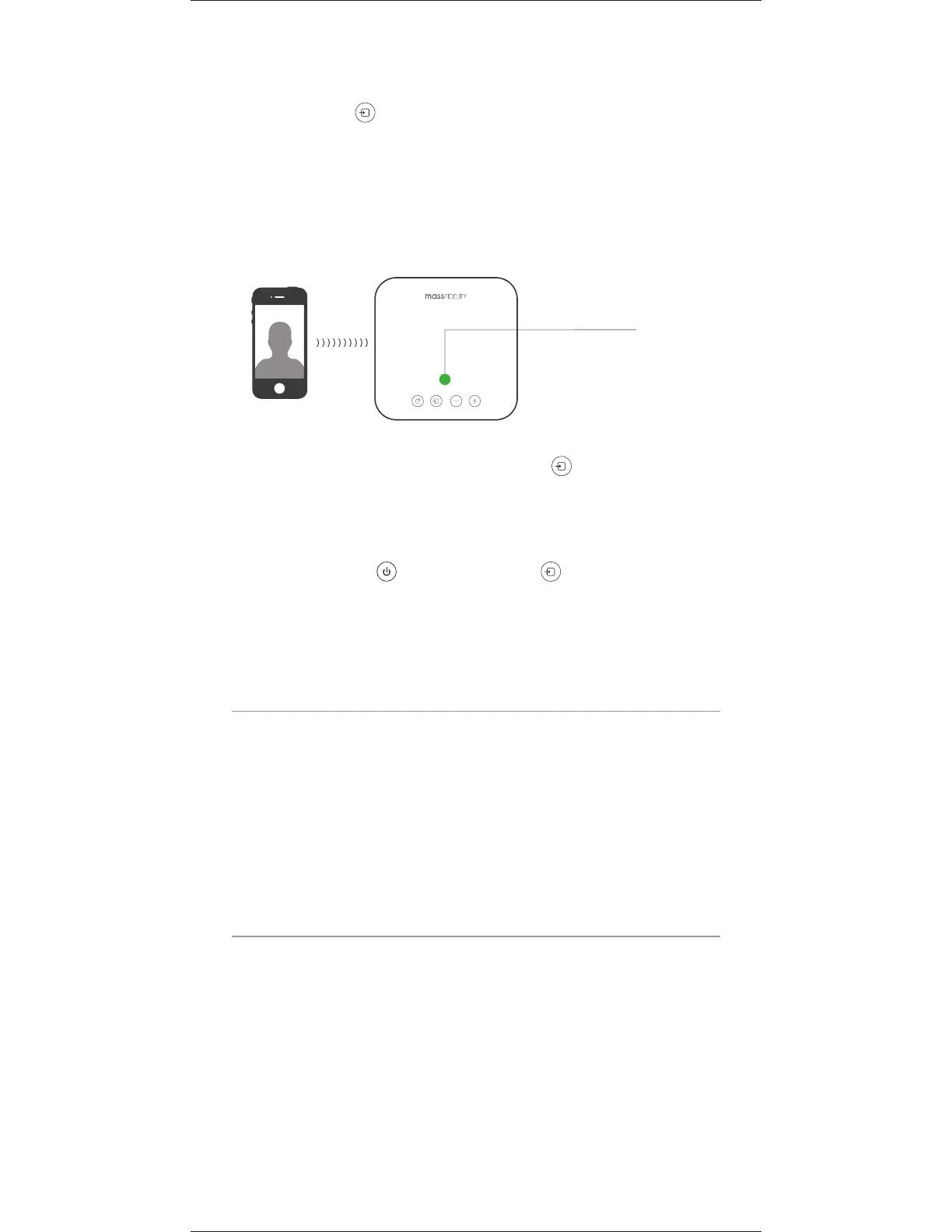
2. When a call is received on the smartphone, the Core
switches to Speakerphone operation. The music volume
fades and the LED indicator turns green. Press the
SOURCE key to answer the call or simply answer on your
smartphone.
NOTE: So the caller can hear you clearly, ensure the
microphone on the front of the Core faces your general
direction when speaking.
3. To end the call, press the SOURCE key again or hang
VQPOZPVSTNBSUQIPOF5IFNVTJDGBEFTCBDLJOBOEUIF
LED indicator returns to the previous state.
5PEJTBCMFUIFTQFBLFSQIPOFGVODUJPOQSFTTBOEIPMECPUI
the POWER key and SOURCE key for five seconds.
The LED indicator flashes red to confirm that speakerphone
GVODUJPOJTEJTBCMFE
CHARGE USB DEVICES
The USB port provides a convenient location to power and
DIBSHFB64#EFWJDFTVDIBTBTNBSUQIPOFPSUBCMFU
t $POOFDUBTUBOEBSE64#DBCMFUPUIFEFWJDFUIFOUPUIF
USB Port. When charging has completed, disconnect the
DBCMFGSPNUIF64#1PSUBOEUIFOGSPNUIFEFWJDF
Jim
Once speakerphone
connection is made
UIF-&%XJMMCFGREEN


 To Next Page