www.massfidelity.com
9
PLAY MUSIC
VIA BLUETOOTH
A wireless Bluetooth connection is the easiest way to deliver
DPOUFOUGSPNBTNBSUQIPOFPSUBCMFUUPUIF$PSF#MVFUPPUI
EFWJDFTBSFiQBJSFEwUPFOBCMFBVUPNBUJDDPOOFDUJPO
XIFOFWFSUIFZBSFXJUIJOTJHOBMSBOHFBCPVUGFFUPS
metres).
Pair a Bluetooth device:
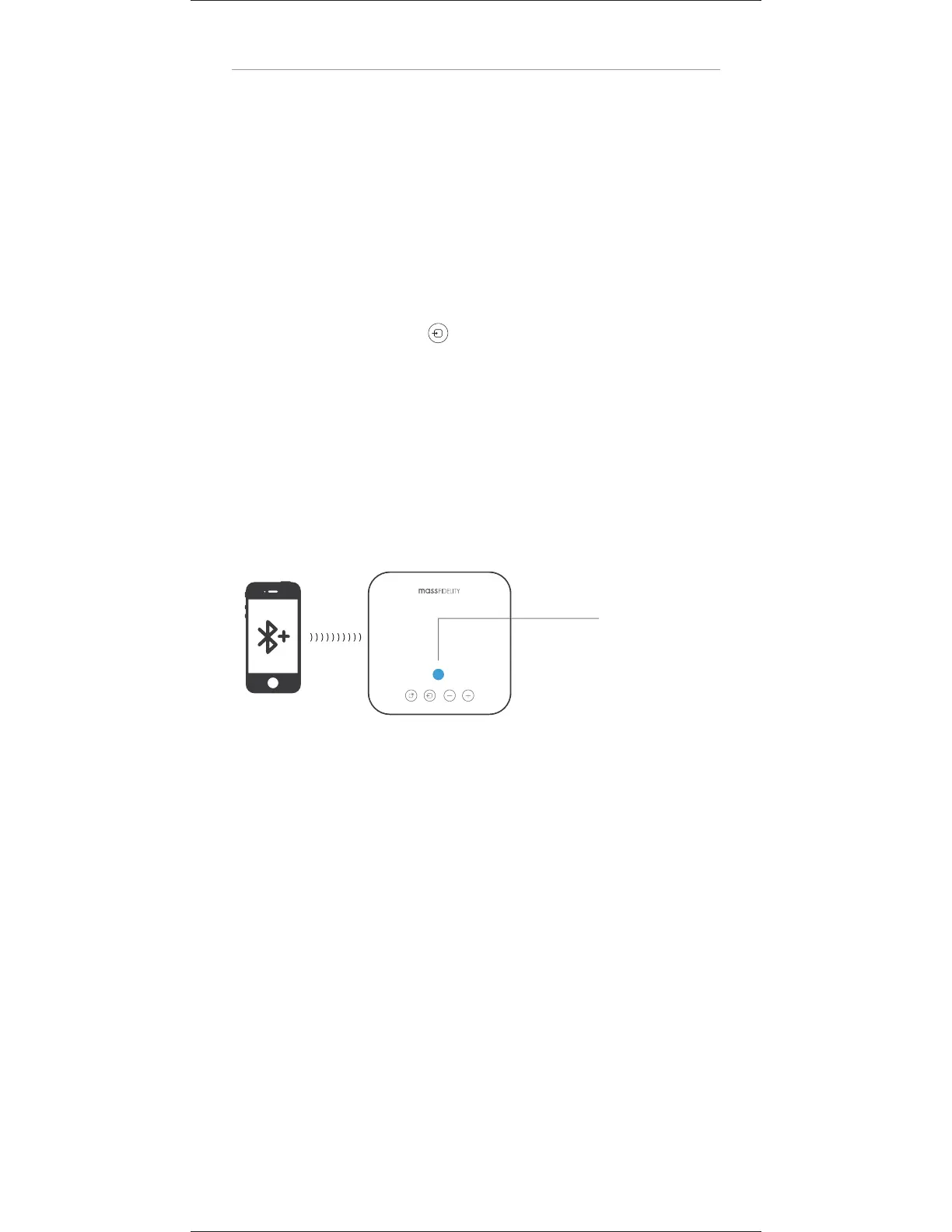
1. Press the SOURCE key until the LED indicator turns
CMVFBOEnBTIFT
2. Turn on Bluetooth on the source device and in the list of
BWBJMBCMF#MVFUPPUIEFWJDFTTFMFDUi$PSFYYYYYYw
(where xxxxxx are six alphanumeric characters). When the
source device and the Core are paired and connected,
the LED indicator on the Core stops flashing and remains
TPMJECMVF
Once a Bluetooth
connection is made
UIF-&%XJMMCFBLUE
3. When the source device and the Core are connected via
Bluetooth, select music on the source device to play it
through the Core.
4. To avoid hearing the source device’s sound notifications
DBMMFNBJMUFYUFUDGSPNUIF$PSFEJTBCMFUIFNPOUIF
source device. This function and method depends on your
source device.
Bluetooth connection:
8IFO#MVFUPPUIJTFOBCMFEPOUIF$PSFUIF$PSFBUUFNQUTUP
auto-connect to the last connected source device.
t *GUIFMBTUDPOOFDUFETPVSDFEFWJDFJTXJUIJOSBOHFPG
UIF$PSFBOECPUIIBWF#MVFUPPUIFOBCMFEUIFZDPOOFDU


 To Next Page