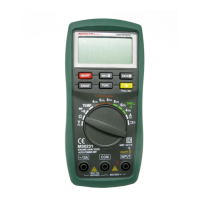
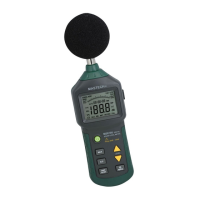
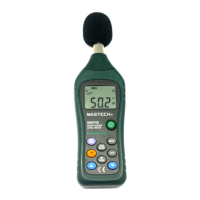
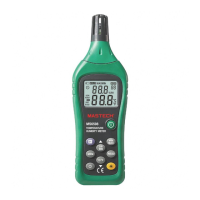
The MASTECH MS6252A is a digital anemometer designed for measuring ambient temperature, humidity, dew point temperature, wet bulb temperature, wind speed, and air volume. It is a portable, professional measuring instrument featuring a large-screen LCD and backlight, along with multi-unit switching functions. The meter can be used for hand-held or fixed measurement and offers functions such as reading hold, maximum, minimum, and real-time data uploading via a low battery indicator and USB.
Function Description
The device integrates multiple measurement capabilities:
- Wind Speed Measurement: Displays current wind speed in various units (m/s, km/h, mil/h, ft/s, ft/m, knots).
- Air Volume Measurement: Measures air volume in CFM, CMM, and CMS.
- Temperature Measurement: Measures ambient temperature.
- Humidity Measurement: Measures relative humidity.
- Dew Point Temperature: Calculates and displays dew point.
- Wet Bulb Temperature: Calculates and displays wet bulb temperature.
- Data Hold: Allows users to freeze the current reading on the display.
- MAX/MIN/AVG: Records and displays maximum, minimum, and average values.
- Backlight: Provides illumination for the display in low-light conditions.
- Auto Power-Off: Automatically turns off the device after a period of inactivity to conserve battery.
- Area Setting: Allows users to input the area for accurate air volume calculations.
Important Technical Specifications
- Work Height: Maximum 2000m.
- Display: LCD.
- Maximum Show Value: 9999.
- Sampling Time: About 0.4s/time.
- Low Battery Indicator: A battery sign displays on the LCD when the battery is low.
- Work Power: 1x9V 6F22 battery.
- Dimensions: 165Lx85 WX38Hmm.
- Weight: About 200g.
Operating Environment:
- Relative Humidity: 0–85%RH, no moisture condensation.
- Temperature: 0°C–40°C, no moisture condensation.
Detector (Fan) Operation Environment:
- Relative Humidity: 0–85%RH, no moisture condensation.
- Temperature: -20°C–80°C, no moisture condensation.
Storage Environment:
- Relative Humidity: 0–80%RH, no moisture condensation.
- Temperature: -10°C–50°C, no moisture condensation.
Measurement Ranges and Accuracy:
m/s
- Measuring Range: 0.80 – 30.00 m/s
- Resolution: 0.01 m/s
- Accuracy: ±(2.0% reading + 50 characters)
- Measuring Range: 30.00 – 40.00 m/s
- Resolution: 0.01 m/s
- Accuracy: For reference only
km/h
- Measuring Range: 1.40 – 108.00 km/h
- Resolution: 0.01km/h
- Accuracy: ±(2.0% reading + 50 characters)
- Measuring Range: 108.0 – 144.0 km/h
- Resolution: 0.01km/h
- Accuracy: For reference only
ft/s
- Measuring Range: 1.30 – 98.50 ft/s
- Resolution: 0.01 ft/s
- Accuracy: ±(2.0% reading + 50 characters)
- Measuring Range: 98.50 – 131.20 ft/s
- Resolution: 0.01 ft/s
- Accuracy: For reference only
knots
- Measuring Range: 0.80 – 58.30 knots
- Resolution: 0.01 knots
- Accuracy: ±(2.0% reading + 50 characters)
- Measuring Range: 58.30 – 77.70 knots
- Resolution: 0.01 knots
- Accuracy: For reference only
mile/h
- Measuring Range: 0.90 – 67.20 mile/h
- Resolution: 0.01 mile/h
- Accuracy: ±(2.0% reading + 5 characters)
- Measuring Range: 67.20 – 90.00 mile/h
- Resolution: 0.01 mile/h
- Accuracy: For reference only
ft/m
- Measuring Range: 78 – 5900 ft/m
- Resolution: 1ft/m
- Accuracy: ±(2.0% reading + 5 characters)
- Measuring Range: 5900 – 7874 ft/m
- Resolution: 1ft/m
- Accuracy: For reference only
Air volume unit
- CFM: 0 – 99990 (Area) 0 - 9.999 ft²
- CMM: 0 – 99990 (Area) 0 - 9.999 m²
- CMS: 0 – 99990 (Area) 0 - 9.999 m²
Usage Features
- Power On/Off: Press the "①" key to turn the anemometer on or off.
- Reading Hold: In measurement process, if the reading should be kept, press "HOLD" key to lock the reading, and display the "HOLD" symbol; press it again to unlock. Note: In the reading hold state, "FUN", "MAX/MIN" and "UNIT" keys are invalid.
- Backlight: In the measurement process, if the ambient light is too dark to read, you can press "☀" key to open the backlight. Backlight timer is set to 15 seconds. During this period, you can press "☀" key again to turn off backlight at any time.
- Note: The luminous body of backlight is LED with large operating current. Frequently using backlight will shorten battery life. Do not use backlight when unnecessary. When the battery voltage ≤7V, the "⎕" (low battery) symbol will show on the display. However, in the case of using the backlight, if the battery voltage >7V, the battery voltage drops because of its larger operating current, "⎕" symbol may show (when audible buzz, indicating that area input is completed and settings are saved).
- Wind Speed Measurement: Place the detector (fan) into the test environment, "VEL" symbol will display on the screen. Measurement is done with the fan surface perpendicular to the wind direction.
- Note:
- If the detector (fan) is not aiming at the wind direction, which will bring the measurement error.
- For steady wind, the detector (fan) will get maximum reading when it is aiming at the wind direction.
- Air Volume Measurement: When using the meter to measure air volume, you can press "UNIT" key to select the measurement unit you required (m/s, km/h, mil/h, ft/m, ft/s, knots).
- Area Setting: To measure air volume, you should first determine the area of air flue to be, area input steps are shown as following:
- Press "FUN" key to make "AREA" display on the screen.
- Use the "MAX/MIN" and "UNIT" keys to adjust value and unit, after adjusting area unit (m², ft²), then press "MAX/MIN" key. There should be an audible buzz, indicating that area input is completed and settings are saved.
- To change the area setting, please repeat the step ②.
- Air Volume Unit Selection: When using the meter to measure air volume, you can press the "UNIT" key to select the measurement unit required (CMS, CMM, CFM).
- Tripod Connection: The meter can be fixed on a tripod for stable measurements.
- Hanging: The meter can be used by hanging.
Maintenance Features
- Preparation:
- Please check for damage during transportation after receiving the anemometer.
- If it should be stored and shipped under hard conditions, please confirm that whether the meter is damaged.
- Usage:
- The meter should be used in the range of specified ambient temperature and humidity.
- If you notice any abnormality or failure, it should stop using.
- Don't store or use the meter under the conditions of direct sunlight, high temperature and high humidity.
- Don't touch the fan blades with excessive force.
- Don't directly expose the blades in the hard light to avoid reading error.
- Marking: The CE mark indicates compliance with EMC requirements.
- Repair or Maintenance: Should be implemented by trained personnel.
- Fan Cleaning: If there is dust on the fan blade, please blow it with clean air or scrub gently with a damp cloth and mild detergent.
- Meter Cleaning: Clean the meter with a damp cloth and mild detergent. Don't use abrasive material or solvent.
- Power Off: The meter should be powered off when it is not in use.
- Battery Replacement: The meter will consume small current, about ≤ 5µA, after shutdown. If the meter is not to be used for a long period, batteries should be removed to prevent damaging the meter.
- If the "⎕" sign appears, this indicates that the battery should be replaced.
- Power off the meter and remove the battery cover.
- Replace the old battery.
- Install the battery cover properly.
Attachments:
- (1) Battery: 9V, NEDA 1604, 6F22 (1pcs)
- (2) Detector Bracket: Optional
- (3) Packaging Bag: (1pcs)
- (4) Operation Manual: (1pcs)

 Need help?
 General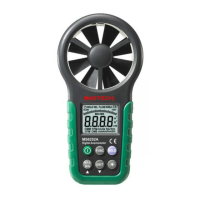

 To Next Page