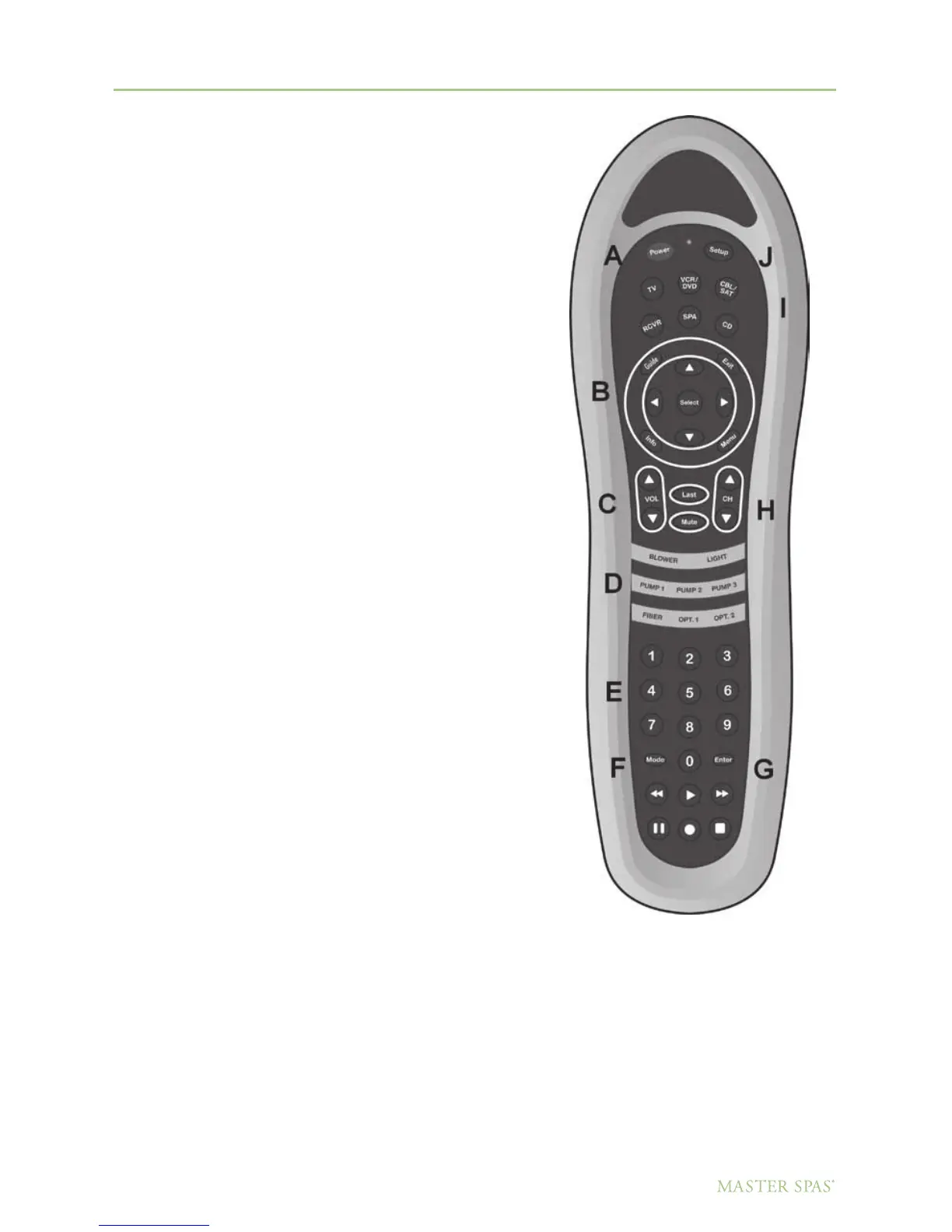
DOLPHIN REMOTE
System Operation – To Watch DVDs
Turn on TV
1. Select Device (TV). (I)
2. Press Power. (A)
3. Press Mode to select Video Input. (F)
Turn on the one piece
DVD/CD/Stereo Receiver
1. Select Device. (I)
2. Press Power. (A)
3. Select the DVD mode by pressing the mode button. (F)
4. There must be a DVD loaded for the A/V unit
to recognize this mode.
5. Press the play button to start the DVD.
67
DO NOT DIVE.
Master Spa Parts - 1068 American Drive, Neenah, WI, 54956, USA



 To Next Page