53DO NOT DIVE.
ICON SPECIFICATIONS
15.
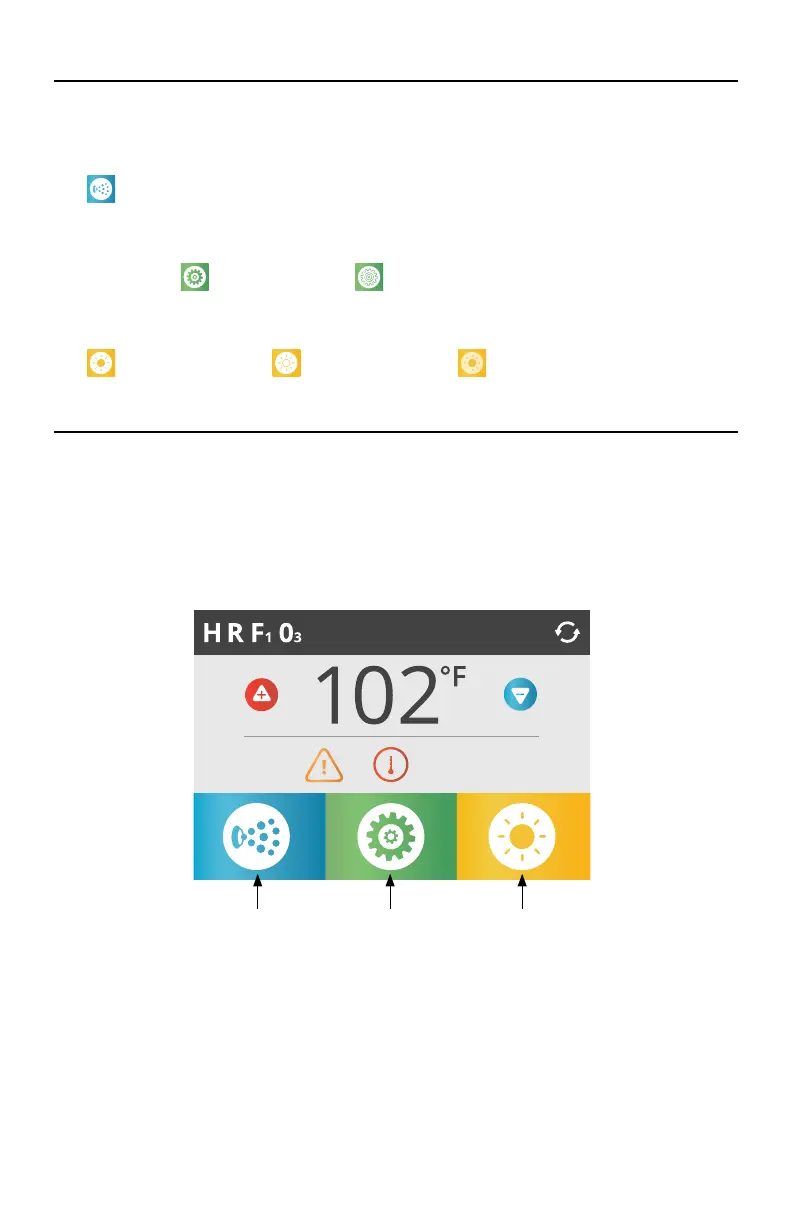
= Spa Equipment Control Icon. Brings up a screen where the spa jets or other equipment
can be controlled. While on the Spa Equipment Screen, you can press a Jets button once for
low speed, and if applicable, press it again for high speed.
17. Setting Icon:
= Settings is Active
= Settings is Inactive
Takes you to Settings Menu Screen, where the available specific features that can be adjusted
by the control panel can be modified.
18.
= Light is turned ON
= Light is turned OFF
= Light is Disabled
NAVIGATION
Navigating the entire menu structure is done by touching the screen.
The screen selections indicated below can be selected to take you to additional menus. Touch one
of these to enter a different screen with additional controls.
Most menu screens time out and revert to the main screen after 30 seconds of no activity.
5:29 pm
SettingsSpa Equipment Lights*
*Only if Light System is equipped.
Options vary by model.
SPA CONTROLS - ICON SPA TOUCH
THE MAIN SCREEN



 To Next Page