Control Valve Timer Settings:
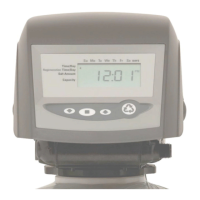
Note: The control valve is set at the factory. You only need to set the
time of day and regeneration time if required, which is preset at 1 am.
Time of Day Setting
1) Press and hold the CLOCK button. The screen will display “Set
Time” and the hour will be blinking.
2) Press the UP or DOWN arrows to adjust the hour —check for
correct am or pm mode.
3) Press the CLOCK button.
4) Press the UP or DOWN arrows to adjust the minutes.
5) Press the CLOCK button.
Time of Regeneration Setting (the factory default is 1 AM)
Simultaneously press the CLOCK and the UP arrow for 3 seconds:
The screen will display “Set Time Regen” and the hour will be blinking.
1) Use the UP or DOWN arrows to adjust hour.
2) Press the CLOCK button.
3) Press the UP or DOWN arrows to adjust the minutes.
4) Press the CLOCK button.
Regeneration Frequency Setting (the factory default is every 7 days)
The screen will display “Set Regen Day” and the days of
regeneration frequency will be blinking.
1) To change the number, use the UP or DOWN arrows.
2) Press the CLOCK button.
3) Set up is complete and the screen will now show the time.
Final Check:
1. Make sure the drain line connection meets all plumbing codes and
that the drain line size can handle the backwash flow rate of the filter.
2. Make sure the Inlet and Outlet on bypass valves are open.
3. Make sure the control valve timer is plugged into an dedicated
electrical outlet with power 24 hours per day.
4. Check all piping for leaks.



 To Next Page