7
EN
2/ DESCRIPTION OF YOUR APPLIANCE
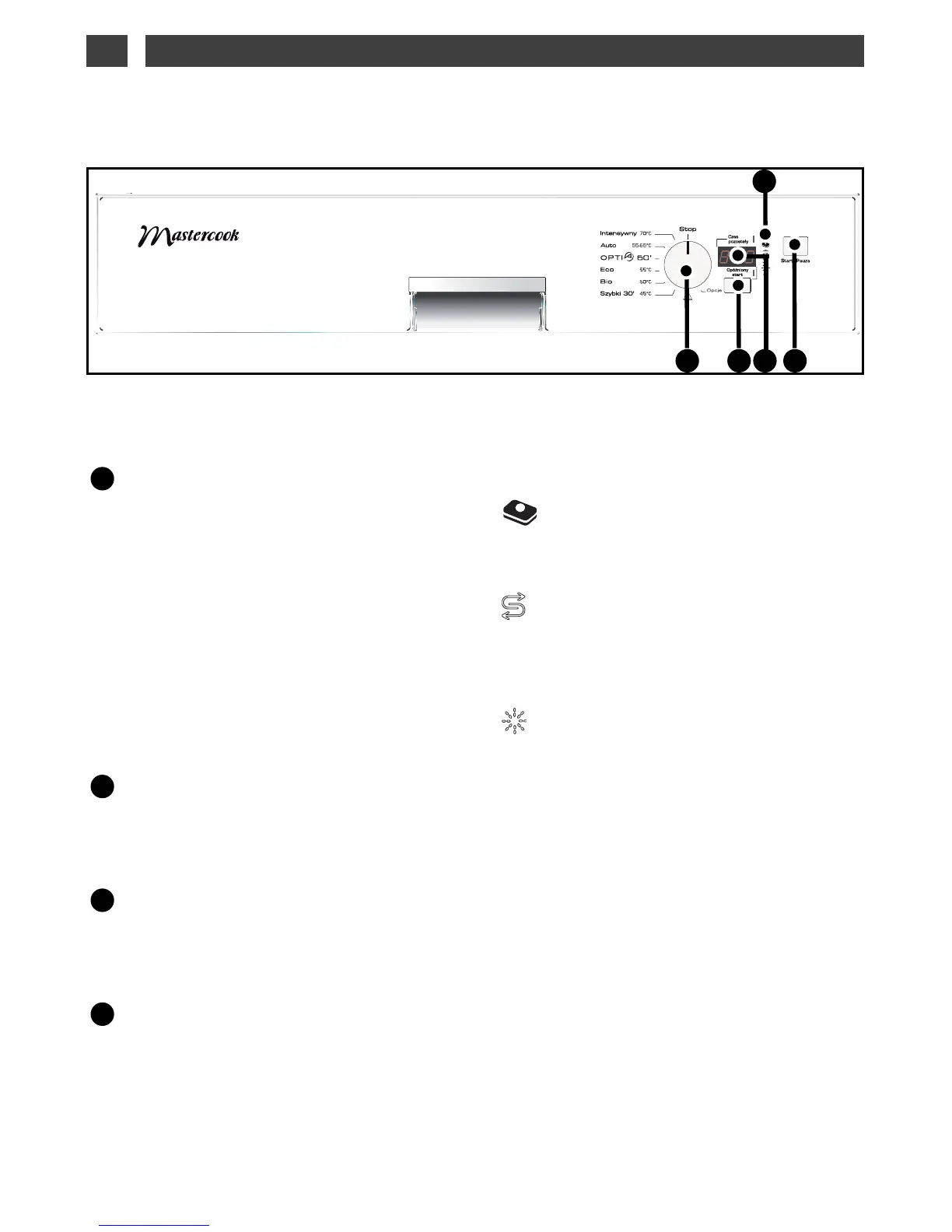
• PRESENTATION OF THE CONTROL PANEL
Programme selector:
3 functions:
• Choosing a programme:
Turn the
selector to make your programme choice.
• Opcje (Set):
Turn the selector to the “Set”
position to access the softener settings. (Refer to
chapter 5 / Detergents and setting the softener).
• Stop:
Turn the selector to the “Stop” posi-
tion when the programme has finished.
Opóźniony start (Delayed start):
-
Choice of delayed-start washing:
-
Set the water softener,
The screen
shows the programme's
length and time remaining until it ends, the
delayed start, and the water softener setting.
Start / Pauza
Press this button to
confirm your programme. Holding down the
button for 3 seconds cancels the programme.
The indicator lights:
Multipurpose products:
lit; indicates that your dishwasher is set to use
“2, 3 4-in-1” pellets.
Salt:
When lit, this indicates a lack of regenerating
salt.
Rinsing liquid:
When lit, this indicates a lack of rinsing pro-
duct.



 To Next Page