7
®
®
TROUBLESHOOTING AND MAINTENANCE
FUSE REPLACEMENT
1 Place the power switch in the off position.
2 Disconnect the AC power input line cord from the attached line and receptacle.
3 Remove and check the fuse and replace if defective
4 Reconnect the AC power input line cord to the receptacle.
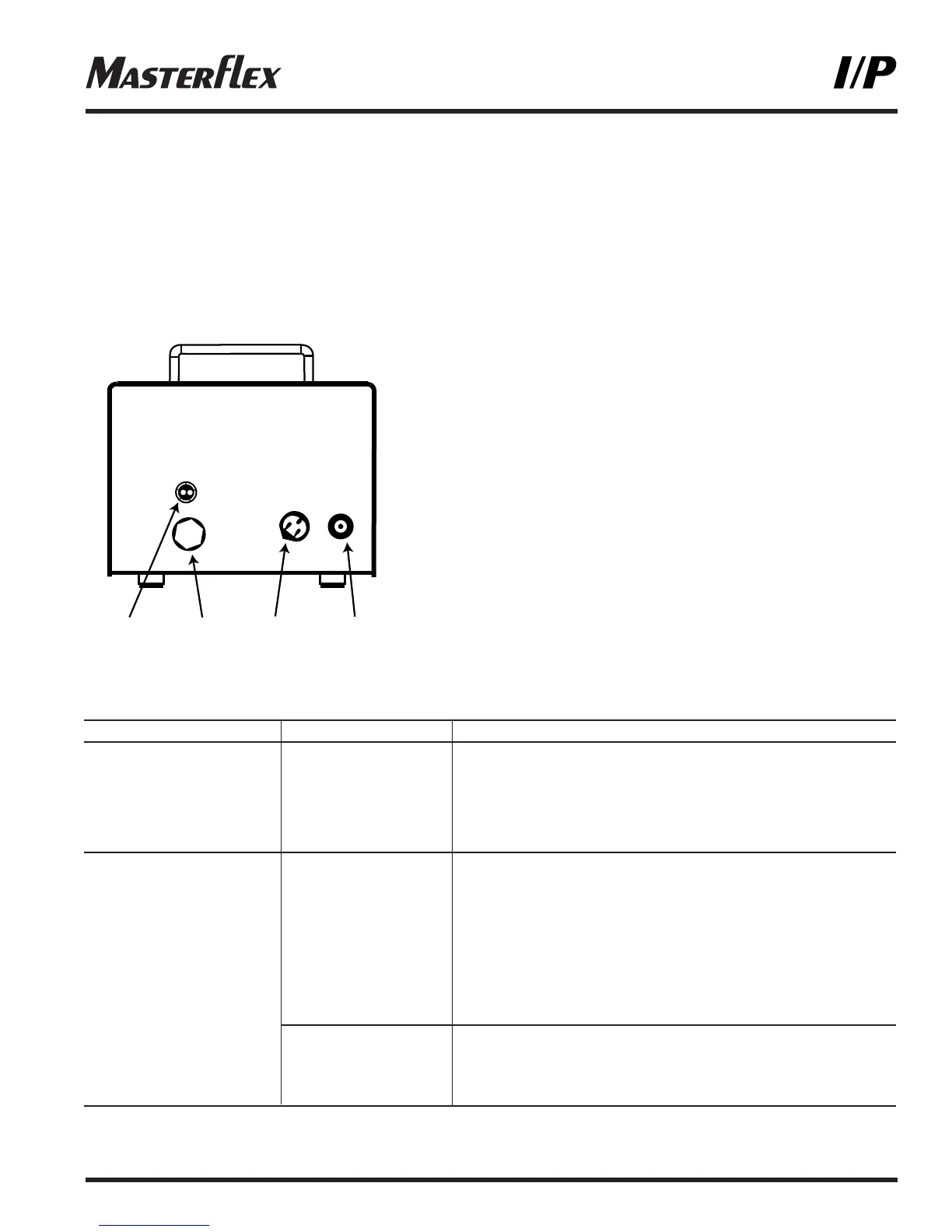
Figure 3
A. T6.3A Fuse (CAUTION: Do not substitute.)
B. External receptacle for remote control
C. IEC 320 Power cord
D. Power switch
TROUBLESHOOTING
SYMPTOM CAUSE REMEDY
A Motor does not rotate A No power 1 Check fuse and replace if defective (Fig. 3)
Display does not light 2 Check that unit is plugged into a live line
3 Check connection of power cord
4 Check the line cord for continuity and replace if defective
5 Return for servicing
B Motor does not rotate B1 Defective remote 1 Place power switch in off position
Display lights control 2 Check that remote cable connector is inserted fully
into the receptacle (Fig. 2 and 3)
3 If motor still does not rotate, select INTernal with
the INT/EXT control and press the STOP/START
control (Fig. 1)
4 If the motor rotates, replace the remote control with
similar unit. If motor does not rotate, return drive
for servicing
B2 INT/EXT control 1 Check that the INT/EXT control is set to INT for
not properly set operation with front panel control or to EXT for with
operation remote control (Fig. 1)
2 If motor still does not rotate, return for servicing
Troubleshooting continued on page 8



 To Next Page