Page 9
USING THE INVERTER
It is important to know the continuous
wattage of the device you plan to use with
the inverter. The Portable Power must be
used with devices drawing 400 watts or
less. If the wattage is not marked on the
device, use only devices that draw less
than 3.3 amps of AC current.
Devices like TVs, fans or electric motors
require additional power to start (com-
monly known as the “starting or peak
power”). The Portable Power can supply
a momentary surge in wattage; however
even devices rated less than the maxi-
mum 400 watts can exceed the inverter’s
surge capability and cause an automatic
overload shutdown.
Do not use the inverter with a product that
draws a higher wattage than the inverter
can provide, as this may cause damage
to the inverter and the product.
Make sure the device you are using is com-
patible with a modified sine wave inverter.
Always run a test to
establish whether the inverter will operate
a particular piece of equipment or device.
In the event of a power overload, the
inverter is designed to automatically shut
down. This safety feature prevents dam-
aging the inverter while testing devices
and equipment with the 400-watt range.
If powering more than one device, start
one device at a time to avoid a power
surge and/or inverter overload. The surge
load of each device should not exceed
the inverter’s Continuous Operation watt-
age rate.
IMPORTANT: If you are using the power
inverter to operate any type of battery
charger, monitor the temperature of the
battery charger for about 10 minutes. If
the battery charger becomes abnormally
warm, disconnect it from the inverter
immediately.
You can use an extension cord from the
inverter to the device without significant-
ly decreasing the power being generated
by the inverter. For best operating results,
the extension cord should be 16 AWG
(1.31 mm
2
) or larger and no longer than
50 feet.
IMPORTANT: This inverter uses a modi-
fied sine waveform, which is not quite the
same as power company electricity. For
the following devices, we strongly recom-
mend that you use caution and check the
device’s manual to make sure it is com-
patible with modified sine waveform.
1.
Switch mode power supplies
2.
Linear power supplies
3.
Class 2 transformers
4.
Line filter capacitors
5.
Shaded pole motors
6.
Fan motors
7.
Microwave ovens
8.
Fluorescent and high-intensity lamps
(with a ballast)
9.
Transformerless battery chargers
Using the inverter with any of these devic-
es may cause the device to run warmer or
overheat.
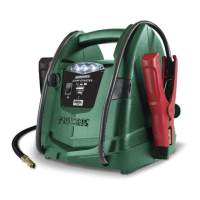
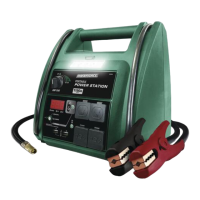
POWERING A 110V AC DEVICE
1.
Ensure the battery clips are securely
on the storage holders.
2.
Open the protective cover of the AC
power outlet on the front panel.
3.
Make sure the 110V AC device to be
operated is turned OFF.
4.
Plug the 110V AC device into the AC
power outlet and press the Select
button, to choose AC Inverter.
5.
Turn the device on.
6.
Charge the unit as soon as possible
after each use.
RISK OF ELECTRIC SHOCK.
Incorrect operation of your inverter may
result in damage and personal injury. The
inverter output is 110V AC and can shock
or electrocute the same as any ordinary
household AC wall outlet.
NOTE: The maximum continuous load is
400 watts. Do not use the inverter with a
product that draws more than 400 watts,
as this may cause damage to the inverter
and the product.


 To Next Page