Page 14
WARNING
Remove the safety
key and battery pack from the machine
before maintenance.
WARNING
Keep the motor
and battery pack free from grass, leaves
or too much grease.
CAUTION
Use only approved
replacement parts.
CAUTION
Do not let brake
-
als touch the plastic parts. Chemicals can
cause damage to the plastic, and make the
plastic unserviceable.
CAUTION
Do not use strong
solvents or detergents on the plastic
housing or components.
• Before each use, examine the machine for
damaged, missing, or loose parts such as
screws, nuts, bolts and caps.
• Tighten correctly all the fasteners and caps.
• Clean the machine with a dry cloth. Do not
use water.
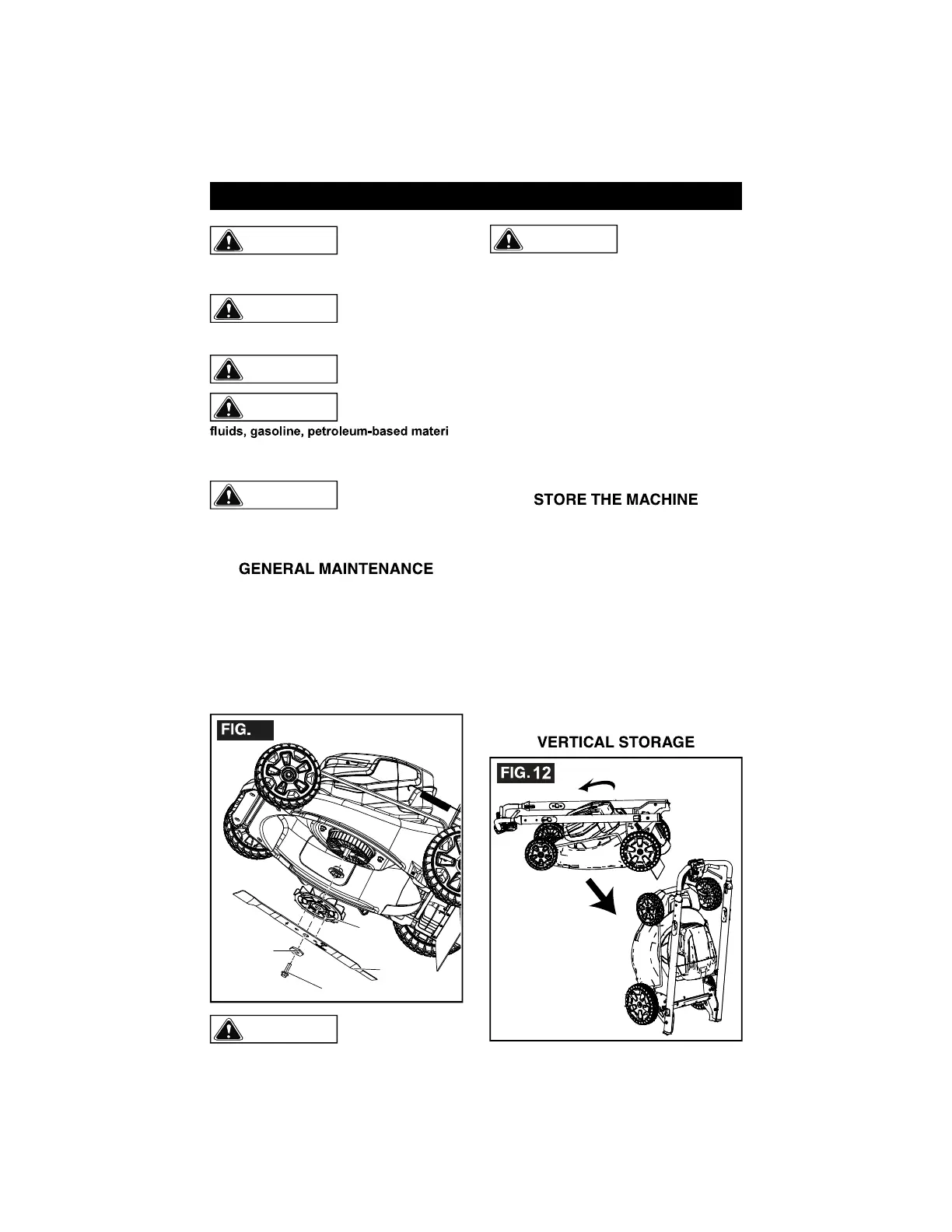
REPLACE THE BLADE
Screw
Spacer
Blade
Fan
11
WARNING
Use only approved
replacement
blades.
WARNING
Wear heavy gloves
or wind cloth
around the blade
when you touch the blade.
1. Stop the machine.
2. Make sure that the blade is fully stopped.
3. Remove the safety key and battery pack.
4. Turn the machine to its side.
5. Use a piece of wood to prevent the
movement of the blade.
6. Remove the mounting screw and spacer
with a wrench or socket.
7. Remove the blade and fan.Install the new
blade. Make sure that the arrows on the
fan engage the holes in the blade.
8. Put in the spacer and tighten the mounting screw.
9. Recommended tightening torque: 24-27
ft.lbs. 33-37 N.m.
• Remove the safety key.
• Remove the battery pack(s).
• Clean the machine before storage.
• Make sure the motor is not hot when you
store the machine.
• Make sure that the machine does not have
loose or damaged parts. If it is necessary,
follow these instructions:
• Replace the damaged parts.
• Tighten the bolts.
• Speak to a person at an approved service
center.
• Store the machine in a dry area.
• Make sure that children cannot come near
the machine.
MANITENANCE


 To Next Page