47
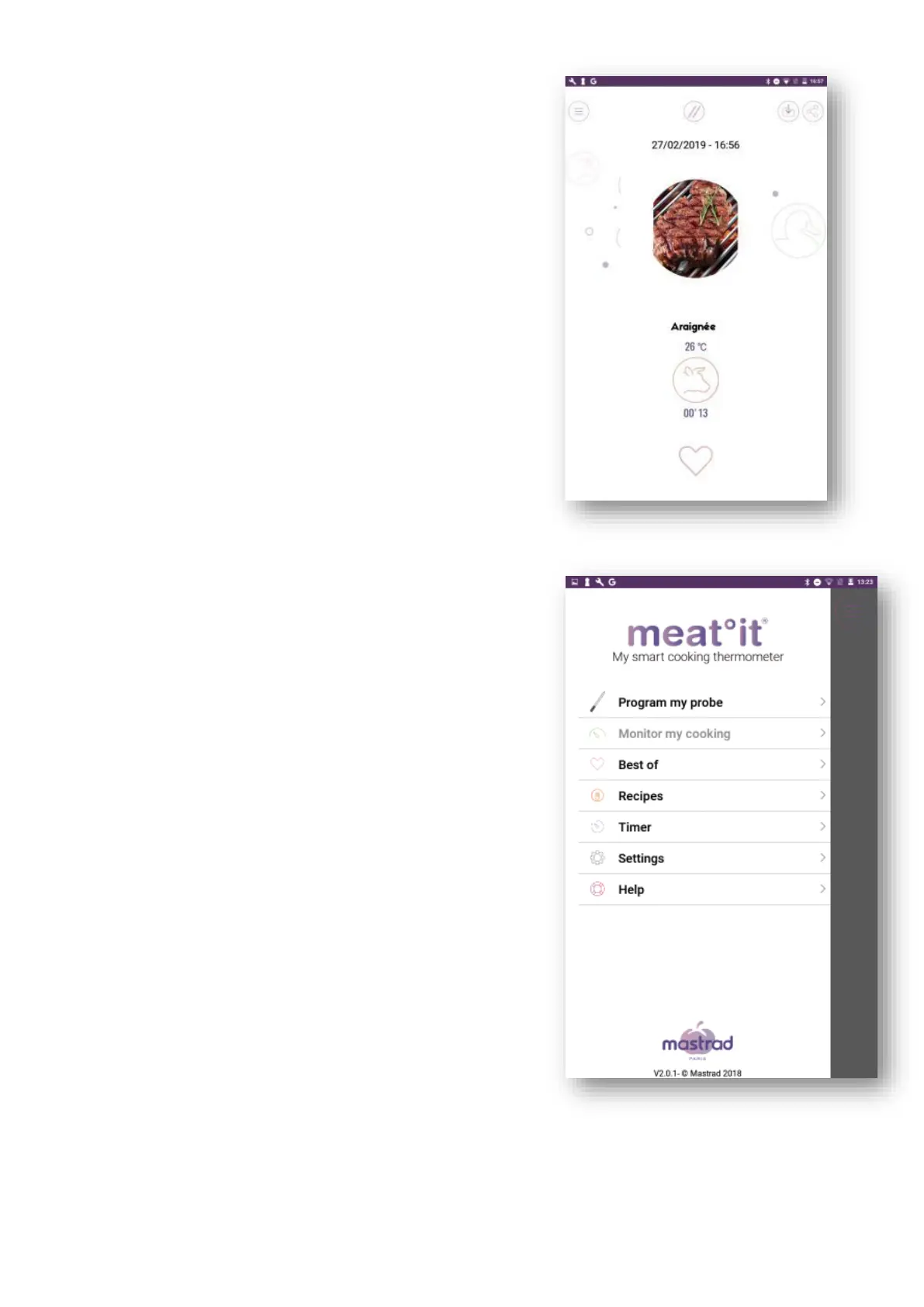
2. 11 Share result
You can share an overview of your cooking
performance containing:
- A photo of your dish
- The type of meat
- The cooking level. A performance bar shows
how much of your cooking was done too slowly,
too fast or at the correct speed
- The internal temperature
- The cooking time
- The date
2. 12 Main menu
You can access the main menu at any time by clicking
on the icon at the top left of the screen.
(6) Click on “Program my probe”, to go to the set
cooking program screen (2.3)
(2) Click on “Monitor my cooking”, to go to the
cooking control screen (2.5)
(3) Click on “Cooking list”, to see your favorites/your
history (2.10)
(4) Click on “Timer”, to set a timer/stopwatch (2.9)
(5) Click on “Settings”, to access the settings (2.11)
(6) Click on “Help”, to go to the Help menu. You
can then access the quick start guide or the
instructions for use. (2.12)
(7) Click on “Store” to access the Mastrad store


 To Next Page