MAINTENANCE AND TROUBLESHOOTING
- Ⅳ -
§4.2.1Operation of MIG/MAG Synergic welding method:
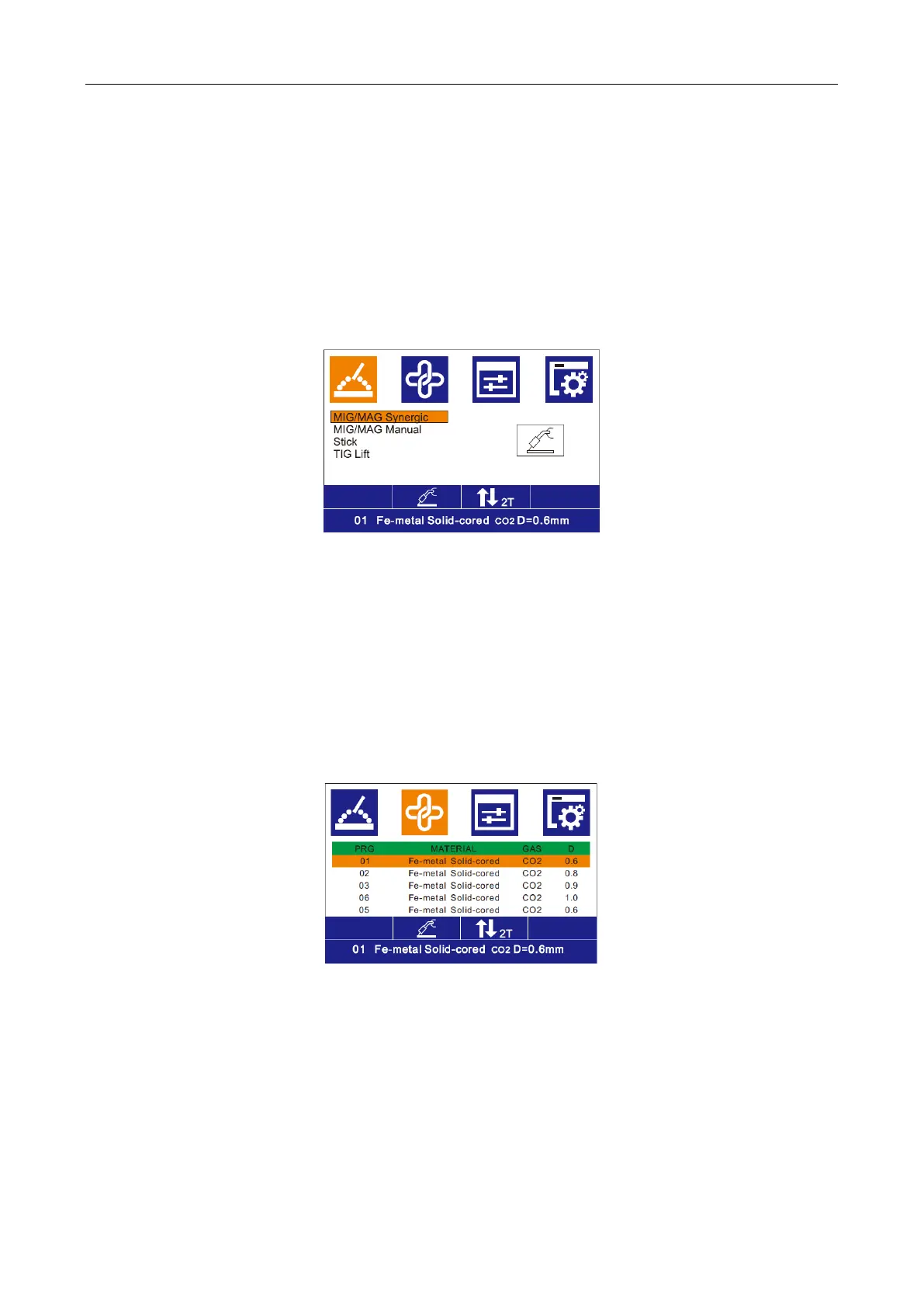
1. Selection of the welding method:
1) In the main interface, press the MENU key to enter the function selection interface;
2) In the function selection interface, rotate L Knob to select the MIG/MAG Synergic welding
method and press the knob for confirmation in the interface shown below:
Fig. 1
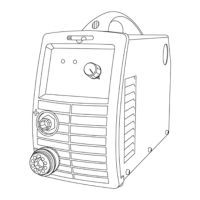
2. Selection of synergic parameters:
1) In the main interface, press the MENU key to enter the synergic parameter selection;
2) In the synergic parameter selection interface, rotate L Knob to select the required synergic
parameters and press it for confirmation in the interface shown below:
3. Selection and setting of welding parameters:
1) In the main interface, press the MENU key to enter the welding parameter setting interface;
2) In the welding parameter setting interface, rotate L Knob to select the parameter as
required and rotate R Knob to set a value for the parameter. Press L Knob or R Knob for
confirmation in the interface shown below:



 To Next Page