Rev. Descrizione Redatto/Gestito Approvato Cod.Ident. Pagine Data Em.
0.6 Manuale Istruzioni GN UTEC B041.M01.EN 29/47 07/2014
1. Increase/decrease the load applied to the standard
cell by pressing the buttons
and or( and when using
the key-pad)
2. Stop the manual activation by pressing the button
or the button when using the key-pad.
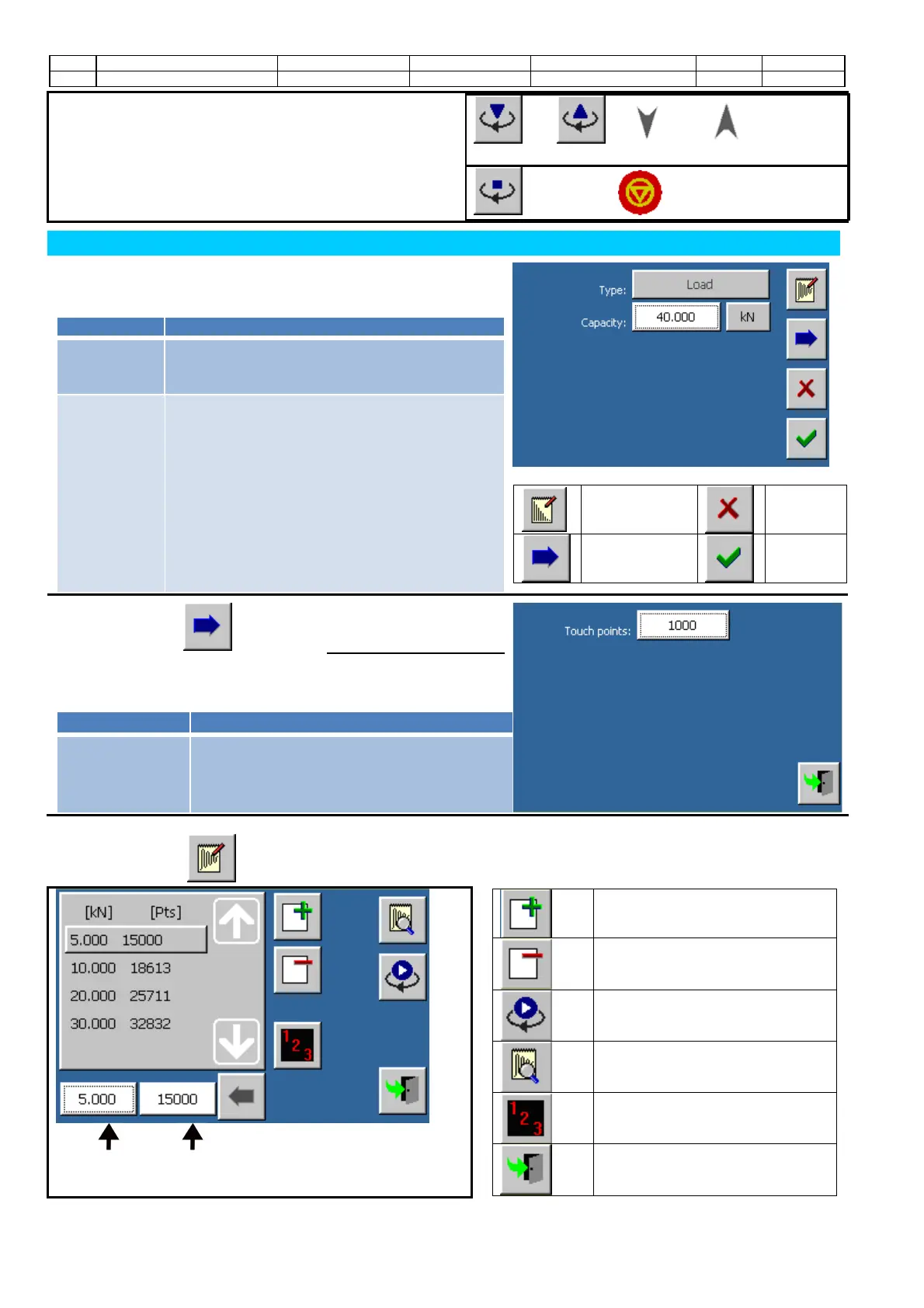
OUTPUT ANALOG CHANNELS CONFIGURATION
The machine applies loads to the specimen changing the output
of an analog channel previously set and calibrated.
The analog channel function can be set through this screen:
Type Indicates the type of configuration set on the
analog channel.
“Load” is selected by default.
Capacity Indicates the full scale value of the actuator
connected to the analog channel.
The measuring unit chosen for this
configuration does not belong to the
measuring system set up in the international
settings. In this way the operator is free to
enter directly the unit of measure indicated in
the technical specifications of the actuator,
without worrying about the overall international
settings of the whole system. Input a value
of12 kN.
Commands
Calibration
Annul
changes
Advanced
configuration
Confirm
changes
Touch the button to enter the advanced configuration
screen.
Parameters
Touch points Indicates the number of points at which the
analog output have to be programmed to
move the piston downwards until it touches
the specimen (touch point).
Touch the button to enter the calibration screen.
Commands
Add a calibration step
Cancel a calibration step
Start the manual activation
Check the calibration
Default initialization of the
calibration steps
Screen closure
Channel value of
the selected step
Channel points of the
selected step


 To Next Page