Rev. Descrizione Redatto/Gestito Approvato Cod.Ident. Pagine Data Em.
0.6 Manuale Istruzioni GN UTEC B041.M01.EN 32/47 07/2014
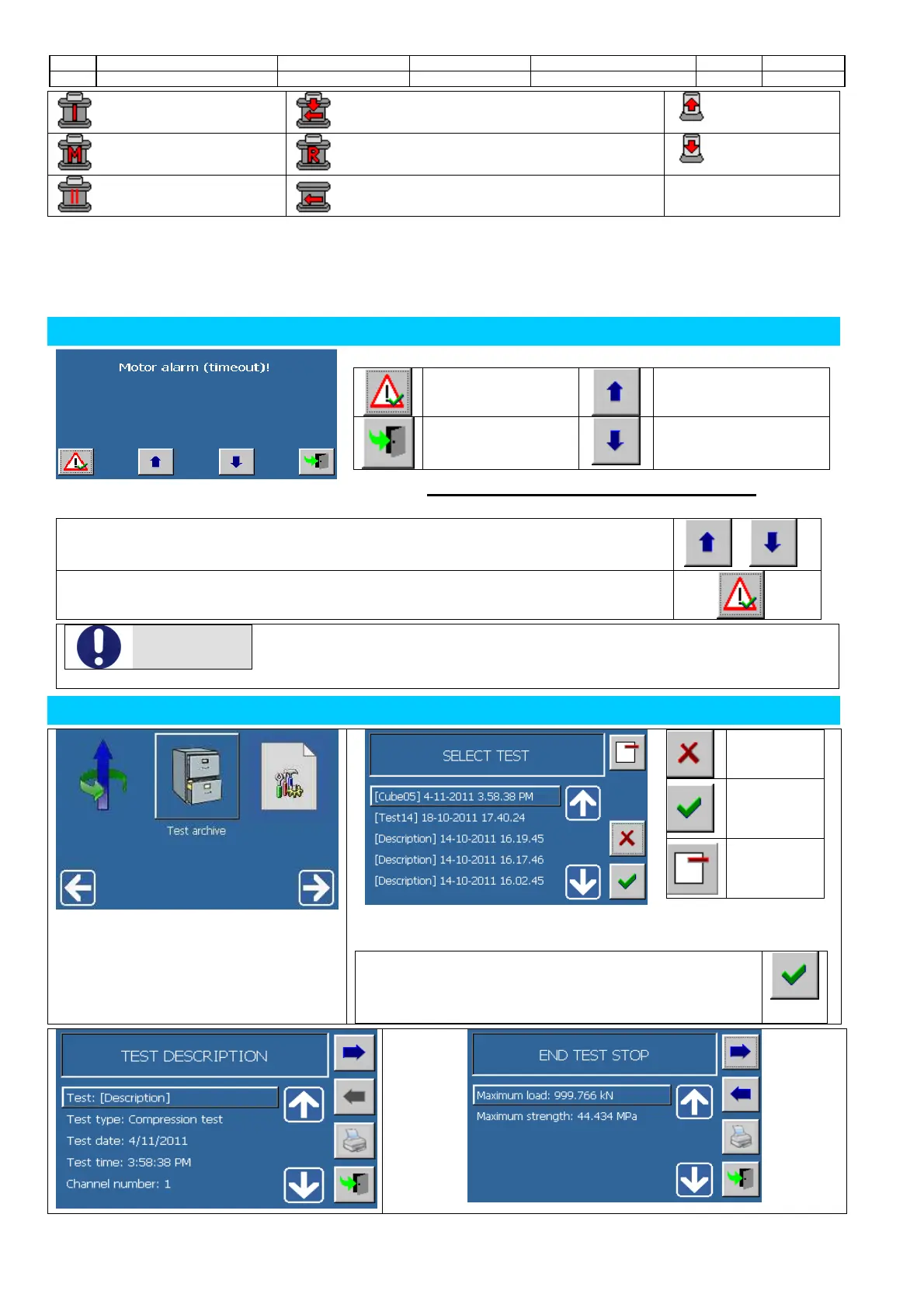
:Initialization :Rotation with load application :Piston rise
:Manual activation :Ready (initialization phase is over) :Piston fall
:Pause :Rotating phase to find the zero position
ALARMS
Look over/reset the
alarm
Former alarm
visualization
Close the screen
Next alarm visualization
How to confirm the setting or reset an alarm.
1.
Scroll through the list of the active alarmsuntil the desired alarm is visualized.
( o )
2.
Confirm the inspection and reset the alarm pressing
ATTENZIONE
An alarm that has been reset could immediately appear again if the causes/problems have
not been removed completely.
If the alarm has been activated by pressing the emergency button, it is not necessary to
reset the alarm, but the operator has only to put the button in its initial position.
TEST ARCHIVE
Closing
screen
Opening
selected
test
Delete test
from the
store
1. Connect a storage device (PEN
DRIVE or SD-CARD) containing
previously saved tests, and access to
the icon indicated.
2. Displays all the tests on the device inserted, sorted from newest to
oldest.
3. Select the test of interest. Press the button to proceed
to the display of data and test results will be available
through the following pages.


 To Next Page