8
7
Step 2: Mounting the Plate
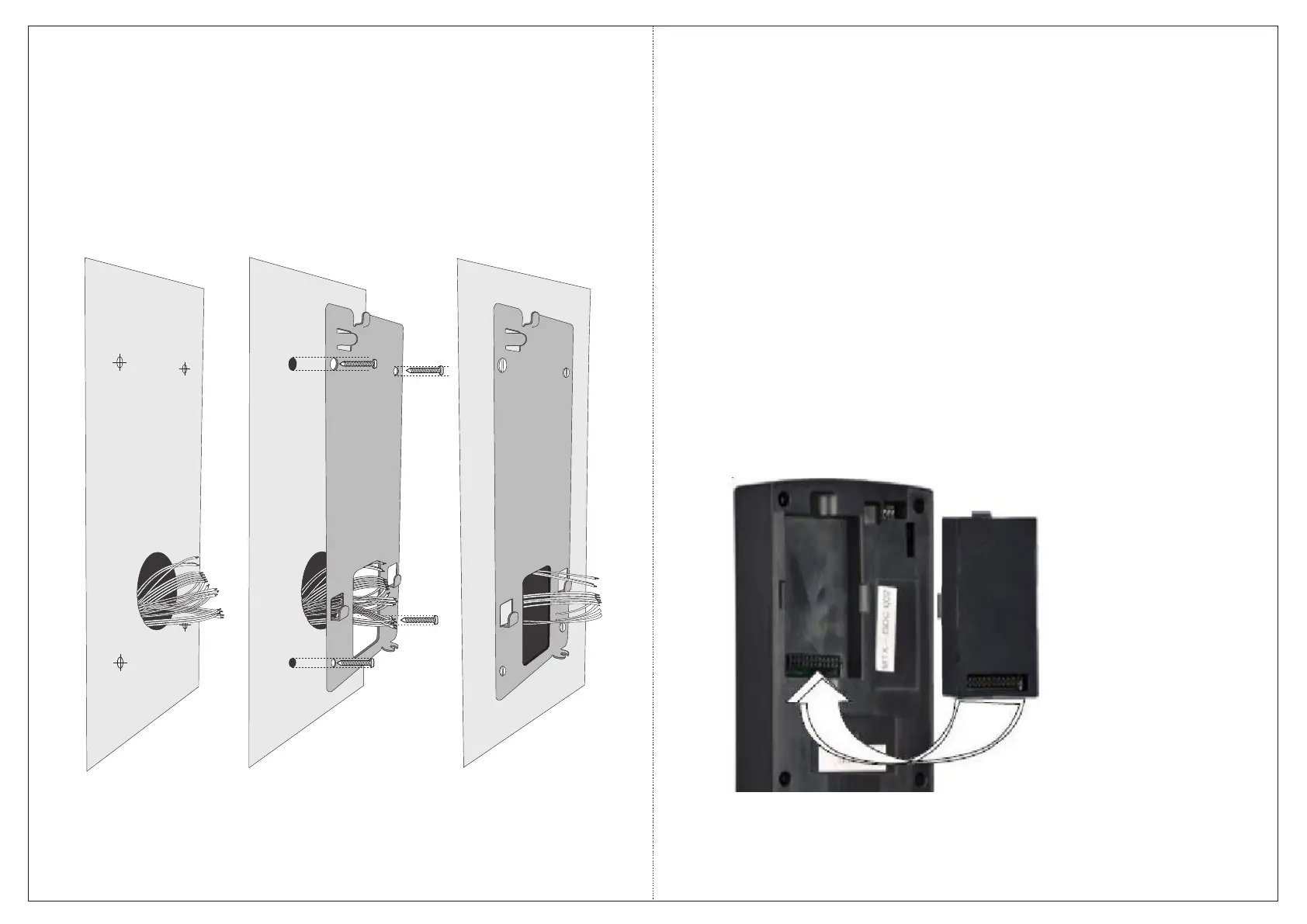
Ÿ Place the Mounting Plate on the installation surface.
Ÿ Trace out the screw holes on the wall along the holes on the Mounting Plate
Ÿ (figure 1).
Ÿ If required, trace out the rectangular hole of the Mounting Plate.
Ÿ Remove the Mounting Plate.
Figure 1 Figure 2 Figure 3
Ÿ Drill four screw holes along the markings you traced on the wall. Cut out the
rectangular hole on the wall.
Ÿ Insert the screw grips into the holes you drilled.
Ÿ Fix the Mounting Plate on the installation surface with the four supplied screws
(figure 2 and 3).
Step 3: Mounting the Card Personality Module
To access the door controller with card, you must order Matrix COSEC CPM (Card
Personality Module separately.
The module needs to be mounted on the COSEC DOOR prior to starting the wall
mounting procedure as shown below.


 To Next Page