CARDIO EQUIPMENT
TREADMILL BELT ADJUSTMENTS
TIGHTENS RIGHT SIDE OF ROLLER TIGHTENS LEFT SIDE OF ROLLER
Find the logo on the belt. Are there tension markers? If NO, follow the steps below to tension.
The two 8mm hex bolts in the end caps adjust the rear roller position. To move the roller out (closer to you), turn both
clockwise. This will add tension to the running belt. In turn, adjusting the two bolts counterclockwise will move the
roller in, removing tension from the running belt. Adjust each bolt the same amount of turns to keep the belt centered
on the running deck. Make ¼ to ½ turns at a time when adjusting.
This belt should stretch over its lifetime. Check tension after the first week of use, then monthly during preventive
maintenance tasks.
TENSIONING BELT
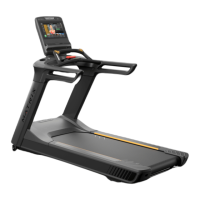
1. Press Go on the treadmill and adjust speed to 3mph / 4.8kph.
2. Walk on the treadmill belt. Once you are balanced, stomp your foot on the belt to emulate a runner with a heavy
foot. Does the belt stop?
a. If yes, tension needs to be added. Do this by turning both roller bolts clockwise as described above, then
repeat step 2. The belt can be adjusted while it is moving if you are careful.
b. If no, he belt is properly tensioned.
FIG. 1
FIG. 2 FIG. 3
9





 To Next Page