2 Matrox Extio Series – User Guide
Overview
Thank you for purchasing a Matrox Extio product. This product is a complete remote graphics
solution that supports up to 2 or 4 computer monitors at a time. As a remote graphics solution, it
separates the CPU and hard disks of your system from the computer peripherals – monitors,
keyboard, mouse, and audio hardware.
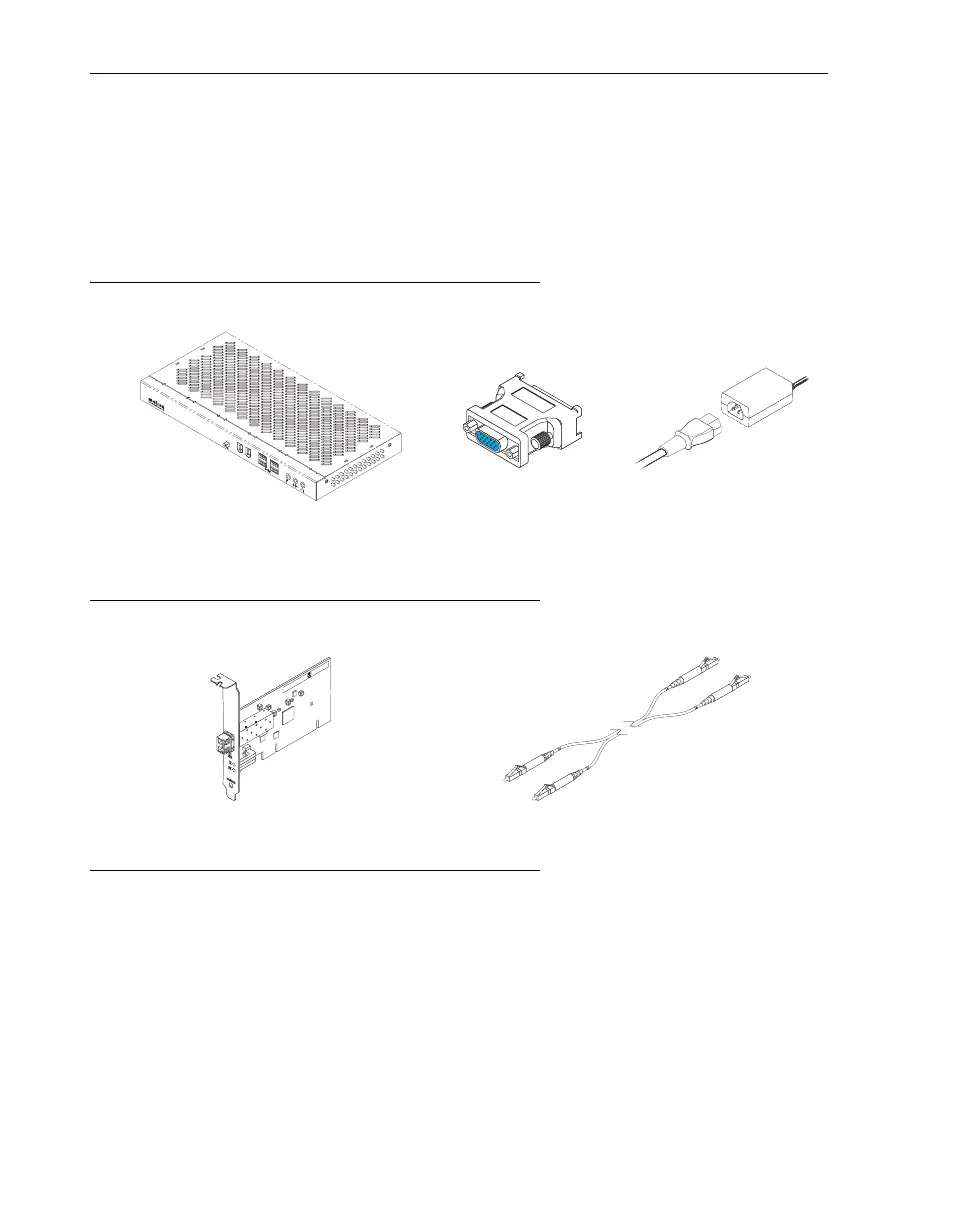
Hardware supplied
Hardware required (sold separately)
Software available (for Windows 2000, Windows XP, Windows Server
2003, Windows XP Professional x64, and Windows Vista)
!
Matrox PowerDesk-SE –
to use your Matrox product
!
Audio drivers
– to use the audio hardware on your Matrox product
!
Other software –
see the CD-ROM
Readme
file
Matrox Extio remote graphics unit
(Extio F1420 shown)
4 DVI-to-HD15 adapters
(Extio F1400/F1420 only)
Power supply
*
* Multiple power cables are provided for international support.
Matrox PCI or PCIe interface card
(PCI card shown)
Dual LC optical cable
(50 µm/125 µm or 62.5 µm/125 µm)



 To Next Page