Installing your Matrox Radient eV-CXP board 17
Matrox Radient eV-CXP might drop frames if the PCIe slot does not have at least
8 active lanes (for example, if the board is connected to a x8 PCIe slot that has
only four active lanes). Verify with your motherboard manufacturer to find out
whether your motherboard works efficiently with a x8 PCIe board, such as Matrox
Radient eV-CXP.
If you need to install the DBHD-15 cable adapter brackets, you will need an
additional slot for each cable adapter bracket. These slots need not be adjacent to
the Matrox Radient eV-CXP board. In addition, the cable adapter brackets do not
plug into a slot’s connector; they attach only to the back of the computer’s chassis.
❖ Note that the external auxiliary I/O connectors on the cable adapter brackets
are panel mount connectors. If you don’t want to occupy an entire slot for each
additional bracket, you can punch out two holes in the computer chassis, and
then screw the connectors in the holes.
3. If there is a metal plate at the back of the selected slots, remove it. Keep the screw
from the top of the plate to anchor your board and cable adapter brackets once
they are installed.
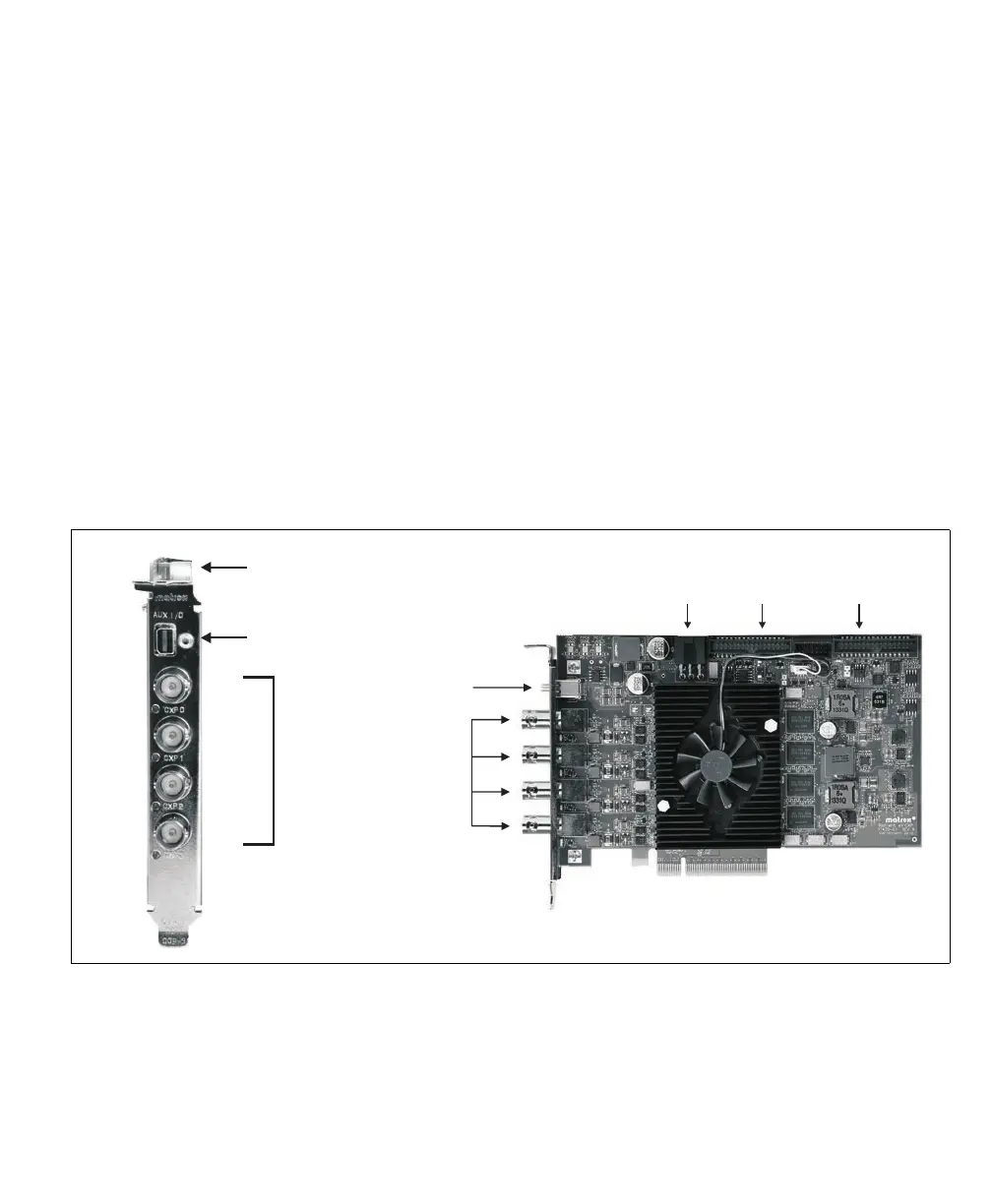
CXP 0
CXP 1
CXP 2
CXP 3
CoaXPress
video input
connectors
MiniDP
connector
Internal auxiliary
I/O connectors
CoaXPress
video input
connectors
Internal
auxiliary I/O
connector 1
12 V PCIe
auxiliary power
connector
Internal
auxiliary I/O
connector 2
MiniDP
connector



 To Next Page